
Dashcams 2025: Features, Mounting, and Legal Etiquette
Dashcams 2025: Features, Mounting & Legal Etiquette
Table of Contents
🧭 What a Dashcam Is—and Why It’s Worth It
A dashcam is a small video camera that continuously records the road (and sometimes cabin) while you drive, saving clips around incidents. Modern models add G-sensors that auto-lock footage during impacts, GPS for speed/location stamps, and parking modes to capture bumps while the car is off. These features preserve crucial context for insurers or police. acg.aaa.com
Safer installation and use matter as much as resolution: regulators stress minimizing driver distraction when interacting with in-vehicle electronics. Keep tasks brief and eyes on the road; configure the camera so you rarely touch it while driving. NHTSA+1
✅ Quick Start: Today’s 20-Minute Setup
-
Check local rules (windshield obstruction + audio consent). If unsure, default to a low-profile, non-obstructing mount and disable audio. Justia Lawrcfp.org
-
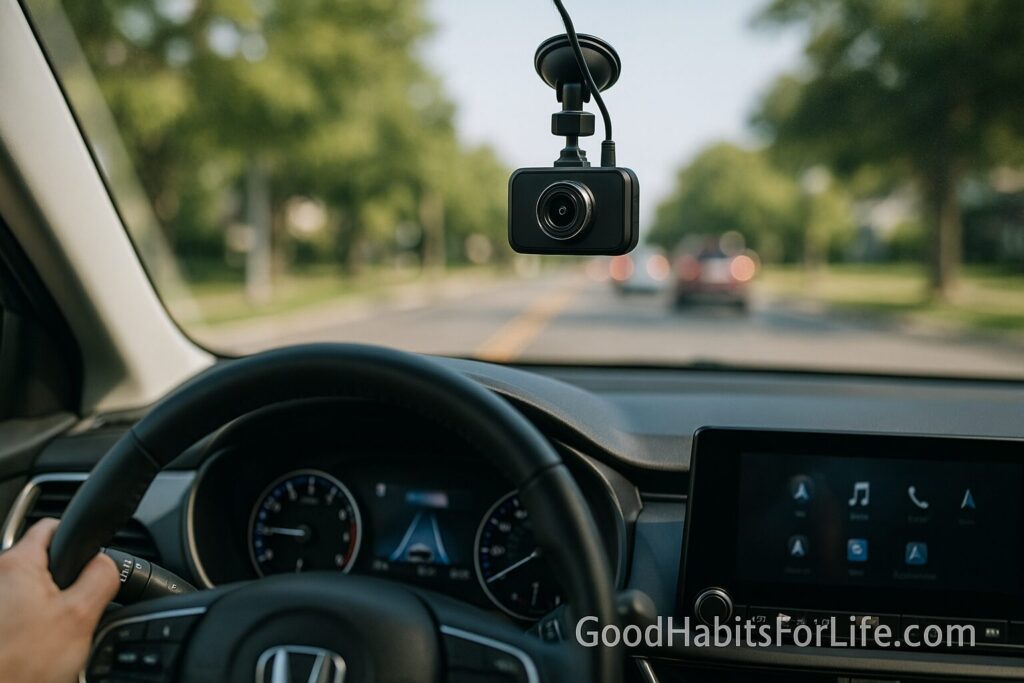
Pick the spot: typically behind the rear-view mirror (passenger side) or on the dashboard where it doesn’t block your view. Clean glass, stick the mount, and route the cable safely. Expert Market
-
Insert high-endurance microSD (e.g., 128–256 GB), format in-camera, and update firmware.
-
Set core options: 1440p–4K, 30–60 fps, HDR/WDR on; GPS stamp; loop length 1–3 min; G-sensor medium.
-
Enable parking mode only with a hardwire kit or battery pack that protects your car battery. BlackboxMyCar USA
-
Test: record a 30-sec drive + a simulated bump; verify file locks and GPS stamps. acg.aaa.com
🧠 7-Day Dashcam Habit Plan
Day 1: Legal check, mount location marked with painter’s tape; confirm no line-of-sight obstruction. Justia Law
Day 2: Install + cable management; set video/HDR/GPS.
Day 3: Configure loop, G-sensor, and parking mode; verify hardwire low-voltage cut-off. BlackboxMyCar USA
Day 4: Create a file-naming and backup routine (e.g., monthly microSD rotation).
Day 5: Add privacy routine: audio off by default; inform passengers when recording. rcfp.org
Day 6: Practice non-distracting operation: use voice prompts/hotkeys only when stopped. NHTSA
Day 7: Run a mock incident (brisk brake in a safe area) to ensure clips auto-lock. acg.aaa.com
🛠️ Essential 2025 Features & Specs
Core recording quality
-
Resolution: 1440p–4K for license plates at speed; pair with HDR/WDR for night glare.
-
Frame rate: 60 fps reduces motion blur; 30 fps is fine if bitrate is high.
-
Lens & sensor: Wide field (~140–160°) without distortion; reputable sensors handle low light.
Evidence anchors
-
G-sensor (impact-triggered lock): Auto-protects clips when forces spike. acg.aaa.com
-
GPS speed/location stamps: Adds context insurers may request. TechRadar
-
Dual/triple-channel: Rear and/or interior cam for tailgaters, ride-hailing, or parents.
Uptime & longevity
-
Parking modes (impact/motion/timelapse) with hardwire kits; set thresholds to avoid false triggers. BlackboxMyCar USADashCamTalk
-
High-endurance microSD and loop recording to prevent dropped frames and card failure. acg.aaa.com
Safety & distraction
-
Prioritize set-and-forget operation; avoid fiddly touch screens while moving. This aligns with driver-distraction guidance. NHTSAFederal Register
🧷 Mounting: Road-Legal Positions (with Examples)
General rule: Do not obstruct the driver’s clear view through the windshield. Many regions explicitly prohibit objects on the windshield or limit them to small zones; others prefer dashboard-only mounting. Justia Law
Examples you can learn from (not universal)
-
California (USA): Objects may not obstruct the view; enforcement stems from Vehicle Code §26708. Some allowances exist for small windshield areas (check current text). Justia Law
-
Commercial vehicles (USA): Federal rules specify allowable bands measured from the wiper-swept area (used by fleets; good design cue for private cars too). Federal Registereld.kellerencompass.com
-
UK (business use): Treat outward-facing dashcams as surveillance; be transparent and minimize intrusion. Mount discreetly to avoid driver distraction and privacy complaints. ICO+1
Best-practice placement checklist
-
Small body, high and centered behind the rear-view mirror (passenger side) or on the dashboard, outside the driver’s active sight lines. Expert Market
-
Tuck cable along headliner/A-pillar (away from airbags).
-
Keep the lens within the wiper sweep to avoid raindrop blur.
-
Test sitting position; if you notice the cam while driving, it’s too intrusive.
🔒 Privacy & Audio-Recording Etiquette
Audio consent varies. In the U.S., federal law is one-party consent, but several states require all-party consent. If you carry passengers, announce that audio is enabled or turn it off. When in doubt, disable cabin audio. rcfp.org+1
Personal data rules. In many jurisdictions, faces/plates are personal data—especially for business vehicles. Be transparent (e.g., stickers), keep footage only as long as needed, secure storage, and avoid public posting that identifies people without a lawful basis. ICO+1
Posting online. Even where sharing is lawful, regulators suggest restraint; avoid naming/identifying people and blur plates/faces when publishing. privacy.org.nz
📚 Techniques & Frameworks for Reliable Evidence
The CLEAR Framework
-
Capture quality: 1440p–4K, HDR on; clean lens weekly.
-
Lock incidents: Medium G-sensor; verify lock beeps/markers monthly. acg.aaa.com
-
Etiquette: Audio off or announce; avoid sharing identifiable footage. rcfp.orgICO
-
Archive smart: Rotate two microSDs; back up key clips to two locations.
-
Respect distraction rules: Don’t operate menus while driving; set hotkeys/voice only for stopped use. NHTSA
👥 Audience Variations
-
Parents/teen drivers: Use dual-channel + GPS; review sample clips together to coach smooth braking and safe following distances.
-
Professionals/fleets: Favor cloud-connected models with health checks; ensure privacy notices and retention policies exist for any driver/passenger footage. ICO
-
Students/first-time owners: Start with a simple, button-only cam; skip extras until the habit sticks.
-
Seniors: Large, readable status LEDs & audio prompts; avoid small touch-screens.
⚠️ Common Mistakes & Myths to Avoid
-
“Any windshield spot is fine.” Not true; obstruction laws apply even to small devices. Justia Law
-
“Audio always helps.” It can create consent problems; disable if unsure. rcfp.org
-
“Parking mode won’t drain power.” It can without proper hardwiring and cutoff; follow vendor guidance. BlackboxMyCar USA
-
“Higher resolution beats everything.” Bitrate, HDR/WDR, and night performance matter more than resolution alone.
-
“Interact while driving.” Don’t—guidelines emphasize minimizing glance time and manual inputs. NHTSAFederal Register
🗣️ Real-Life Examples & Scripts
-
Passenger boarding: “Just a heads-up—my dashcam records video for safety. Audio is off. Let me know if you’d like it off entirely.” (Adjust per local law.) rcfp.org
-
Exchange after a minor crash: “I’ve saved the incident clip. Let’s exchange details and I can email the footage to my insurer.”
-
Parking-lot bump: Keep a templated note: “If this is your car, I have dashcam footage of a possible incident at [time]. Contact me at [email] for the clip.”
-
Online sharing: “Blurred for privacy; posting for safety awareness.” (Remove plates/faces.)
🧰 Tools, Apps & Resources
-
AAA explainers on dashcams & G-sensors: Understand impact-locking, GPS stamps, and loop recording; helpful for owners and insurers. acg.aaa.com+1
-
Regulator guidance:
-
ICO (UK) on dashcams/CCTV and surveillance in vehicles (privacy duties, signage, retention). ICO+1
-
RCFP Reporter’s Recording Guide for U.S. audio-consent summaries. rcfp.org
-
NHTSA distraction guidance for portable/aftermarket devices—minimize interaction time. Federal Register
-
FMCSA/Federal Register windshield device zones for commercial vehicles—use as a conservative placement cue. Federal Register
-
📌 Key Takeaways
-
Choose 1440p–4K + HDR/WDR, GPS, and G-sensor; enable parking mode only with proper power. acg.aaa.comBlackboxMyCar USA
-
Mount without obstructing your view—ideally behind the mirror or on the dash; check your jurisdiction’s specifics. Justia LawExpert Market
-
Practice privacy-first habits: announce audio or turn it off; secure and minimize sharing of identifiable footage. rcfp.orgICO
-
Keep your hands off while driving—configure once, then let it run. NHTSA
❓ FAQs
1) Are dashcams legal everywhere?
Dashcams are widely allowed, but where and how you mount them and whether you record audio varies by jurisdiction. Check local obstruction and recording-consent laws. Justia Lawrcfp.org
2) Where should I place the dashcam?
Commonly: behind the rear-view mirror (passenger side) or on the dashboard, ensuring no view obstruction. Commercial-vehicle rules provide conservative measurements if you want a safety margin. Expert MarketFederal Register
3) Should I record audio?
Only if lawful. U.S. federal law allows one-party consent, but several states require all-party consent; when uncertain, turn audio off or inform passengers. rcfp.org+1
4) Do insurers accept dashcam footage?
Many do consider it when assessing claims; feature sets like GPS stamps and G-sensor locks help establish context. Check your insurer’s policy. acg.aaa.com
5) What microSD card is best?
Use high-endurance cards (128–256 GB) and format monthly; loop recording overwrites oldest files while protecting locked clips. acg.aaa.com
6) Will parking mode drain my battery?
It can if you don’t hardwire with a low-voltage cutoff or use a dedicated battery pack. Configure thresholds for your climate. BlackboxMyCar USA
7) Can I post dashcam clips online?
Be cautious. In many places, faces/plates are personal data; avoid identifying people and follow regulator advice on sharing. ICO
8) Are interior (cabin) cams okay for rideshare?
Often permitted, but audio may require consent; rideshare platforms may have their own rules. Inform passengers and use signage. rcfp.org
9) What about interacting with the screen while driving?
Avoid it. Set up presets and use voice/hotkeys only when stopped; this aligns with distraction guidance. NHTSA
10) Do advanced driver-assist (ADAS) features in dashcams matter?
Driver-assist in vehicles shows mixed safety benefits; prioritize clear evidence capture over gimmicks. IIHS HLDI
📚 References
-
UK Information Commissioner’s Office (ICO). CCTV & dashcams (business use); Surveillance in vehicles. ICO+1
-
UK ICO. Dashcams and UK GDPR: what small businesses need to know. ICO
-
California Vehicle Code §26708 (obstruction/windshield). Justia Law
-
Reporters Committee for Freedom of the Press. Reporter’s Recording Guide (federal one-party baseline; state summaries). rcfp.org+1
-
NHTSA. Human Factors Design Guidance / Distraction guidelines for in-vehicle & aftermarket devices. NHTSAFederal Register
-
U.S. Federal Register (FMCSA). Authorized windshield area for installation of safety technology (commercial-vehicle placement tolerances). Federal Register
-
AAA (American Automobile Association). Dash cams & insurance/safety explainers (G-sensor, GPS, loop). acg.aaa.com+1
-
IIHS/HLDI. Research on automation/crash avoidance (context for “ADAS vs evidence capture” prioritization). IIHS HLDI+1
⚖️ Disclaimer
This guide is for general information only and is not legal advice; always check and follow the specific laws and regulations where you drive.