
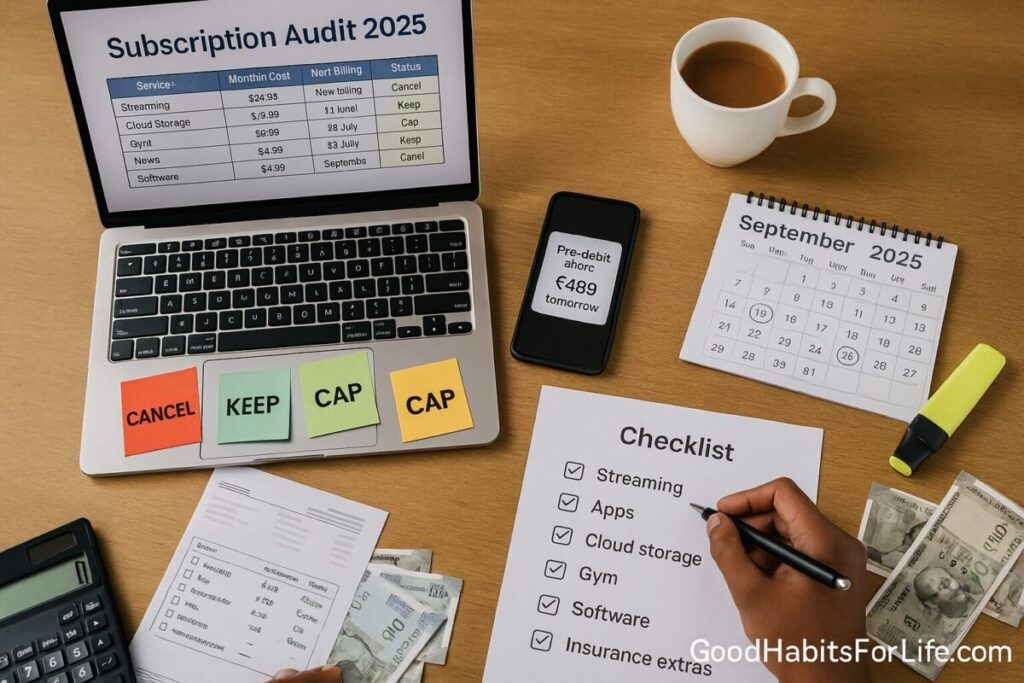
Subscription Audit: Cancel, Keep, or Cap: No-Spend Challenge (2025)
Subscription Audit 2025: Cancel, Keep, or Cap (No-Spend)
Table of Contents
🧭 What Is a Subscription Audit & Why It Works
A subscription audit is a structured review of all your recurring payments—streaming, apps, cloud storage, gym, software, news, “subscribe & save,” insurance add-ons—followed by decisions to Cancel, Keep, or Cap each one.
Why it works
-
Recurring charges are “set-and-forget” by design; many countries now regulate hard-to-cancel “negative option” practices because they waste time and money. In the U.S., the FTC attempted a “click-to-cancel” rule, but an appeals court vacated it in 2025; protections vary by state. The VergeBusiness InsiderFederal Trade CommissionFederal Register
-
The UK DMCC Act (2024) enhances consumer protections, including cooling-off periods and easier cancellation from 2025. Legislation.gov.ukBaker Bottscooley.comGOV.UK
-
In India, the RBI e-mandate framework requires pre-debit notifications and extra authentication in many cases—giving you a chance to stop charges before they hit. NPCIReserve Bank of India
-
Global watchdogs highlight dark patterns and “subscription traps,” pushing providers to be clearer and fairer. OECDicpen.org
Bottom line: policy tailwinds + a practical checklist = fast, durable cash-flow wins.
✅ Quick Start: 60-Minute Audit Sprint
Prep (10 min)
-
Pull bank/credit statements (last 90 days).
-
Open Apple Subscriptions (Settings → Apple ID → Subscriptions), Google Play Subscriptions, Amazon Your Memberships & Subscriptions, plus any direct merchants (Netflix, Adobe, etc.).
-
Search email for:
“receipt” “thanks for your purchase” “your subscription” “auto-renew” “trial”.
Sweep (30 min)
-
Create a 3-column list: Service | Price | Decision (Cancel / Keep / Cap).
-
Flag promos and trials ending in the next 30 days.
Act (20 min)
-
Cancel: do it right now (see scripts below).
-
Keep: confirm renewal date, set calendar reminder 7 days before.
-
Cap: set a monthly/annual max and add an accountability alert (bank/app).
Pro tip (India): Turn on bank pre-debit alerts to catch renewals at least 24 hours before charge. NPCI
🧠 The “Cancel, Keep, or Cap” Triage System
1) Cancel
-
Duplicate services (two music or cloud plans).
-
“Forgotten” trials; legacy add-ons you don’t use.
-
Annual plans you can replace with pay-per-use.
2) Keep
-
Essentials with clear ROI (work tools, primary storage, must-have streaming for family).
3) Cap (the secret weapon)
-
Set a monthly ceiling for flexible categories (entertainment, apps, premium newsletters).
-
Use a virtual card/separate card for subscription spending to hard-limit outflow.
-
Create tiered rules: e.g., “Max ₹1,000 (US$12) on app subs/month; anything new forces cancellation of one old service.”
🛠️ 14-Day No-Spend Challenge (Plug-and-Play)
Goal: Reset autopilot spending and reveal what you don’t miss.
Rules (simple):
-
No paid upgrades or new apps.
-
No premium delivery unless medically essential.
-
Use free tiers or library alternatives.
Daily plan
-
Day 1–2: 60-min audit sprint + cancel 3 services.
-
Day 3–4: Switch annual → monthly for any “iffy” service (regain flexibility).
-
Day 5–6: Cap entertainment; move to a virtual card.
-
Day 7–8: Purge email promos; unsubscribe from marketing lists.
-
Day 9–10: Share accounts legally within a household plan (if allowed).
-
Day 11–12: Optimize data storage (consolidate to one provider).
-
Day 13–14: Review results; bank the first month of savings into emergency fund.
Checkpoint: log saved ₹/$/£, cancelled count, and caps set.
🗺️ 30-60-90 Savings Roadmap
Days 1–30 (Stabilize)
-
Cancel obvious waste; implement caps; set calendar reminders for all renewals.
-
Metric: recurring spend down 20–30%.
Days 31–60 (Optimize)
-
Negotiate rates or switch to annual on true keepers (only if used weekly).
-
Consolidate overlapping tools (e.g., design suites, cloud).
-
Metric: effective cost per use (CPU) ≤ target (e.g., ₹50 per use).
Days 61–90 (Automate)
-
Bank alerts: pre-debit (India) / renewal reminders (elsewhere).
-
Quarterly 30-min re-audit.
-
Metric: zero surprise renewals for 90 days.
📚 Techniques & Frameworks that Stick
-
CPU (Cost-Per-Use) Test: Price ÷ uses per month. If CPU > your threshold, Cancel or Cap.
-
“One-in/One-out” Rule: Any new subscription must replace an old one.
-
Default to Monthly on unproven services; switch to annual only after 90 days of consistent use.
-
Card Segmentation: Use a dedicated card/virtual card for all subs—makes auditing and caps easy.
-
Regulation Leverage: In India, use pre-debit SMS/email to opt out before charge; in the UK, note cooling-off rights under DMCC-linked regime; in the U.S., follow state rules and company policies post-FTC rule vacatur. NPCIBaker BottsGOV.UKThe Verge
👥 Audience Variations
Students: prioritize essentials (storage, learning tools). Use campus discounts; run CPU tests.
Parents: consolidate family plans; set parental controls to prevent in-app re-subs.
Professionals: separate work-reimbursable subs; don’t pay personally for team tools.
Seniors: review for unused trials; enable renewal reminders; ask family to help cancel.
Teens: teach CPU + “one-in/one-out” with pocket money; require parent approval for renewals.
⚠️ Mistakes & Myths to Avoid
-
Myth: “Annual is always cheaper.” It’s cheaper only if used; monthly preserves flexibility.
-
Mistake: Cancelling but forgetting to confirm; always get a confirmation email/screenshot.
-
Mistake: Stacking free trials at once; stagger to truly test usage.
-
Myth: “I can’t stop charges.” In many places you can cancel and/or block before debit (e.g., India pre-debit alerts). NPCI
💬 Real-Life Examples & Copy-Paste Scripts
Chat/Email — Cancel & Refund (within cooling-off / recent renewal)
Hi Team, I’m cancelling [Service] effective today. Please confirm cancellation and a refund for the recent renewal on [date] under [order/subscription ID]. I’m exercising my rights to cancel within the applicable cooling-off/renewal period. Please send written confirmation. Thanks.
Phone — Negotiate or Downgrade
I value [Service] but the price is high. Are there retention discounts or a basic plan? If not, I’ll need to cancel today.
India — Pre-debit Opt-Out
Received a pre-debit notification for [merchant] on [date] for ₹[amount]. I’m opting out of this charge and cancelling the e-mandate.
Chargeback (last resort, within issuer policy)
The service renewed without clear consent/easy cancel. I tried cancellation on [dates]. Please review under your recurring-payments policy.
🔧 Tools, Apps & Resources (Pros/Cons)
-
Bank/App Store Dashboards (Apple Subscriptions, Google Play, Amazon): native controls; fastest cancellations. Con: scattered across ecosystems.
-
Subscription Managers (e.g., Rocket Money/Truebill, Bobby, Subby, TrackMySubs): one dashboard; alerts. Con: permissions needed; some are paid.
-
Virtual Cards (issuer or fintech): hard cap; easy to kill a merchant-specific card. Con: not universally supported.
-
Email Search & Rules: auto-label receipts/renewals; weekly digest to act.
-
Spreadsheets/Notion/Airtable: transparent and portable; needs manual updates.
(Choose privacy-respecting tools. Avoid granting blanket inbox or banking access unless necessary.)
🧾 Key Takeaways
-
Audit quarterly; don’t let renewals roll on autopilot.
-
Decide fast: Cancel, Keep, or Cap—with CPU thresholds.
-
Use protections: pre-debit alerts (India), cooling-off windows (UK), and provider policies (U.S.). NPCIBaker Botts
-
Automate reminders 7 days before every renewal.
-
Bank your savings into an emergency or sinking fund.
❓ FAQs
1) How often should I run a subscription audit?
Quarterly is ideal; monthly if your app/tool stack changes frequently.
2) Is annual always better value?
Only if you’ve proven usage for 90 days. Otherwise stay monthly to avoid sunk-cost waste.
3) Can I stop a charge before it hits?
In India, yes—banks must send pre-debit alerts with an opt-out link for many recurring charges. Elsewhere, rely on provider policies and local law. NPCI
4) What if the company hides the cancel button?
Document attempts (screenshots, emails). Use chat/phone scripts, then dispute with your bank if needed. U.S. protections vary after the FTC rule was vacated; some states have strong laws. The Verge
5) I need the service but it’s pricey—what then?
Negotiate, downgrade, switch to an annual plan after 90 days of proven use, or set a Cap and enforce it via a dedicated card.
6) Are “subscribe & save” deals worth it?
Only if the delivery frequency matches your usage. Cap the category and pause when stock builds up.
7) How do I track savings cleanly?
Create a simple sheet with columns: Service | Old Price | New Price | Action | Date | Annualized Savings.
8) What’s a fair CPU threshold?
Pick a number that reflects value (e.g., ₹50 per use). High CPU = Cancel or Cap.
9) Can family plans really help?
Yes—one premium family plan can replace multiple solos if terms allow; ensure everyone actually uses it.
10) Is there a “gotcha” with free trials?
Yes—mark the end date the day you start; some providers must remind you, but don’t rely on it. Consumer Financial Protection Bureau
📚 References
-
FTC “Negative Option Rule” (history & final rule; later litigation developments). Federal Trade CommissionFederal Register
-
Appeals court vacates FTC “click-to-cancel” rule (2025). The VergeAP News
-
CFPB Circular 2023-01 on unlawful negative-option marketing. Consumer Financial Protection Bureau
-
UK Digital Markets, Competition and Consumers Act 2024; implementation and guidance. Legislation.gov.ukBaker Bottscooley.comGOV.UK
-
OECD Report: Dark Commercial Patterns (2022). OECD
-
ICPEN (2024) Sweep on dark patterns in subscription services. icpen.org
-
RBI: Processing of e-mandates for recurring transactions (circulars/updates; pre-debit alerts/AFA). NPCIReserve Bank of India
Disclaimer: This guide is educational and not financial, legal, or regulatory advice. Laws and platform policies change—confirm details in your country/region before acting.