
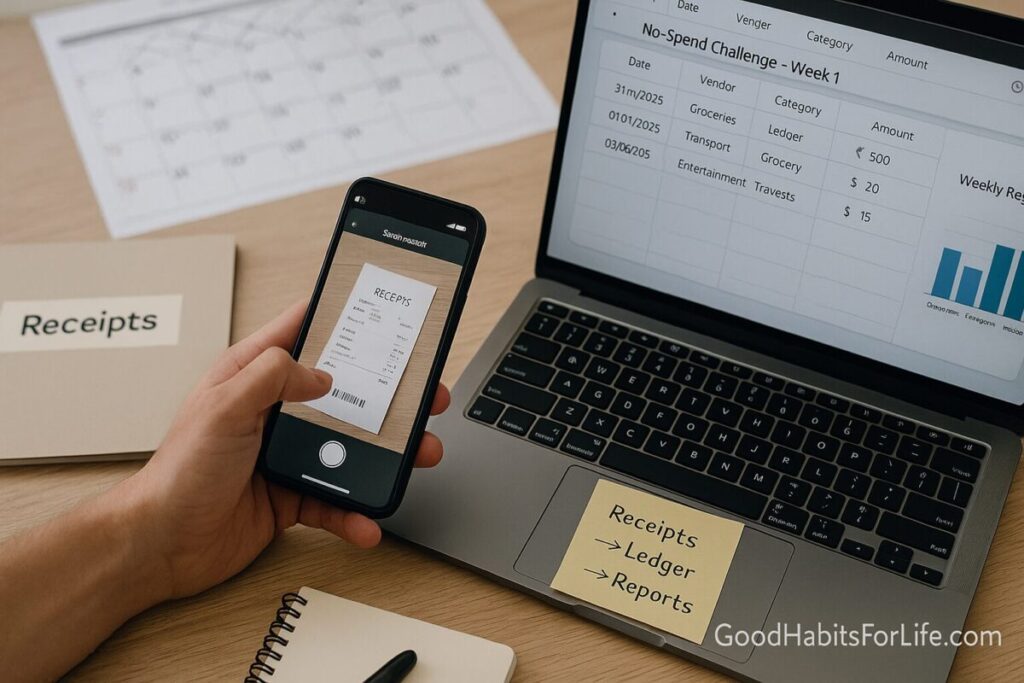
RecordKeeping Systems: Receipts to Reports: No-Spend Challenge (2025)
Recordkeeping Systems for a No-Spend Challenge (2025)
Table of Contents
🧭 What & Why
What is a recordkeeping system?
A repeatable way to capture money evidence (receipts, invoices, statements), classify it (categories/tags), reconcile it (match to bank), and summarize it into decisions (reports, tax returns). A lean personal system has just three stages:
Receipts → Ledger → Reports.
Why it matters—especially during a No-Spend Challenge.
-
Clarity: You see every rupee (or dollar) leaving, not just the big ones.
-
Compliance: Tax authorities accept digital records if they are accurate, complete, readable, and retrievable. Timeframes vary by country (e.g., UK ~5 years after the filing deadline, AU ~5 years from lodgment, India Income-tax ~6 years from end of assessment year; GST records often 6 years from annual return due date). GOV.UK+1Australian Taxation Office+1Income Tax IndiaTax Portal
-
Control: Self-control strategies (like diligent tracking) reliably reduce spending and lift saving—perfect for a No-Spend sprint. PMC
Is digital OK?
Yes—when the image/PDF is legible and captures key details (date, amount, vendor, description) and is stored systematically. IRS guidance explicitly allows electronic records that meet retention and integrity requirements; other tax authorities similarly allow digital. IRS+1GOV.UK
✅ Quick Start (Do this today — 60 minutes)
0. Decide your “home base” (5 min).
Pick one: a spreadsheet, a budgeting app, or lightweight accounting software. The key is a single source of truth.
1. Create a clean folder tree (10 min).
-
/Finance/2025/Receipts/{YYYY-MM}/ -
/Finance/2025/Bank-Statements/ -
/Finance/2025/Reports/
Use YYYY-MM in names for easy sorting.
2. Turn on capture everywhere (10 min).
-
Phone scanner app for paper (auto-crop to PDF).
-
Auto-forward e-receipts from email to a “Receipts” folder or your app’s inbox.
-
Download monthly statements (bank, wallets, credit cards) into
/Bank-Statements/.
3. Categorize with a tight list (10 min).
Start with 10–14 categories (e.g., Groceries, Transport, Health, Utilities, Housing, Education, Subscriptions, Eating-Out, Misc). During a No-Spend month, freeze non-essential categories.
4. Daily 2-minute rule (10 min total/day).
-
Snap receipts immediately.
-
Rename file:
2025-09-07_vendor_amount_category.pdf.
5. Weekly mini-close (20–30 min, same slot).
-
Reconcile last week’s transactions against bank.
-
Tag any exceptions (refund pending, dispute, split bill).
-
Export a one-page Weekly Spend Snapshot.
6. Monthly close (45–60 min).
-
Reconcile the full month.
-
Produce No-Spend Report (see template below).
-
Archive into
/Reports/2025-09-No-Spend.pdf.
AU, UK, US and others typically accept digital documents when they’re accurate, complete, and readable; store long enough per local rules. Australian Taxation OfficeGOV.UKIRS
🗓️ 30-60-90 Day Habit Plan (with checkpoints)
Days 1–30 (Setup & No-Spend Sprint).
-
Install tools, build folder tree, import last 90 days of statements.
-
Define Allowed vs Not Allowed spend.
-
Metrics: Capture rate ≥95%, Reconciliation rate ≥100%, Non-essential spend ≤10% of baseline.
Days 31–60 (Stabilize & Automate).
-
Add email rules, bank feeds (where available), and category auto-rules.
-
Introduce a Weekly Finance Hour (calendar block).
-
Metrics: Variance <±5% vs planned essentials; zero un-categorized items at week-end.
Days 61–90 (Scale & Report).
-
Build a quarterly dashboard (trend by category).
-
Prepare a Tax-Ready Pack: receipts, statements, summary ledger, and notes.
-
Metrics: Monthly close completed by the 5th; exceptions cleared in ≤7 days.
🧠 Techniques & Frameworks
R2R (Receipt-to-Report) pipeline.
-
Capture: photo/PDF/e-receipt at the point of purchase.
-
Classify: category + tag (e.g., “NoSpend-Allowed”, “Work-Travel”).
-
Reconcile: match to bank/UPI/wallet.
-
Report: weekly snapshot; monthly close.
5S for finance (adapted): Sort, Set in order (naming), Shine (clear duplicates), Standardize (rules), Sustain (calendar block).
Naming convention: YYYY-MM-DD_vendor_amount_category.notes.pdf.
Audit trail basics: Keep file hashes or version history (cloud storage does this). For businesses, ensure logs; India companies keep 8+ years; GST records typically 72 months from annual return due date. Tax PortalIndia Code
Behavioral nudges for No-Spend:
-
Make paying friction-FULL (remove saved cards, disable one-click).
-
Add a 24-hour cooling-off list.
-
Replace “I can’t spend” with “I choose not to spend today.” Evidence shows self-control strategies reduce spending with medium effect sizes. PMC
Cashless effect caution: Digital payments reduce the “pain of paying,” so add alerts and spending caps. Investopedia
👥 Audience Variations
Students: Use free cloud + a simple spreadsheet. Track campus fees, transit, and subscriptions.
Parents: Set shared family categories and a kids’ spending log.
Professionals: Batch reconcile; export monthly for tax preparer.
Seniors: Larger font, fewer categories; enable automatic statement downloads.
Teens (with supervision): Teach receipt-snapping + weekly allowance report.
⚠️ Mistakes & Myths to Avoid
-
Myth: “Paper is required.”
Most authorities accept digital when legible, complete, and organized. Keep backups and retention schedules. IRSGOV.UK -
Mixing personal & business. Separate payment methods and folders.
-
No reconciliation. Unmatched items compound errors—schedule the weekly mini-close.
-
Weak retention. Know your local rule: UK ~5 years, AU ~5 years, India Income-tax ~6 years (companies: 8 years), GST ~72 months. GOV.UKAustralian Taxation OfficeIncome Tax IndiaTax PortalIndia Code
-
No off-site backup. Keep at least 3-2-1 (3 copies, 2 media, 1 off-site).
💬 Real-Life Examples & Scripts
Email rule (Gmail/Outlook) for e-receipts:
“If sender contains invoice, receipt, order, move to ‘Finance/Receipts’ label/folder and auto-forward to my app inbox.”
Vendor script (ask for invoice):
“Could you please email a tax invoice that shows the date, amount, vendor name, and item details? Thanks!”
Accountability text (No-Spend buddy):
“Day 13: ₹0 non-essentials. Groceries ₹1,640, fuel ₹1,200. Screenshot attached. Still on track.”
Return/Dispute note template (attach receipt):
“Purchased on 2025-09-02. Item defective. Please process refund to the original method; receipt attached.”
🛠️ Tools, Apps & Resources (pick 1 per layer)
Capture (paper → PDF): Microsoft Lens, Adobe Scan, built-in camera “Scan” on iOS/Android.
Inbox & filing: Google Drive, OneDrive, Dropbox (use version history).
Ledger (personal): Spreadsheet (Google Sheets), YNAB/YouNeedABudget, Money Manager, Walnut.
Ledger (self-employed): Wave, Zoho Books, QuickBooks, FreshBooks.
Automation: Email filters, IFTTT/Zapier (e.g., auto-save order confirmations to Drive).
Bank data: Monthly statement downloads; CSV import.
Security: 2FA on email/cloud; quarterly permission review.
Pros/Cons quick scan:
-
Spreadsheet: Free, flexible; manual categorization.
-
Apps: Fast capture, auto-category; subscription cost, data privacy to review.
-
Cloud folders: Simple, universal; reporting is manual.
Note on acceptability: Authorities encourage clear and readable digital records; AU explicitly recommends digital recordkeeping; HMRC permits paper or digital; IRS allows electronic storage if compliant. business.gov.auGOV.UKIRS
📊 From Receipts to Reports (copy-paste templates)
A) Weekly Spend Snapshot (1 page)
-
Week of:
YYYY-MM-DD -
Essentials total:
₹_____| Non-essentials:₹_____ -
Top 3 categories:
______/______/______ -
Exceptions:
Refund pending? dispute? -
Notes:
…
B) Monthly No-Spend Report (1 page)
-
Goal: “No non-essential purchases, except [list].”
-
Result: Non-essentials
₹_____vs₹0plan → Status ✅/⚠️ -
Savings delta vs baseline:
₹_____ -
Streak days:
__| Capture rate:__%| Reconciliation rate:__% -
Next month tweaks:
…
C) Tax-Ready Pack (for self-employed)
-
Summary ledger (income/expense by category)
-
Receipts folder (by month)
-
Bank/wallet statements
-
Notes (business purpose, mileage, home-office split)
📌 Key Takeaways
-
Keep the pipeline simple: Receipts → Ledger → Reports.
-
Automate capture, but schedule human reconciliation.
-
Digital is fine when it’s legible, complete, organized, retrievable—and kept for the required years. IRS
-
No-Spend works best with real-time tracking, friction, and weekly reviews. PMC
❓ FAQs
1) Are photos of receipts acceptable?
Yes—if legible, show key fields, and are stored systematically. IRS and other authorities accept compliant electronic records. IRS
2) How long should I keep records?
Common guidance: UK ~5 years after 31 Jan deadline; Australia ~5 years from lodgment; India Income-tax ~6 years from end of assessment year; India GST ~72 months from annual return due date; Indian companies keep 8 years. Check your local rules. GOV.UKAustralian Taxation OfficeIncome Tax IndiaTax PortalIndia Code
3) Do I need to keep paper if I have good PDFs?
Generally no—digital is fine when compliant and retrievable. Keep reliable backups. IRS
4) I started mid-month. Will my No-Spend still work?
Yes. Start now, define “Allowed vs Not Allowed,” and run your first weekly mini-close in 7 days.
5) What if I lose a receipt?
Use bank/UPI/wallet statements plus a contemporaneous note. Some jurisdictions require receipts over certain thresholds; when in doubt, get a vendor duplicate.
6) Do budgeting apps actually help?
Tracking and self-control strategies reduce spending with meaningful effect sizes—apps make that easier, but the weekly mini-close is the real force multiplier. PMC
7) How do I split shared expenses?
Agree a rule (50/50 or % by income). Note the split on the PDF filename or use app “split” features.
8) Business vs personal on one card?
Avoid. If you must, tag “BUSINESS” in filename and separate in reports.
📚 References
-
IRS — Publication 583: Starting a Business and Keeping Records (rev. Dec 2024). IRS
-
IRS — What kind of records should I keep (updated Feb 28, 2025). IRS
-
HMRC — Keeping your pay and tax records: how to keep records (digital allowed). GOV.UK
-
HMRC — Self-employed: how long to keep records (5 years rule). GOV.UK
-
ATO — Records you need to keep (5 years from lodgment). Australian Taxation Office
-
ATO — Records to keep longer than five years (periods of review). Australian Taxation Office
-
Income Tax Dept India — Maintenance of Books of Accounts (6 years from end of assessment year). Income Tax India
-
CBIC (India) — CGST Act §36: Period of retention of accounts (72 months). Tax Portal
-
Companies Act, 2013 (India) — Section 128 (companies preserve books 8 years). India Code
-
OECD FTA — Digital Services: Supporting SMEs to Get Tax Right (audit trails & digital support). OECD
-
Davydenko et al. (2021) — Meta-analysis of financial self-control strategies (reduced spending, increased saving). PMC
-
Investopedia — Cashless effect & overspending (behavioral risks). Investopedia
Disclaimer: This guide is educational and not financial, tax, or legal advice; consult a qualified professional for your situation.