
Portfolio Projects that Actually Teach You: AI workflows (2025)
Portfolio Projects that Teach: AI Workflows (2025)
🧭 What & Why
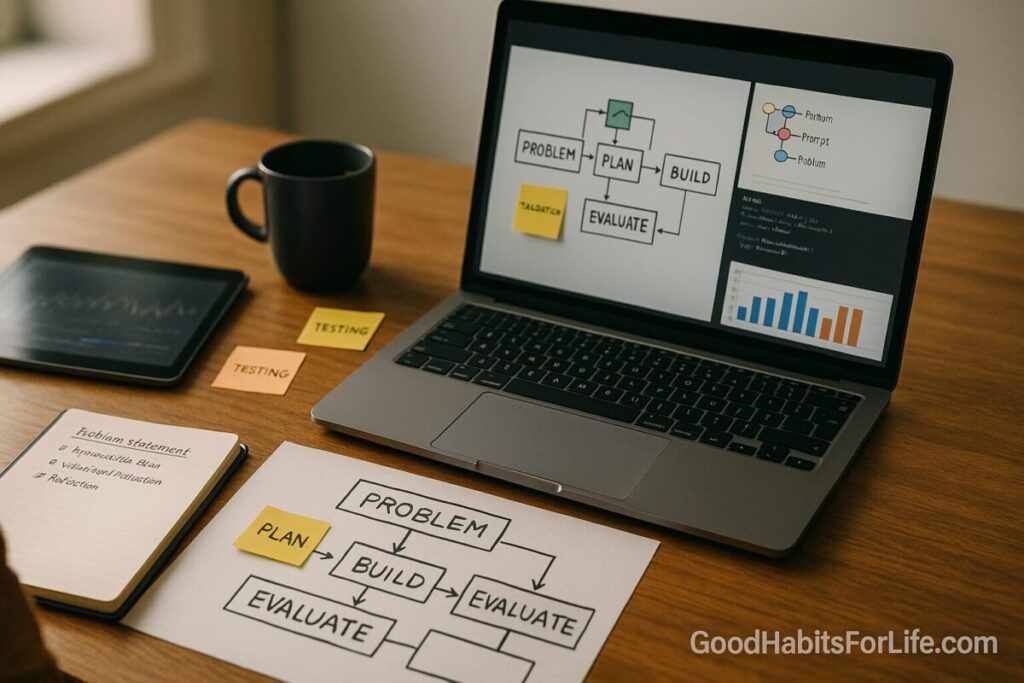
Definition. “Portfolio projects that actually teach you” are scaffolded, real-world builds—each with a clear problem statement, reproducible steps, a validation/evaluation step, and a short reflection—so you learn how to solve problems, not just what buttons to press.
Why this works. Decades of research show that active learning beats passive consumption; students score higher and fail less when they engage in doing, discussing, and testing understanding. PNAS Pair that with retrieval practice and spaced repetition to make knowledge stick, and interleaving to improve transfer across problem types. SAGE Journals+2PubMed+2
Why AI workflows now. Well-designed AI assistance can meaningfully boost productivity—especially for newer practitioners—so you can deliver more projects and get more feedback cycles per week. (E.g., a large field study found ~14–15% productivity gains on average—and larger gains for novices—when workers used a generative-AI assistant.) Oxford Academic Build your projects to capture value and show judgment (prompts, guardrails, data handling, evaluation), not just raw output.
Career signaling. E-portfolios are a recognized high-impact practice that surface integrative learning; employers increasingly want evidence of problem-solving, teamwork, and communication. Map each project to those competencies in your write-up. aacu.org+2Default+2
✅ Quick Start: Build One Project This Week
Goal: Ship a small but real AI workflow in 5 days with a demo, repo, README, and reflection.
Pick one problem (choose ONE):
-
Resume-to-Job-Match Copilot — extracts requirements from a job post, scores your resume bullets, suggests edits, and drafts a targeted cover note.
-
Customer Email Triage — classifies inbound messages, suggests replies, and routes tickets with a confidence threshold.
-
Data-to-Brief — ingests a CSV + 3 PDFs and produces a one-page executive brief with citations and a risk checklist.
Five-day cadence
-
Day 1 (Define): Write a problem statement + acceptance criteria. Draft test cases (5–10) you’ll use to verify if the workflow “works.”
-
Day 2 (Design): Sketch the pipeline: inputs → transforms → model calls → evaluation → outputs. Choose metrics (e.g., accuracy on labels, ROUGE for summaries, latency).
-
Day 3 (Build v0): Code a minimal path. Use notebooks or a simple script with a
.envfor keys. Log prompts, parameters, and results. -
Day 4 (Evaluate): Run your test set; record failures; adjust prompts/data cleaning; document changes.
-
Day 5 (Polish & Publish): Clean repo, write README (problem, approach, data, evaluation, next steps), record a 2-min Loom demo, and write a 150-word reflection (what you learned, trade-offs, next experiment).
Learning boosters (bake in):
-
Quiz yourself (retrieval) at the end of each day.
-
Next week, revisit (spacing) with 2 small improvements.
-
Mix tasks (interleaving) across weeks: classification one week, extraction next. SAGE Journals+2PubMed+2
🛠️ 30-60-90 Habit Plan (From Zero to Portfolio)
30 Days — Foundations & First Two Builds
-
Projects: 2 small AI workflows (e.g., “Resume-to-Job-Match,” “Data-to-Brief”).
-
Artifacts: Clean repos, READMEs, demo videos, and reflections.
-
Practice loops: 2×/week spaced reviews; 10-question retrieval quizzes. SAGE Journals
-
Showcase: Create an e-portfolio site section with tiles: Problem → Stack → Demo → “What I’d do next.” aacu.org
60 Days — Breadth + Reuse
-
Projects: 2 medium builds adding data cleaning, evaluation harnesses, and simple UI (e.g., Streamlit).
-
Frameworks mastered: Interleaving problem families (summarize → classify → extract), deliberate practice targets (speed, reliability, traceability). uweb.cas.usf.edu+1
-
Career mapping: Tag each project to 2–3 NACE competencies (e.g., Critical Thinking, Teamwork, Technology). Default
90 Days — Depth & Capstone
-
Capstone: A production-ish agent or pipeline with: dataset versioning, prompt templates, eval set, and a deployment preview.
-
Evidence: Before/after metrics, ablation notes, and a 1-page “trade-offs” memo (cost vs. quality vs. latency).
-
External signals: Publish a write-up on LinkedIn; request code review/feedback from 2 practitioners.
🧠 Techniques & Frameworks (Make Learning Stick)
Active learning > passive viewing. Build, test, discuss. Expect higher retention and lower failure rates vs. lectures alone. PNAS
Retrieval practice. Replace re-reading with short, frequent self-tests; it’s a top-tier technique for learning gains. SAGE Journals
Spacing. Review projects and concepts days/weeks later to strengthen memory. Schedule small “return visits” to each build. PubMed
Interleaving. Rotate problem types (classification vs. extraction vs. summarization) to improve transfer. uweb.cas.usf.edu
Deliberate practice. Target one subskill per week (e.g., evaluation quality, prompt traceability) with measurable goals. PubMed
Cognitive load. Reduce overload: chunk tasks, use checklists, and add exemplars/rubrics in READMEs. education.nsw.gov.au
Labor-market alignment (2025). Prioritize projects that exercise problem-solving, communication, and adaptability—skills employers and global reports flag as rising in importance. Default+1
🧰 Project Menu: 8 AI Workflow Builds That Teach
-
Resume-to-Job-Match Copilot
Stack: Python, spaCy/regex, LLM API, JSON schema.
Evidence of learning: Req extraction accuracy, suggested edit acceptance rate, time-to-first-draft. -
Customer Email Triage
Stack: FastAPI, classifier (zero-shot or fine-tuned), routing rules, confidence thresholds.
Evidence: Precision/recall on labeled set; average handling time. -
Data-to-Brief (Reports with Citations)
Stack: Pandas, PDF parser, retrieval + synthesis with citation formatting.
Evidence: Factuality checks on sampled claims; ROUGE for summaries. -
Meeting Notes QA Agent
Stack: Transcription (whisper), chunking, retrieval, answer grounding.
Evidence: Response groundedness score; latency budget. -
Research Copilot with Guardrails
Stack: Search, source filtering, template prompts, cite-check function.
Evidence: Share of answers with verifiable sources; hallucination rate. -
Code Explainer & Reviewer
Stack: AST parser, docstring generator, style linter, LLM critique loop.
Evidence: Reduction in lint errors; review time saved. -
Structured Extraction from Invoices
Stack: OCR+LLM, schema validation, fuzzy matching, anomaly detection.
Evidence: Field-level accuracy; false-positive rate for anomalies. -
Multi-Doc Dispute Analyzer
Stack: Entity linking, stance detection, claim mapping.
Evidence: Agreement with expert labels; coverage of key claims.
👥 Audience Variations
-
Students/early-career: Smaller datasets; over-document decisions; include “What confused me first” reflections. Map to NACE competencies in your e-portfolio. Default
-
Professionals switching roles: Emphasize business metrics (cycle time, cost per run). Include a “risk/ethics” note and a rollback plan.
-
Parents returning to work: Choose compact projects that fit 30–60-minute sprints. Add a weekly spacing review to protect retention. PubMed
-
Seniors: Highlight domain expertise as a differentiator—pick projects where judgment and communication matter (e.g., policy briefs). Align with skills outlooks that value resilience and creativity. reports.weforum.org
⚠️ Mistakes & Myths to Avoid
-
Myth: “Bigger model = better portfolio.”
Fix: Show process quality (eval sets, guardrails, audits), not just outputs. -
Myth: “One epic capstone beats many small builds.”
Fix: Multiple scaffolded wins demonstrate breadth, iteration, and reliability. -
Mistake: Skipping evaluation.
Fix: Always keep a tiny gold set and a rubric; log before/after changes. -
Mistake: Overfitting to tutorials.
Fix: Change data/task slightly; write your own acceptance tests. -
Mistake: Walls of text in the README.
Fix: Lead with a Problem → Approach → Evidence table and a 2-min demo.
💬 Real-Life Examples & Copy-Paste Scripts
1) Problem Statement Template
2) Evaluation Harness (pseudo-Python)
3) Reflection Prompt (150–200 words)
-
What surprised me?
-
Which trade-off did I accept (quality vs. cost vs. latency), and why?
-
What will I test next week (2 small experiments)?
4) “Demo Script” (2 minutes)
-
20s problem + stakes
-
40s live run (small case)
-
40s decisions (eval, guardrails, cost)
-
20s results + next steps
5) SMART Weekly Goal (example)
“By Friday, ship v1 of triage classifier with 25 labeled eval cases, ≥0.80 precision at 0.6 threshold, and a README checklist.” (Specific, Measurable, Achievable, Relevant, Time-bound.) Stanford Medicine+1
🧩 Tools, Apps & Resources (Pros & Cons)
-
Python + Jupyter/VS Code — Pros: ubiquitous, strong ecosystem; Cons: environment drift—pin versions.
-
Streamlit/Gradio — Pros: fast demos; Cons: not for heavy prod.
-
GitHub + Issues/Projects — Pros: versioning, PR reviews; Cons: learning curve.
-
Eval libraries & checklists (your own rubric JSON + scripts) — Pros: transferable; Cons: you must maintain.
-
Retrieval frameworks (e.g., LangChain/LlamaIndex) — Pros: speed to prototype; Cons: abstraction churn—understand the primitives.
-
Vector DBs (FAISS/Chroma/pgvector) — Pros: simple local start; Cons: ops/footprint grows.
-
Note systems (Obsidian/Notion) — Pros: reflections, spaced reviews; Cons: fragmentation—link from README.
-
E-portfolio platforms (WordPress/Notion/Static site) — Pros: portable evidence of learning; Cons: needs curation to avoid clutter. aacu.org
📌 Key Takeaways
-
Build small, real AI workflows with evaluation and reflection to learn faster and signal skill.
-
Use retrieval, spacing, interleaving, and deliberate practice to retain and transfer knowledge. PubMed+3SAGE Journals+3PubMed+3
-
Design for evidence (tests, metrics, demos) and map to career competencies employers value. Default
-
In 2025, skills needs are shifting; show adaptability and communication in your portfolio. reports.weforum.org
-
AI can accelerate novices—capture that lift with good judgment, guardrails, and evals. Oxford Academic
❓ FAQs
1) Do I need a huge capstone to impress employers?
No. Multiple, well-scaffolded projects with clear evaluations and reflections often signal more reliable skill than one sprawling build.
2) How long should a project be?
Aim for 5 working days for small builds and 2–3 weeks for medium builds. Focus on problem clarity → evaluation → reflection, not size.
3) What if I can’t share proprietary data?
Redact/replace with public datasets, keep the process identical, and clearly state what would change in production.
4) How do I prove it’s my work (not just AI)?
Include decision logs, ablation notes, prompt/version history, and a failure diary. Reviewers can see your thinking.
5) Which metrics matter for non-coding projects?
Cycle time saved, error rate reduction, factuality/groundedness, user satisfaction. Tie metrics to the problem.
6) Are AI tools safe to rely on for learning?
Treat them as assistants. Pair with human judgment, documented sources, and evaluation sets—especially when outcomes carry risk. Oxford Academic
7) What skills are employers prioritizing in 2025?
Problem-solving, communication, teamwork, professionalism, and tech fluency—show them in your artifacts. Default
8) How should I structure my e-portfolio?
A tile per project: Problem → Approach → Evidence → Demo → Reflection → Next Steps; align each tile to 2–3 competencies. aacu.org
📚 References
-
Freeman, S. et al. Active learning increases student performance in STEM. PNAS (2014). PNAS
-
Dunlosky, J. et al. Improving Students’ Learning With Effective Learning Techniques. Psychological Science in the Public Interest (2013). SAGE Journals
-
Cepeda, N. et al. Distributed Practice in Verbal Recall Tasks: Review & Meta-analysis. Psychological Bulletin (2006). PubMed
-
Rohrer, D. & Taylor, K. The shuffling of mathematics problems improves learning. (2007). uweb.cas.usf.edu
-
Brynjolfsson, E. et al. Generative AI at Work. Quarterly Journal of Economics (2025). Oxford Academic
-
Peng, S. et al. The Impact of AI on Developer Productivity: Evidence from GitHub Copilot. (2023). arXiv
-
AAC&U. ePortfolios as High-Impact Practice. (2020+). aacu.org
-
NACE. Career Readiness Competencies (2024 revision). (2024). Default
-
World Economic Forum. Future of Jobs Report 2025. (2025). reports.weforum.org
-
NSW CESE (Gov). Cognitive load theory: Research teachers need to understand. (2017). education.nsw.gov.au
-
OECD. Bridging the AI Skills Gap: Is Training Keeping Up? (2025). OECD