
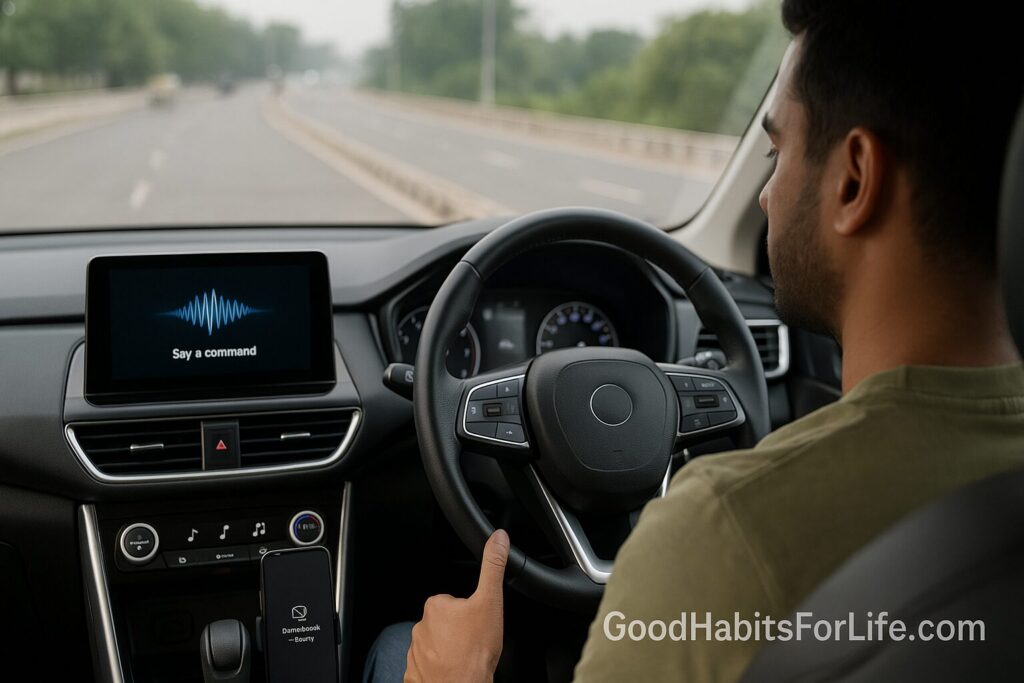
Infotainment Focus: Reduce Taps, Raise Attention
Infotainment Focus: Reduce Taps, Raise Attention
Table of Contents
🧭 What & Why
“Infotainment focus” is the practice of configuring and using your car’s screen, controls, and connected phone in a way that minimizes visual, manual, and cognitive distractions—so your attention stays on the road.
-
Distraction types: visual (eyes off road), manual (hands off wheel), cognitive (mind off driving). All can degrade driving performance; cognitive load persists even hands-free. AAA Foundation for Traffic Safety
-
Risk in seconds: Glances over ~2 seconds significantly raise crash/near-crash risk; safety guidance limits any single glance to ~2s and total task time to ~12s (“2/12 rule”). Federal RegisterRegulations.govPMC
-
Scale of the problem: NHTSA reports thousands of deaths annually in crashes involving distraction; WHO notes mobile-phone use roughly quadruples crash risk, with hands-free not much safer. NHTSAWorld Health Organization
-
Infotainment systems can demand high visual and cognitive effort; studies measuring 30 vehicles found tasks often required “high” workload. AAA NewsroomAAA Foundation for Traffic Safety
Bottom line: shaving taps and seconds from in-car tasks is not nitpicking—it’s safety-critical.
✅ Quick Start: Reduce Taps Today (10-minute setup)
Do this once, preferably parked:
-
Turn on Driving Focus / Do Not Disturb While Driving. Silence notifications and auto-reply. iPhone: Settings → Focus → Driving. Android: enable driving mode or use Android Auto. Apple Support+1
-
Use CarPlay/Android Auto. These interfaces are simplified for driving and enforce distraction rules for apps. Apple DeveloperAndroid Open Source Project
-
Pin your “Top Five.” Put Navigation, Calls, Messages (voice), Music/Podcast, and Climate (if applicable) on the first row or steering-wheel buttons.
-
Pre-drive routine (30–60 seconds):
-
Enter destination + preview route alternatives.
-
Choose playlist/podcast at the start.
-
Set climate/seat settings (pre-condition in EVs to avoid fiddling later).
-
-
Voice-first control: Train hotwords (e.g., “Hey Siri/Google”) and learn 5 core commands (see “Scripts”).
-
Hide temptation: Disable on-screen social media and video while moving; these are blocked on compliant car UIs for a reason. Android Open Source ProjectAndroid Developers
-
Glance discipline: No glance >2s; abandon long tasks until stopped. Federal Register
🧠 30-60-90 Habit Plan for Safer UX
Goal: Cut visual-manual interaction time by ~50% and keep all glances ≤2s.
Days 1–30 (Foundation)
-
Configure once: Driving Focus/Do Not Disturb, favorites, home screen tiles, wheel buttons. Apple Support+1
-
Practice 2/12: If a task seems to exceed 12s total, don’t start it while moving. Federal Register
-
Measure: After each commute, note estimated taps and the one task that took longest.
Days 31–60 (Automation)
-
Voice-first routine: Use voice for destinations, messaging, and playback.
-
Ruthless pruning: Remove any app that tempts you to scroll.
-
EV tip: Pre-set charge-stop waypoints before departure to avoid mid-drive rerouting.
Days 61–90 (Mastery)
-
Glance audits: Pick two trips/week to consciously check that no glance exceeds ~2s.
-
Co-driver protocol: If someone’s with you, they operate the screen.
-
Quarterly refresh: Re-order tiles, update favorites, retrain voice commands as needed.
🛠️ Techniques & Frameworks
1) ⏱️ The 2/12 Rule
Keep any single glance under ~2 seconds and finish any visual-manual task within 12 seconds total. If not possible, postpone. Federal Register+1
2) 👍 Thumb-Zone & First-Row Bias
Arrange your most used controls in the easiest-to-reach area (bottom-left for right-handed touch) and pin them to Row 1 so you don’t swipe screens while moving.
3) 🗣️ Voice-First, Verify-Fast
Use voice to start tasks, then quick-glance to confirm (map route, track selection). Hands-free reduces hand use but still imposes mental load—keep spoken interactions brief. AAA Foundation for Traffic Safety
4) 🎛️ Wheel-Before-Screen
Prefer steering-wheel buttons (volume, skip, voice). They reduce reach and visual time.
5) 🧱 Two-Fence Rule
Fence 1: your phone—Driving Focus/Do Not Disturb. Fence 2: your head-unit—only distraction-optimized apps via CarPlay/Android Auto. Android Open Source Project
6) 👀 Two-Second Glance Drill
Practice on a parked car: look away, count “one-one-thousand, two-one-thousand,” and back. Build a feel for 2 seconds so you self-interrupt long glances while driving. Research ties >2-second glances to sharply higher crash odds. PMC
👥 Audience Variations
-
Teens & new drivers: Lock down phones; teach 2/12 early; no destination entry while in motion. Teens are especially vulnerable to distraction. classroom.iihs.org
-
Parents: Create a “car captain” job—older child handles music and messages, not the driver.
-
Professionals: Pre-trip batch calls; use auto-reply (“Driving, will call you at __”).
-
Seniors: Increase text size; use larger icons and wheel buttons; keep voice commands short.
⚠️ Mistakes & Myths to Avoid
-
“Hands-free is safe.” It reduces manual effort but not cognitive load; it’s still distracting. World Health OrganizationAAA Foundation for Traffic Safety
-
“Big screens mean easier driving.” Larger touch targets help, but multi-layered menus still lengthen eyes-off-road time. AAA Foundation for Traffic Safety
-
“I can multitask.” Humans switch tasks; performance suffers for driving. (See cognitive-load findings.) nsc.org
-
“I’ll just finish this text.” Texting while driving is among the highest-risk activities—don’t. IIHS Crash Test
🗣️ Real-Life Examples & Copy-Paste Scripts
Voice navigation
-
“Hey Siri, give me directions to Home.”
-
“Hey Google, navigate to [Workplace] via the fastest route.”
Hands-free messages
-
“Read my last message.”
-
“Reply: ‘Driving now, will text when parked.’”
Media
-
“Play my Focus Drive playlist.”
-
“Resume my latest podcast.”
Auto-reply template (Driving Focus):
“Thanks for your message. I’m driving and have notifications silenced. I’ll reply when I’m parked.”
Pre-Drive 30-Second Checklist:
Destination ✅ | Playlist ✅ | Climate/Seat ✅ | Charging plan (EV) ✅ | Driving Focus ✅
📱 Tools, Apps & Resources (Pros/Cons)
| Tool | What it does | Pros | Cons |
|---|---|---|---|
| Apple CarPlay | Mirrors iPhone with driving-optimized UI | Simple tiles; strong voice; app rules for distraction | Requires compatible car/adapter; occasional Siri misrecognition Apple Developer |
| Android Auto | Driving-optimized Android apps & restrictions | Broad app ecosystem; UX restrictions enforce safety | Varies by car/head unit; learning curve for settings Android Open Source Project |
| Driving Focus / Do Not Disturb | Silences notifications; auto-replies | Massive reduction in interruptions | Must be configured correctly per device/profile Apple Support+1 |
| Steering-wheel controls | Hardware buttons for volume/skip/voice | Eyes stay forward; tactile | Not all functions available |
Tip: If your car lacks native support, consider a reputable CarPlay/Android Auto head unit professionally installed (screen placed high, minimal reach).
📌 Key Takeaways
-
Configure once; save attention every trip.
-
Keep glances under ~2s and tasks under 12s. Federal Register
-
Hands-free helps with hands, not with brain load—keep it short. AAA Foundation for Traffic Safety
-
Let Driving Focus/Do Not Disturb shield you from notifications. Apple Support
-
If a task takes longer, wait until parked.
❓ FAQs
1) What’s the safest way to enter a destination mid-trip?
Don’t. Stop first, or ask a passenger. If unavoidable, use voice and verify with a split-second glance—keep within 2/12 or abort. Federal Register
2) Is voice control really safer?
It removes hand use but still loads your attention. Keep commands short; let the assistant read responses; avoid complex dictation while moving. AAA Foundation for Traffic Safety
3) Does CarPlay/Android Auto reduce distraction vs. built-in systems?
They enforce design rules that limit on-the-move functions and streamline layouts, which helps—but any interaction still diverts attention. Android Open Source ProjectApple Developer
4) How long is “too long” for a glance?
Treat ~2 seconds as your hard ceiling and keep total task time ≤12 seconds. Federal Register
5) Should I disable notifications every time?
Yes—Driving Focus/Do Not Disturb while driving dramatically cuts interruptions and temptation. Apple Support+1
6) Are steering-wheel buttons worth using?
Yes. They shorten reach and reduce eyes-off-road compared with touchscreens.
7) What about reading a quick message at a red light?
Avoid it. You’ll miss context changes (lights, pedestrians), and you may keep reading after you start moving. Use auto-reply instead. nsc.org
8) Why do experts emphasize seconds, not meters/feet?
Because attention lapses measured in seconds strongly correlate with crash risk across speeds and contexts. PMC
References
-
NHTSA. Visual-Manual Driver Distraction Guidelines for In-Vehicle Electronic Devices (Federal Register, 2013). Federal Register
-
NHTSA. Guidelines for Portable & Aftermarket Devices (Notice, 2016) — confirms the “2/12” acceptance criteria. Federal Register
-
NHTSA (Driver Distraction page). Risky Driving: Distracted Driving — national fatality figures and context. NHTSA
-
WHO. Road traffic injuries Fact Sheet — mobile-phone use ≈4× crash risk; hands-free not much safer. World Health Organization
-
AAA Foundation & Univ. of Utah. Cognitive Distraction: Something to Think About — hands-free ≠ risk-free. AAA Foundation for Traffic Safety
-
AAA Foundation. Visual & Cognitive Demands of Using In-Vehicle Infotainment Systems (2017) — workload in 30 vehicles. AAA Foundation for Traffic Safety
-
Simons-Morton et al. Young Driver Crash Risk and Glance Duration — longer glances (>2s) raise crash odds. PMC
-
IIHS. Distracted Driving — risk overview and cellphone manipulation findings. IIHS Crash Test
-
Apple Developer. CarPlay Human Interface Guidelines. Apple Developer
-
Google/Android. Driver Distraction Guidelines & Car App Quality — distraction-optimized app requirements. Android Open Source ProjectAndroid Developers
-
Apple Support. Use the Driving Focus on your iPhone / Stay focused while driving. Apple Support+1