
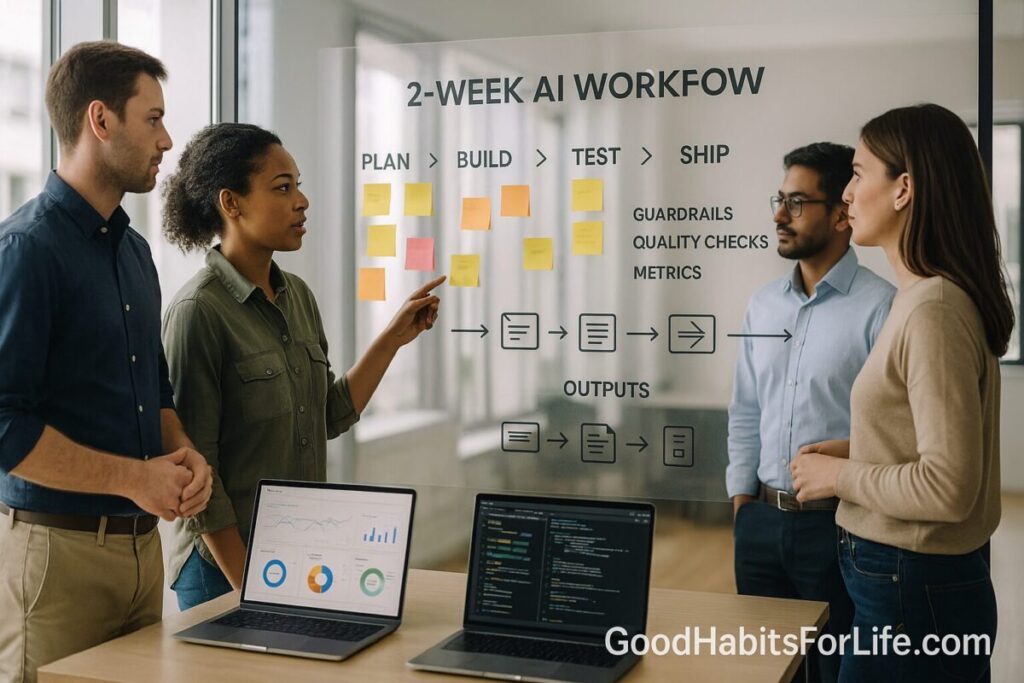
Learning Sprints at Work: 2 Weeks, One Skill: AI workflows (2025)
Learning Sprints at Work: 2 Weeks, One AI Workflow
Table of Contents
🧭 What & Why
Learning sprints are short, focused bursts (here: 2 weeks) where you build one practical capability end-to-end. In 2025, the smartest use case is to ship a repeatable AI workflow—a standard way to turn inputs (emails, meeting notes, spreadsheets) into valuable outputs (summaries, drafts, insights, tickets) with quality checks and guardrails.
Why this works now:
-
Skills needs are shifting fast in AI-exposed roles, so you need quick, targeted upskilling that shows results at work. PwC+1
-
Many teams are already using AI individually, but organizations struggle to turn ad-hoc prompting into measurable workflows. A sprint creates a shared asset with docs, metrics, and handover. Microsoft+1
-
Government-scale pilots show meaningful time savings when AI is embedded into daily tasks (e.g., ~26 minutes/day using Copilot)—but impact depends on fit-for-purpose workflows and adoption. GOV.UK
-
Macro research forecasts substantial productivity upside from applied generative AI—if you translate it into practical use. McKinsey & Company
Pedagogically, sprints align with what science says about how adults learn: spacing (tomorrow beats cramming), retrieval (testing yourself beats rereading), and interleaving (mixing examples beats blocked practice). PubMed+2PubMed+2
✅ Quick Start: Do This Today
-
Choose one high-leverage task you or your team do weekly (≥30 minutes each run). Examples: weekly status update, meeting-to-actions, customer email triage, recruiting outreach, research brief.
-
Define success: one metric (e.g., minutes saved per instance, errors per 100 items, NPS of internal users).
-
Draft the workflow on one page:
-
Input: where it comes from (calendar/Teams/Sheets) and format (text, CSV, JSON).
-
Process: prompt template(s), steps, checks, escalations.
-
Output: destination and schema (e.g., Notion table columns).
-
Quality: acceptance criteria, spot-check plan, rollback.
-
Risk: privacy/data boundaries, approval, logging.
-
-
Book your 2-week sprint: 6 × 45-minute focus blocks across 10 workdays; 2 review sessions with your manager/user.
-
Spin up a sandbox (no live PII): sample data + a private doc for notes and decisions.
🛠️ Your 2-Week Sprint Plan
Sprint Goal: Ship a reliable, documented AI workflow that saves ≥20 minutes per run and can be adopted by one colleague.
Day 1–2: Scope & Baseline
-
Time your current manual process (3 runs).
-
Capture defects/pain points.
-
Write a Definition of Done (DoD): “Takes ≤8 min, <2 corrections per run, outputs to Notion with tags.”
Day 3–4: Design the Workflow
-
Select model/tooling (e.g., ChatGPT/Copilot/Gemini) + integrations (Zapier/Make; Sheets/Notion).
-
Draft prompt templates (system + task + examples + constraints).
-
Draft input/output schemas (table columns, JSON keys).
-
Draft QA checks: regex validations, glossary/term rules, and a 5-item human spot-check.
Day 5–6: Build a Thin Slice
-
Implement the smallest end-to-end version on sample data.
-
Add guardrails: no external calls with sensitive data; set max tokens; add “do not fabricate” rule; auto-flag low-confidence items to human.
-
Pilot with 5–10 items, log errors, fix prompts.
Day 7: Mid-sprint Review
-
Demo to manager/user; confirm acceptance criteria; adjust.
Day 8–9: Hardening & Docs
-
Add retries/timeouts, input validation, and unit samples (3 “golden” examples).
-
Create a Runbook (≤1 page): purpose, when to use, steps, expected output, failure modes.
-
Create a Cheat Sheet with two prompts: (a) main task, (b) “analyze errors & suggest fixes.”
Day 10: Ship & Transfer
-
Ship to real (non-sensitive) data.
-
Train one colleague using your runbook; they run 3 items.
-
Record before/after numbers and a 3-line postmortem: what to keep, improve, try next.
Post-Sprint (30-60-90): Set three checkpoints to (a) expand scope, (b) tune prompts with real errors, (c) automate adjacent steps (handoffs, notifications).
🧠 Techniques & Frameworks that Make Skills Stick
-
Spacing: Schedule short, repeated practice blocks across the sprint (avoid marathon sessions). Outcome: better long-term retention. PubMed
-
Retrieval: Close your notes and rebuild the workflow from memory; use quick quizzes (“What are the 3 acceptance criteria?”). PubMed
-
Interleaving: Alternate practice with two adjacent tasks (e.g., meeting → actions, then actions → calendar tasks) to improve discrimination and transfer. PMC
-
Deliberate Practice: Target weak spots (e.g., hallucination handling), set stretch goals, get feedback, iterate. CSE Web
-
If-Then Plans (Implementation Intentions): “If output confidence <80%, then route to human review.” Hard-wires behavior under pressure. PMC
-
Habit Formation: Expect consistency over perfection; automaticity builds over weeks. Wiley Online Library
🧪 Real-Life Example: Ship a Meeting-to-Actions Workflow
Scenario: Convert weekly team meeting notes into clear action items and publish to Notion in under 8 minutes.
Inputs
-
Calendar + transcript (Teams/Meet/Zoom) → text file
-
Owner list (CSV): name, role, email
Process (prompted logic)
-
Summarize → Decisions → Risks → Actions (each action must have verb, owner, due date, status draft).
-
Check glossary (company-specific terms); flag unknown acronyms.
-
Confidence score each action (0–1). If <0.8, mark REVIEW.
-
Output JSON with fields:
action,owner,due_date,confidence,risk_tag. -
Post to Notion table via Zapier/Make.
Core Prompt (template, paste-ready)
You are an assistant that converts meeting transcript text into structured actions.
Rules:
• Actions are single-sentence, start with an imperative verb.
• Every action must have one owner from the provided list. If uncertain, set owner to “REVIEW”.
• Infer due dates from context (“next Friday” → actual date); if none, set a suggested date 7 days out.
• Scoreconfidence0.00–1.00; if <0.80, setneeds_review=true.
• Output only valid JSON array with fields:action,owner,due_date(YYYY-MM-DD),confidence,needs_review,notes. No extra text.
Acceptance Criteria
-
≤2 corrections per meeting; zero PII leak; JSON validates; Notion table auto-updates.
Quality Guardrails
-
Regex validation for date format; block external URL fetches; policy snippet: “No financial, health, or customer PII in prompts or outputs.”
Metric
-
Minutes saved per meeting (target: ≥20) and error rate (<2 corrections per meeting).
Handover
-
Runbook (1 page), Cheat Sheet (2 prompts), three gold-standard transcripts with expected JSON.
🧑🤝🧑 Audience Variations
-
Analysts/Operations: Data-cleanup → chart draft → 3-bullet insights; add deterministic checks for numbers.
-
Marketers/Comms: Brief → first draft → fact check → style polish; add brand glossary and banned claims list.
-
HR/Recruiting: CV screening → role-criteria match → outreach draft; strict privacy boundaries; human approval gate.
-
Sales/Success: Call notes → next steps → CRM update; link confidence <0.8 to human follow-up queue.
-
Engineers/IT: Ticket triage → reproduction steps → severity guess; keep models off production data; log all prompts.
⚠️ Mistakes & Myths to Avoid
-
“Prompting is the skill.” Prompting helps, but workflow design (inputs/outputs, QA, metrics, guardrails) creates durable value.
-
Chasing tools. Lock scope to one tool stack for the sprint; resist switching mid-build.
-
No baseline, no win. Always time the manual process first; otherwise you can’t prove impact.
-
Skipping QA. Add spot-checks and thresholds; treat low-confidence items as human-in-the-loop.
-
One-person shadow IT. Document, train one colleague, and store assets in your team workspace.
-
Oversharing data. Keep sensitive data out; use sanitized samples; follow company policy.
🛠️ Tools, Apps & Resources
-
Model Interfaces: ChatGPT, Microsoft Copilot, Google Gemini (choose the one your company supports).
-
Automation: Zapier, Make—connect email/drive/calendar/Notion/Sheets; add validation steps before write-backs.
-
Knowledge Capture: Notion/Confluence/Obsidian—store runbooks, cheat sheets, gold examples.
-
Data Tables: Google Sheets/Airtable—define schemas; enable data validation.
-
QA Helpers: Regex testers, JSON validators, link checkers; basic analytics in Sheets/Looker/Power BI.
-
Measurement: Stopwatch/time tracker; a simple sprint dashboard (runs, minutes saved, error rate).
Pros/Cons (quick)
-
Chat-style UIs: fast to iterate; risk of inconsistent outputs → mitigate with templates/examples.
-
Automation tools: reduce clicks; require monitoring and error alerts.
-
Docs/Wikis: keep knowledge shareable; need ownership to stay current.
📌 Key Takeaways
-
A 2-week sprint forces focus: one workflow, one metric, one page of docs.
-
Use learning science (spacing, retrieval, interleaving) so your skill survives past the sprint. PubMed+1
-
Ship with guardrails and QA, not just prompts.
-
Train one colleague and baseline the impact; that’s how capability scales.
-
Book 30-60-90 checkpoints to harden and expand.
❓ FAQs
1) Why 2 weeks?
It’s long enough to ship something real and small enough to fit around your job. It also supports spaced practice across ~6 short sessions for better retention. PubMed
2) What counts as an “AI workflow”?
A repeatable sequence turning inputs → outputs with prompt templates, rules, QA checks, and a destination system—so others can run it.
3) How do I measure success?
Pick one metric (e.g., minutes saved per run, error rate, user satisfaction). Record before/after over at least 3 real runs.
4) Do I need to code?
No. Many high-value flows are glue work (docs, mail, sheets) that automation tools handle—just design clear inputs/outputs.
5) What about hallucinations?
Add QA: glossary checks, confidence thresholds, and required references; route uncertain items to a human.
6) Is there evidence this saves time at scale?
Large pilots (e.g., UK civil service) have reported average daily time savings when AI is embedded into routine tasks—your design and adoption determine actual gains. GOV.UK
7) How do I avoid privacy issues?
Work with sanitized data; follow company policy; prefer vendor-approved tools; strip PII in pre-processing.
8) How do I keep the habit?
Use if-then plans (“If Friday 4pm, then review sprint metric”) and expect weeks to build automaticity. PMC+1
9) What comes after the first sprint?
Clone the pattern for adjacent tasks (e.g., actions → calendar, briefs → drafts), improve prompts with real errors, and automate handoffs.
10) How do I scale team-wide?
Create a tiny internal library of workflows with one-page runbooks, metrics, and ownership; schedule monthly show-and-tell.
📚 References
-
Cepeda NJ et al. Spacing effects in learning: A temporal ridgeline of optimal intervals. Psychological Science, 2008. PubMed
-
Roediger HL & Butler AC. The critical role of retrieval practice in long-term retention. Trends in Cognitive Sciences, 2011. ScienceDirect
-
Samani J et al. Interleaved practice enhances memory and problem solving. 2021. NIH/PMC
-
Ericsson KA et al. The role of deliberate practice in the acquisition of expert performance. Psychological Review, 1993. PDF
-
PwC. Global AI Jobs Barometer 2024. Press summary. PwC
-
World Economic Forum. Future of Jobs Report 2023. PDF
-
Microsoft Work Trend Index 2024: AI at Work Is Here. Now Comes the Hard Part. Microsoft WorkLab
-
GOV.UK. Microsoft 365 Copilot Experiment: Cross-Government Findings Report (2025). GOV.UK
-
McKinsey. The economic potential of generative AI: The next productivity frontier (2023). McKinsey
-
Lally P et al. Modelling habit formation in the real world. European Journal of Social Psychology, 2010. Wiley
-
Wieber F et al. Promoting the translation of intentions into action by implementation intentions. Frontiers in Human Neuroscience, 2015. NIH/PMC
-
Harvard Business Publishing. Learning Sprints (two-week format). HBP