
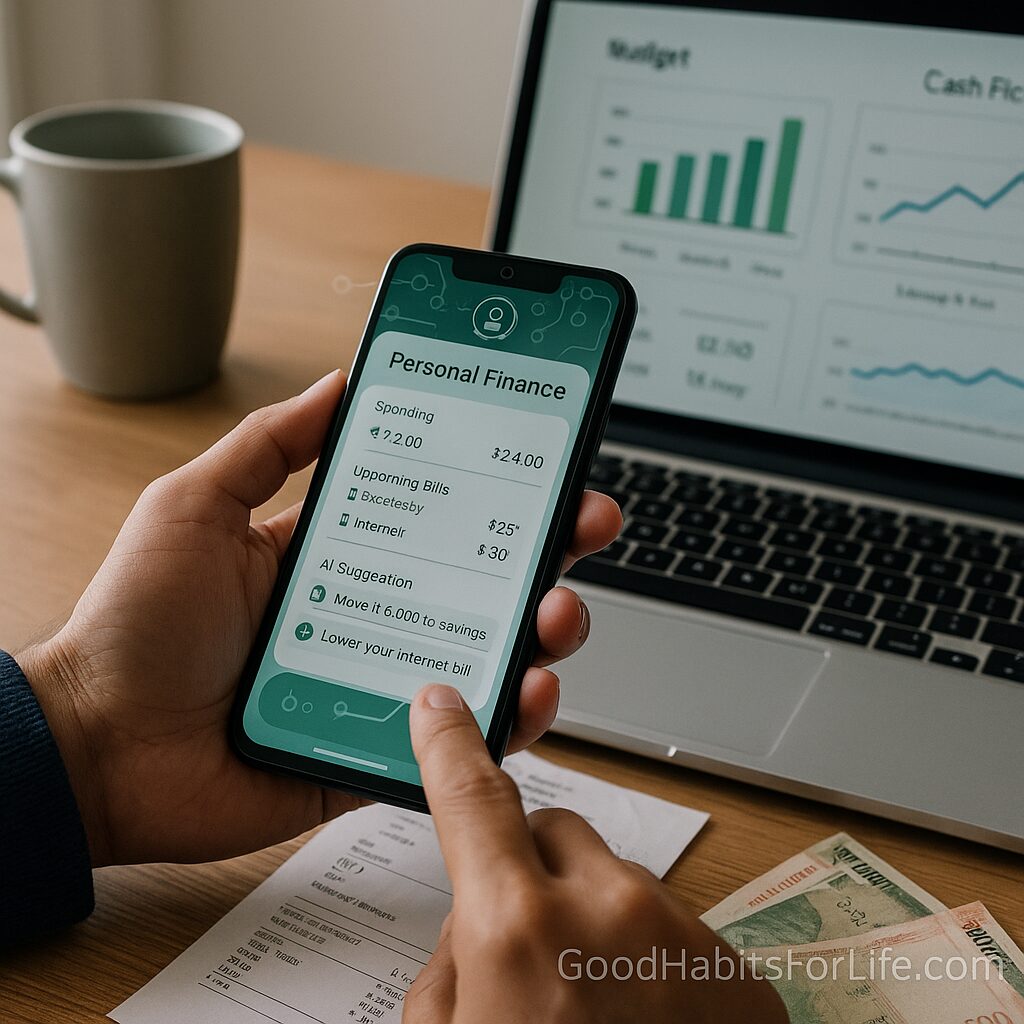
AI for Personal Finance: Budgets, Bills, Bots
AI for Personal Finance: Budgets, Bills & Bots
Table of Contents
🧭 What “AI for Personal Finance” Means (and Why It Works)
Definition. AI for personal finance uses machine learning and automation to categorize transactions, forecast cash flow, suggest budgets, detect anomalies (e.g., unexpected charges), and recommend next actions (like “lower this bill” or “move ₹5,000 to savings”).
Why it works.
-
Defaults and automation increase follow-through. Research shows default enrollment and automated contributions dramatically raise saving rates—people stick with the easier path.¹²
-
Timely nudges (alerts, reminders) help you act before problems (late fees, overdrafts) occur. Consumer protection agencies also note autopay can reduce missed payments when used with safeguards.³⁴
-
Pattern detection helps you see spending drift and subscription creep without combing statements.
-
Consistency: AI does the boring parts (classifying, scheduling, reconciling) so you can spend energy on decisions that matter.
Where AI shines vs. humans
-
Repetitive tasks (tagging transactions, scheduling, reconciling).
-
Forecasts from your actual history (cash-flow projections, bill timing).
-
Always-on monitoring (fraud flags, unusual amounts).
Where humans must lead
-
Value choices (what to prioritize).
-
Balancing risk/return and lifestyle trade-offs.
-
Checking for bias or errors in automated recommendations (an AI might mis-classify a recurring medical expense as “entertainment”—you’ll want to correct that).
✅ Quick Start: Do This Today
-
Choose your “money hub.” Pick one platform or app that connects your bank/credit cards and gives AI-powered insights. Turn on: transaction categorization, cash-flow forecasts, and subscription detection.
-
Activate essential autopay. Put utilities, rent/mortgage, insurance, and minimum debt payments on autopay to avoid late fees. Keep discretionary categories manual.³
-
Create two rules‐based transfers.
-
“Pay yourself first”: auto-transfer a fixed amount to savings/investments the day income arrives.
-
Build a one-month buffer (or at least ₹25,000/$300) to smooth cash-flow shocks.
-
-
Turn on smart alerts. Enable low-balance, unusually large transaction, duplicate charge, bill-due-soon, and “spend vs. plan” alerts.
-
Define category rules. Correct 30–50 recent transactions; create “always tag like this” rules (e.g., “PharmEasy → Health”). AI improves fast with feedback.
-
Add a weekly 15-minute review. Every Sunday, scan: over-budget lines, new subscriptions, upcoming bills. Adjust next week’s plan.
Copy-paste prompts for your bot
-
“Summarize last 30 days by category. What changed the most vs. the prior 30 days?”
-
“List subscriptions with price increases in the last 6 months.”
-
“Predict my balances for the next 4 weeks and warn me of any shortfalls.”
-
“Suggest a budget based on my last 90 days, targeting 20% savings.”
🛠️ The Building Blocks: Budgets, Bills, and Bots
Budgets (make AI do the math, you set the values)
| Approach | Best For | How AI Helps |
|---|---|---|
| 50/30/20 (needs/wants/saving) | Simple starters | Auto-classify to buckets; flag overages |
| Zero-based (assign every ₹) | Control & intentionality | Suggest allocations from history; predict cash gaps |
| Envelope (category caps) | Variable spenders | Real-time alerts when near limits |
| Pay-yourself-first | Automation lovers | Schedules transfers; rebalances as income changes |
Tip: Start with 50/30/20 for 1–2 months, then graduate to zero-based for precision.
Bills (automation with guardrails)
-
Autopay essentials, not everything. Keep discretionary categories (restaurants, shopping) manual to maintain awareness.³⁴
-
Due-date choreography: Ask AI to align autodebits just after your income hits.
-
Subscription hygiene: Quarterly, have your bot list all subs, price trends, and the last time used.
-
Negotiate annually: Some services (internet/phone) drop rates for loyal customers who ask. Use a script (below) or a bill-negotiation service.
Bots (what kinds exist?)
-
Categorizer bots: Clean your ledger, tag merchants, split transactions.
-
Cash-flow forecasters: Project balances/bills and detect when you’ll dip negative.
-
Anomaly guards: Flag duplicate charges, unusual spikes, or merchant errors.
-
Goal bots: Move surplus to sinking funds (e.g., travel, school fees) and nudge when you lag.
-
Advisor/robo-advice (long-term): Algorithmic portfolios can automate investing; you still choose risk level and time horizon. Use reputable, regulated providers and read fee disclosures.
🧠 Techniques & Frameworks That Play Well with AI
1) The Money Calendar
-
Daily (2 minutes): Check alerts only.
-
Weekly (15 minutes): Review categories, approve/bounce transfers, fix mis-tags.
-
Monthly (45 minutes): Close the month: export a summary, compare to plan, adjust next month.
2) If–Then Guardrails (turn them into bot rules)
-
If discretionary spend exceeds 80% of the category by the 20th, then require a confirmation for any new transactions >₹2,000/$25.
-
If balance forecast shows a negative within 7 days, then pause non-essential transfers and alert me.
3) The “Spend Test”
Before discretionary purchases: “Does this align with my top 3 priorities this month?” Teach your bot to surface those priorities in the app at checkout.
4) Evidence-Based Saving
Automation + default increases sticking power. Use automatic top-ups after each payday; escalate by 1–2% every quarter (a “save more tomorrow” variant).²
5) Audit & Explainability
Adopt a simple audit template: What did the bot do? Why? What changed after my feedback? Keep a note for any automated investment or bill change. This mirrors responsible-AI guidance (transparency, human oversight).⁵
📈 30–60–90 Day Roadmap
Days 1–30: Foundations
-
Connect accounts in your hub; tag 100+ transactions; set rules for your top 10 merchants.
-
Autopay essentials and minimum debt payments; schedule “pay yourself first.”
-
Establish Budget v1 (50/30/20); enable alerts; run your first subscription audit.
-
Outcome: No late fees, clear view of cash-flow for next 4 weeks, savings auto-running.
Days 31–60: Optimization
-
Upgrade to Zero-Based Budget v2; add sinking funds (annual premiums, school fees, travel).
-
Turn on guardrail rules (overspend alerts, pause-on-dip).
-
Negotiate one recurring bill (internet/phone/TV).
-
Outcome: Reduced leakage, smarter categories, at least one bill reduced or cancelled.
Days 61–90: Growth & Long-Term Habits
-
Add a robo-advised or rules-based investment contribution aligned to your risk tolerance (e.g., diversified index funds).
-
Quarterly subscription sweep with cancel/keep decisions.
-
Create a one-page Money Policy: priorities, guardrails, and review cadence.
-
Outcome: Savings rate up, automated investing started, a repeatable system in place.
👥 Variations by Audience
Students: Use a basic 50/30/20 with a hard cap on “wants.” Turn on low-balance and “duplicate charge” alerts. Build a ₹10,000–₹20,000 ($120–$250) buffer first.
Parents: Add sinking funds for school fees, medical, gifts. Share a family dashboard; give teens prepaid cards with category caps and monthly reviews.
Professionals: Implement “escalation savings” (auto-increase 1–2% each quarter). Use bots to earmark bonuses for yearly goals (investments, vacation, courses).
Seniors: Prioritize fraud-watch alerts, subscription audits, and autopay only for trusted providers. Keep a simple 3-category budget and a shared read-only view for a caregiver or spouse.
Teens: Start with a simple allowance budget and category alerts. Use AI summaries to discuss choices weekly.
⚠️ Mistakes & Myths to Avoid
-
Myth: “Autopay everything.”
Reality: Autopay essentials; keep discretionary spending manual to avoid mindless overshoot.³⁴ -
Myth: “The AI knows best.”
Reality: Treat outputs as recommendations, not orders. Review and correct. -
Myth: “More apps = better control.”
Reality: Use one hub; too many tools fragment the data. -
Mistake: Ignoring data rights.
Fix: Use providers with clear privacy policies; revoke unused connections; use 2FA. -
Mistake: Setting and forgetting budgets.
Fix: Weekly micro-reviews; monthly reset.
💬 Real-Life Examples & Scripts
1) Bill-Negotiation Script (Phone/Internet)
“Hi, I’ve been a customer for X years. My bill increased to ₹Y. Competitors offer ₹Z for similar speed. Can you review loyalty discounts or move me to a better plan? I’m ready to switch today if we can’t find a match.”
2) Bot Rule (Guardrail)
“If ‘Restaurants’ spend exceeds 80% of the monthly cap before the 20th, send an alert and suggest 3 lower-cost alternatives for the next 10 days.”
3) Cash-Flow Forecast Prompt
“Simulate the next 6 weeks. Highlight any day where my checking account drops below ₹5,000/$60 and list which scheduled payments cause it.”
4) Category Cleanup Prompt
“Show me merchants with inconsistent tags across the last 90 days and propose a single category for each; ask me to approve.”
5) Savings Escalator Rule
“On the first payday of each quarter, increase my automatic investment by 1%, unless my average balance in the previous month fell below ₹10,000/$120.”
🧰 Tools, Apps & Resources
(No affiliation—use what works for you and your region.)
-
Bank/credit-union apps with AI insights: good for native alerts, fraud checks, and quick categorization.
Pros: Secure, direct data; fewer connections. Cons: Limited cross-bank view. -
Budget hubs: YNAB, Monarch Money, Tiller (spreadsheets), Copilot Money.
Pros: Deep control, rules, strong categorization. Cons: Learning curve; subscription fees. -
Bill optimizers: Built-in negotiators or services that monitor price hikes and cancel unused subscriptions.
Pros: Finds savings. Cons: May take a cut or require sensitive access. -
Automation layers: IFTTT, Zapier (for email → note, alerts → tasks).
Pros: Custom workflows. Cons: Setup time; mind permissions. -
Robo-advisors / rules-based investing: Options from major, regulated firms can automate long-term allocation and rebalancing.
Pros: Discipline, diversification. Cons: Fees vary; ensure suitability and regulation. -
Spreadsheets (Google Sheets/Excel) with AI add-ons: flexible, transparent, great for monthly “close.”
🔑 Key Takeaways
-
Use AI to automate the boring—tagging, predicting, reminding—while you make the values-based decisions.
-
Start small: one hub, essential autopay, two smart transfers, and weekly micro-reviews.
-
Build guardrails so your bot never runs unchecked.
-
Follow the 30-60-90 plan to progress from clarity → control → growth.
-
Keep privacy and transparency front-and-center with any provider you use.
❓ FAQs
1) Is AI budgeting safe?
Generally, yes—when you use reputable, regulated providers, enable two-factor authentication, and limit data access to what’s necessary. Review privacy policies and revoke unused connections.
2) Will autopay make me overspend?
Autopay essentials reduce late fees and stress. For discretionary categories, keep manual control to maintain awareness.³⁴
3) How accurate are AI categories?
They’re good but not perfect. Correct a batch early and create rules; accuracy improves over time.
4) Can AI help me pay off debt faster?
Yes. It can simulate payoff paths (snowball vs. avalanche), schedule extra payments, and forecast interest saved—then remind you at the right moment.
5) What’s the best budget method with AI?
Start with 50/30/20 for simplicity, move to zero-based once you’ve tagged data and want precision.
6) Will a robo-advisor handle my entire financial life?
No. It can automate investment allocation and rebalancing, but you still handle goals, risk tolerance, taxes, and cash-flow decisions.
7) How do I avoid subscription creep?
Quarterly audits. Have your bot list all subs, price changes, and last-use date; cancel or renegotiate.
8) How much emergency buffer should I keep?
Aim for one month of expenses as a working buffer first, then grow toward 3–6 months as a full emergency fund.
9) What if the AI makes a mistake?
Fix the tag, add a rule, and log an “explain” note. Regular human reviews keep the system accurate and trustworthy.
📚 References
-
Madrian, B., & Shea, D. (2001). The Power of Suggestion: Inertia in 401(k) Participation and Savings Behavior.
-
Thaler, R., & Benartzi, S. (2004). Save More Tomorrow™: Using Behavioral Economics to Increase Employee Saving.
-
Consumer Financial Protection Bureau (CFPB). Automatic Payments: Tips to Reduce Risks – consumerfinance.gov
-
FINRA. Automatic Payments: What You Need to Know – finra.org
-
NIST (2023). AI Risk Management Framework 1.0 – nist.gov/itl/ai-risk-management-framework
-
OECD (2021). AI, Machine Learning and Big Data in Finance – oecd.org
-
BIS – FSI Insights (2020/2021). Artificial intelligence and machine learning in financial services – bis.org
-
FTC. Negative Option/Auto-Renewal Guidance – ftc.gov
(Links are provided to authoritative institutions; use the latest local/regional guidance for your country.)
Disclaimer
This guide is for education only and is not financial advice; consult a qualified advisor for decisions about your specific situation.