
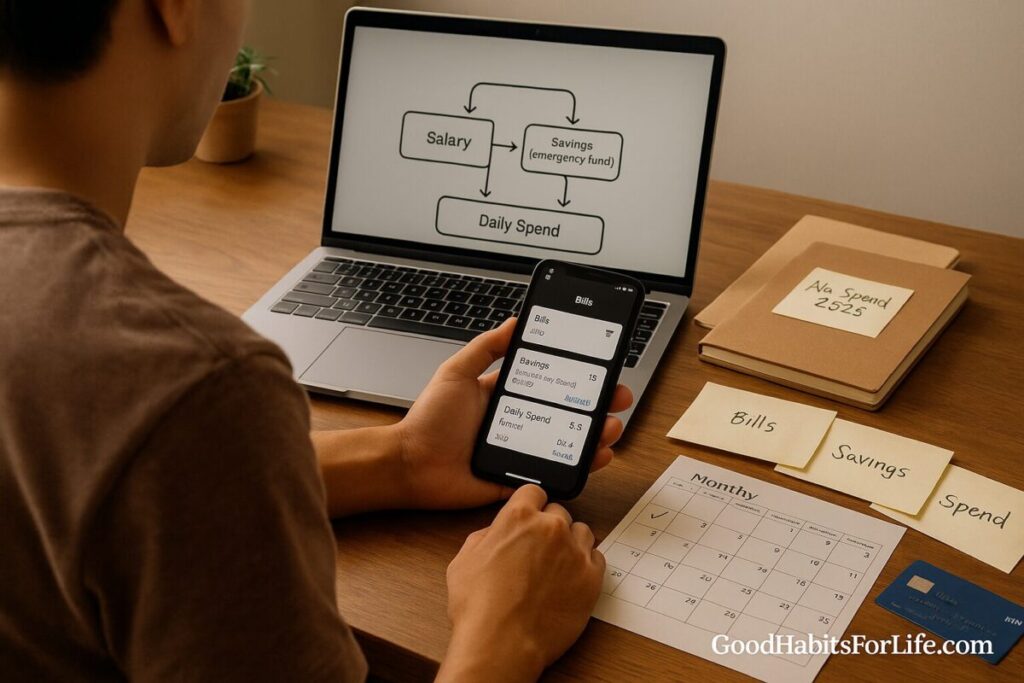
First Job Money Setup: Accounts, Autopays, Apps: No-Spend Challenge (2025)
First Job Money Setup: Accounts, Autopays & No-Spend (2025)
Table of Contents
🧭 What & Why
What it is: A simple, automated system for your first salary that funnels money into the right buckets—bills, savings, and daily spending—with minimal manual effort.
Why it matters:
-
Prevents fees and overdrafts by isolating bill money from everyday spending.
-
Builds savings by default (pay yourself first) so you don’t rely on leftover willpower.
-
Speeds up financial learning: you get clean data from apps, clearer habits, and fewer surprises.
-
Lays a foundation for credit/investing once cash flow is stable.
The target for most new earners:
-
Build a starter emergency fund (e.g., ₹50,000–₹1,00,000 / $1,000–$2,000), then grow to 3–6 months of essential expenses over time.
-
Keep everyday spending and bills separate so lifestyle creep doesn’t swallow your goals.
🛫 Quick Start: Do This Today
1) Open/confirm three accounts
-
Salary/Spend Account (debit card attached): for groceries, transport, eating out.
-
Bills/Autopay Account (no card needed): for rent, utilities, subscriptions, EMIs/loan payments.
-
High-yield Savings (no card): emergency fund + short-term goals.
2) Set your payday rules (standing instructions)
-
On payday, trigger:
-
Savings first: transfer a fixed % (start with 10%–20%) to Savings.
-
Bills: transfer the exact monthly total to Bills/Autopay.
-
Remainder stays in Salary/Spend.
-
3) List and total your fixed bills
-
Rent, utilities, internet/phone, transport pass, insurance, EMIs, essential subscriptions.
-
Add ~5–10% buffer for small fluctuations.
4) Turn on alerts + weekly review
-
Account balance alerts at low thresholds.
-
Weekly push/email spend summary and category breakdown.
5) Start a 14-day No-Spend Challenge (details below)
-
“Needs only” for 14 days. Park all non-essentials in a Wish List; review on Day 15.
6) Create a simple budget target
-
Try 50-30-20 as a starting scaffold:
-
50% needs (rent, groceries, transport, minimum debt)
-
30% wants (eating out, shopping, entertainment)
-
20% saving/investing (emergency fund first)
-
-
Adjust to your city/cost of living; this is a guide, not a rule.
7) Protect yourself
-
Set UPI/online payment limits (or card limits) sensibly.
-
Enable 2-factor authentication for apps and banking.
-
Keep digital copies of KYC/ID, statements, and insurance in a secure cloud folder.
🗺️ 30-60-90 Day Habit Plan
Day 0–30: Stabilize
-
Open/confirm the 3-account structure.
-
Automate: Savings (10–20%), Bills total.
-
Run 14-day No-Spend (Week 2–3).
-
Track spend in 3 buckets only: Needs / Wants / Goals.
-
Build a ₹50k–₹1L ($1–2k) starter emergency buffer if possible (use any joining bonus, tax refund, gifts).
Day 31–60: Optimize
-
Review bank/app categories: top 3 leaks (e.g., rides, food delivery, small subscriptions).
-
Trim 1–2 subscriptions and renegotiate one bill (broadband/phone).
-
Add sinking funds (small monthly set-asides) for upcoming expenses: travel, gifts, annual fees.
-
If you use a credit card, keep utilization <30% (ideally <10%) and pay in full monthly.
Day 61–90: Grow
-
Lift savings automation by +2–5 percentage points if cash flow allows.
-
Start/scale SIP or automated investing into a diversified low-cost index fund or target-date fund (after starter emergency fund is in place).
-
Consider income insurance/health insurance if not covered by employer.
-
Schedule a Quarterly Money Review (calendar repeat) with your future self.
🧠 Techniques & Frameworks That Work
Pay Yourself First: Savings are a standing order, not a leftover. You never see that money in the spend account.
Zero-Based Budgeting (ZBB): Give every currency unit a job—needs, wants, goals—so the month ends at ₹/$0 unassigned.
The 3-Bucket Overlay: Simple categories everyone can maintain: Needs / Wants / Goals. Your app can mirror these.
Implementation Intentions:
-
“If salary lands, then Savings 15% and Bills ₹X auto-transfer at 09:00.”
Temptation Bundling:
-
Check the weekly spend report only while having your favorite coffee or during a commute.
Sinking Funds:
-
Micro-buckets inside Savings (e.g., “Laptop ₹2,000/mo,” “Travel ₹4,000/mo”) prevent last-minute debt.
Two-Tap Rule (Impulse Guard):
-
Any purchase over ₹2,000 ($25) waits 24 hours in a wish list.
-
Any subscription requires a cancellation date reminder set at sign-up.
The 14-Day No-Spend Challenge (2025 edition):
-
Allowed: rent, utilities, transport to work, basic groceries, required meds, essential mobile/data.
-
Not allowed: eating out, delivery coffee, non-urgent shopping, new subscriptions, in-game purchases.
-
Daily action: move the amount you almost spent on a want into Savings → “No-Spend Wins”.
-
End-of-challenge: total your wins; keep one favorite want and cut or downgrade two.
👥 Variations by Situation
Students / Fresh Grads:
-
Often irregular income; switch to percentage-based rules (e.g., “20% of any income to Savings”).
-
Use prepaid/secured cards if building credit carefully.
Professionals in High-Cost Cities:
-
Needs may exceed 50%. Offset by reducing fixed wants (gym tier, streaming bundles, shared rides) and increasing roommates/commute optimizations.
Living with Parents/Roommates:
-
Treat household contributions as bills, automated to the Bills account.
-
Boost Savings automation (e.g., 25–30%) while rent is low.
Career Re-entry / First Job After a Break:
-
Rebuild a starter emergency fund first.
-
Use cash-stuffing envelopes for a month to reset awareness, then return to digital with firm limits.
Teens/Interns (Stipend):
-
Keep it ultra-simple: 3 jars—Spend 70% / Save 20% / Give 10%—then graduate to accounts.
⚠️ Mistakes & Myths to Avoid
-
“I’ll save what’s left.” Usually nothing’s left. Automate first.
-
Mixing bills with daily spend. One unexpected night out can bounce a payment.
-
Chasing points with debt. Rewards don’t beat interest. Pay in full.
-
Sub creep. Small subscriptions snowball; audit quarterly.
-
All EMIs are fine. Only fixed, essential EMIs that fit your Needs bucket.
-
“Investing needs big money.” Start with tiny automated amounts once your starter emergency fund exists.
💬 Real-Life Examples & Scripts
Payday standing order to self (Bank instruction):
“On salary credit, transfer 15% of net pay to [BankName] High-Yield Savings — Emergency and ₹XX,XXX to Bills/Autopay. Run at 09:00 same day.”
HR salary split (email):
“Could payroll send ₹XX,XXX to Bills/Autopay (A/C ####) and the remainder to Salary/Spend (A/C ####) each month?”
Landlord/flatmate autopay note:
“Hi! I’ve set autopay for ₹XX,XXX on the 2nd each month. If the due date changes, please tell me a week in advance.”
No-Spend accountability text to a friend:
“Doing a 14-day no-spend—needs only. If I message ‘about to buy,’ reply with a 👀 and ask if it’s on my list.”
Subscription trial safeguard (calendar reminder):
“Cancel [App] on DD-MM-YYYY unless it’s used 5+ times.”
🛠️ Tools, Apps & Resources (Pros/Cons)
Choose one primary budgeting app and one payments app to reduce friction. Turn on biometrics + alerts.
Budgeting & Tracking
-
YNAB, Goodbudget, Wallet, Money Manager, Monzo (with pots), Revolut (vaults):
-
Pros: Category goals, rule-based envelopes, neat reports; pots/vaults are great for sinking funds.
-
Cons: Subscriptions; learning curve for ZBB.
-
Payments & Autopay
-
Your bank app (standing orders), UPI apps (Google Pay/PhonePe), card autopay, PayPal:
-
Pros: Reliable automation, bill detection, alerts.
-
Cons: Limits or fees; keep security tight and verify mandates.
-
Investing (after starter emergency fund)
-
Index funds/ETFs via SIP or recurring buy; target-date funds:
-
Pros: Simple diversification, automation-friendly.
-
Cons: Market volatility; match risk to time horizon.
-
Account Hygiene
-
Credit bureau app/portal (to check reports), password manager, authenticator app:
-
Pros: Fewer security risks; smoother KYC and online banking.
-
Cons: Setup effort initially.
-
🔑 Key Takeaways
-
Build the 3-account system and automate Savings + Bills on payday.
-
Use one budgeting app and one payments app; enable weekly summaries.
-
Run the 14-day no-spend to create momentum and seed your emergency fund.
-
Review monthly; optimize at Day 60; start or raise automated investing by Day 90.
-
Keep credit utilization low and pay in full—rewards never beat interest.
❓ FAQs
1) How many bank accounts do I need to start?
Three is ideal: Salary/Spend, Bills/Autopay, and Savings. It keeps bill money safe from impulse spending.
2) How big should my emergency fund be?
Aim first for a starter buffer (₹50k–₹1L / $1–2k), then build toward 3–6 months of essential expenses over time.
3) Is a credit card necessary for a first job?
Not required. If you get one, use it for predictables (e.g., fuel or groceries), keep utilization <30% (preferably <10%), and pay in full monthly.
4) What percent should I save?
Begin with 10–20% automated to Savings. Increase by +2–5 points every 1–2 months if your budget allows.
5) How do I stop impulse spending?
Use the Two-Tap Rule (24-hour wait over ₹2,000/$25), disable one-click checkouts, and keep a Wish List you review weekly.
6) What’s the simplest budget?
Try 50-30-20 or the 3-Bucket (Needs/Wants/Goals) overlay. Your app should reflect these buckets.
7) Should I invest before finishing my emergency fund?
Prioritize a starter buffer first. Then start small automated investing while continuing to grow the emergency fund.
8) How do I handle irregular income or bonuses?
Use percent rules (e.g., 20% to Savings) and apply bonuses to emergency fund or debt first, then to goals.
9) Are subscriptions okay?
Yes—if they fit your Wants budget and you set a cancellation check-in date at sign-up.
10) What happens after the 14-day no-spend?
Keep one favorite want, cut/downgrade two, and transfer your no-spend “wins” to Savings. Consider a 30-day round quarterly.
📚 References
-
Consumer Financial Protection Bureau (CFPB). Choosing a bank account & avoiding fees. https://www.consumerfinance.gov/
-
Federal Deposit Insurance Corporation (FDIC). Deposit Insurance at a Glance. https://www.fdic.gov/
-
Organisation for Economic Co-operation and Development (OECD). Financial literacy of adults – comparative findings. https://www.oecd.org/financial/education/
-
Reserve Bank of India (RBI). Master Direction – KYC & account opening. https://www.rbi.org.in/
-
Securities and Exchange Board of India (SEBI). Investor Education — Mutual Funds & SIP basics. https://www.sebi.gov.in/
-
Financial Conduct Authority (FCA). Using Direct Debits and standing orders (UK guidance). https://www.fca.org.uk/
-
FINRA Investor Education. Emergency funds and budgeting basics. https://www.finra.org/investors
-
Money and Pensions Service (UK). Budgeting and savings guidance. https://www.moneyhelper.org.uk/
Disclaimer
This guide provides general financial education—not individualized financial, tax, or legal advice.