
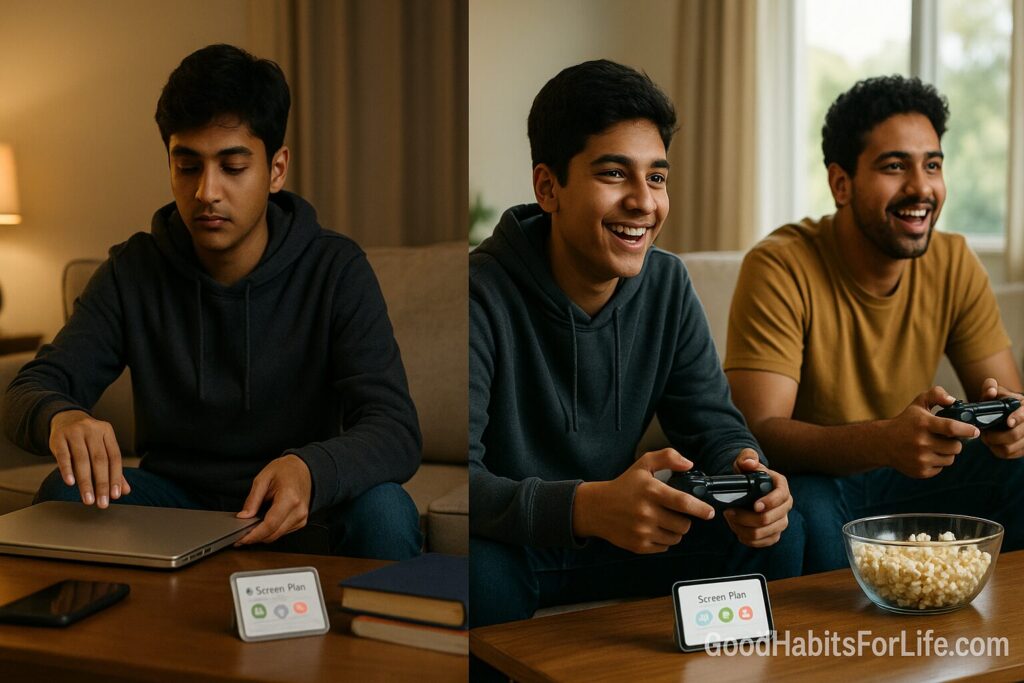
Weekday vs Weekend Screens: A Sensible Split: AI workflows (2025)
Weekday vs Weekend Screens: Sensible Split + AI (2025)
Table of Contents
🧭 What “Weekday vs Weekend Screens” Means—and Why It Works
A sensible split sets one set of screen rules for weekdays (school/work, earlier bedtimes) and a more relaxed set for weekends (later wake times, social plans). Instead of chasing a single magic number, you protect what matters most on weekdays—sleep, school/work focus, movement—and give yourself buffer space on weekends for connection, gaming, movies, or creative projects.
Evidence-aligned guardrails:
-
Prioritize sleep: consistent sleep and limiting evening screens support better rest and daytime functioning. Guidance from pediatric and public-health bodies consistently advises minimizing screens close to bedtime and protecting sleep duration. CDCSleep Foundation
-
Replace, don’t just remove: high screen time often displaces physical activity and sleep; building active alternatives matters. CDCWorld Health Organization
-
Make a plan: written media plans help families and individuals set expectations and routines. HealthyChildren.orgaap.org
✅ Quick Start (10-Minute Setup)
Goal: two profiles—Weekday and Weekend—that switch automatically.
-
Decide your “non-negotiables” (2 min):
-
No screens in the last 60 minutes before sleep.
-
Devices out of bedrooms overnight.
-
Homework/work blocks stay phone-free.
-
-
Set device rules (5 min):
-
iOS/iPadOS: Settings → Screen Time → Downtime (e.g., 21:00–06:30 Mon–Thu; later on Fri–Sat). Add App Limits for social/video; allow necessary apps. Turn on Always Allowed for calls, maps, etc.
-
Android: Settings → Digital Wellbeing & Parental Controls → Bedtime Mode + Focus Mode; set App Timers.
-
Families: Use Google Family Link or Apple Family Sharing to enforce limits across kids’ devices.
-
Routers: Optional weekend/weekday schedules (e.g., Eero/TP-Link) to cut Wi-Fi to specific devices at night.
-
-
Write a 1-page Media Plan (3 min): Use the AAP Family Media Plan template; post on the fridge/Notes app. HealthyChildren.org
🗺️ 30-60-90 Day Habit Plan
Metrics to track:
-
Total daily minutes (target band you choose)
-
After-9pm minutes (keep <15 on weekdays)
-
Top 3 apps share (caps prevent single-app sprawl)
Days 1–30 (Stabilize)
-
Implement device settings above.
-
Establish tech-free anchors: meals, commute, last hour before bed.
-
Weekend: designate one long session (movie/game/creative) instead of many micro-sessions.
-
Review every Sunday: What blew up? What helped?
Days 31–60 (Optimize)
-
Tighten weekday limits by 10–15%.
-
Move entertainment apps off Home Screen (second page or app library).
-
Add a movement swap: 20–30 min walk/strength whenever you hit your limit.
-
Parents: co-view one show/game; talk about content, not just minutes.
Days 61–90 (Automate & Sustain)
-
Automate switches (Shortcuts/Android Routines).
-
Add Focus filters tied to calendar (workdays auto-block socials 09:00–17:00).
-
Monthly “reset day”: uninstall 1 low-value app; add 1 high-value activity (book, sport, club).
-
Celebrate streaks with non-screen rewards.
🧠 Techniques & Frameworks that Stick
-
Family/House Media Plan: Put rules in writing; revisit quarterly. HealthyChildren.org
-
If-Then Rules: “If it’s after 21:00 on a weekday, then the phone sleeps in the kitchen.”
-
Bright Lines: Bedrooms are screen-free; no screens in the last hour before sleep. aap.org
-
Make Good Friction: Keep chargers outside bedrooms; require headphones for videos; move high-temptation apps to the last screen.
-
Substitution, not abstinence: Replace evening scrolling with low-arousal activities (stretching, journaling, paper book). PMC
-
Review Ritual: Every Sunday, check your Screen Time/Digital Wellbeing report; adjust one thing.
👥 Audience Variations
Students & Teens
-
Protect sleep for school performance; enforce the last-hour screen-free rule and bedroom device parking. Co-create limits; use app timers for short-form video. aap.orgPew Research Center
Parents & Caregivers
-
Model the same rules. Use Family Link/Apple Family Sharing; agree weekend exceptions (movies, multiplayer games with friends). Use content filters and ratings.
Professionals
-
Weekdays: Calendar-linked Focus (meetings deep-work blocks). Weekends: batch social media and YouTube into two windows.
Seniors
-
Prioritize social connection and learning; keep sleep routine consistent. Enable larger text and Do Not Disturb at night.
⚠️ Mistakes & Myths to Avoid
-
Myth: “All screens are equally harmful.”
Reality: Content, timing, and displacement (of sleep/activity) matter most. World Health Organization -
Myth: “Blue-light glasses solve bedtime screens.”
Reality: The bigger wins are content and cut-off time; keep the last 60 minutes device-free. Sleep Foundation -
Mistake: Setting limits without alternatives. Add movement, hobbies, or in-person plans. CDC
-
Mistake: Weekends with no boundaries. Keep a latest device off time even on Fridays/Saturdays.
💬 Real-Life Examples & Scripts
-
Family rule: “After 9 pm on school nights, all devices charge in the kitchen. Weekend cutoff is 10:30 pm.”
-
Teen negotiation: “You want 2 hours for gaming Friday. Deal: 90 minutes after homework + 30 minutes after dinner; phone sleeps at 10:30.”
-
Partner script: “Let’s try two social scroll windows on weekends—after lunch and at 7 pm—and keep phones off during breakfast.”
-
Workday script (self): “I’ll check socials at 12:45 and 17:45. If I open before, I do a 5-minute walk first.”
🤖 AI Workflows & Helpful Tools
Built-in controls
-
Apple Screen Time / Focus (Downtime, App Limits, content filters).
-
Android Digital Wellbeing (App Timers, Bedtime, Focus Mode).
-
Google Family Link / Apple Family Sharing for child accounts.
AI-assisted workflows
-
iOS Shortcuts / Android Routines: Auto-toggle Focus and app limits based on day/time or calendar keywords (“Meeting,” “Homework”).
-
Weekly digest: Use shortcuts or an automation app to email yourself the Screen Time report every Sunday; add one sentence reflection.
-
Contextual prompts: Ask an AI to suggest 5 offline alternatives for your top-temptation app; pin the list in Notes.
-
Router scheduling: Set weekday vs weekend Wi-Fi profiles (kids’ devices off at 21:00; later on Sat).
Helpful apps (pros/cons)
-
Forest / Focus To-Do: gamified focus; simple timers. Con: not enforcement.
-
YouTube Restricted Mode / Supervised experience: safer defaults; Con: not foolproof.
-
OpenDNS FamilyShield / Router parental controls: network-level blocks; Con: setup required.
-
Screen Time/Digital Wellbeing dashboards: free and built-in; Con: easy to ignore without a plan.
📌 Key Takeaways
-
Separate weekday (protect sleep/focus) and weekend (relaxed, intentional fun) rules.
-
Lock in no screens 60 minutes before bed and screen-free bedrooms.
-
Make a written plan; review the report weekly.
-
Use AI + automations so limits switch on their own.
-
Track three numbers (total, late-night minutes, top apps) and adjust monthly.
❓ FAQs
1) What’s a good weekday limit for teens?
Start from your current baseline; aim to reduce late-night minutes first. Many families cap entertainment apps to 60–90 min on school nights while protecting homework and calls. Pair limits with sleep rules. aap.org
2) Is weekend “catch-up sleep” okay?
Occasional catch-up happens, but consistent routines are better. Keep a latest device-off time even on weekends to protect circadian rhythm. Sleep Foundation
3) Should adults do this too?
Yes—tie Focus modes to your calendar and keep a last-hour screen-free rule for better sleep and next-day focus. World Health Organization
4) What matters more—minutes or what I watch?
Both. Timing and content quality matter; avoid stimulating content late, and protect activity/sleep from displacement. CDC
5) Are kids really online that much?
Yes, teen reports show high daily use and frequent “almost constant” access; that’s why written plans help. Pew Research Center
6) What if my child needs screens for homework?
Whitelist school tools; cap entertainment apps; use Focus modes so school hours mute distractions.
7) Do I need special apps?
Built-in tools are enough for most households. Consider router controls if kids bypass limits.
8) How often should we review the plan?
Every week for 10 minutes—adjust one rule, one app, or one bedtime target. The review habit is the engine.
📚 References
-
World Health Organization. Guidelines on physical activity and sedentary behaviour (children, adolescents, adults). https://www.who.int/publications/i/item/9789240015128. World Health Organization
-
WHO. Physical activity – fact sheet (2024 update). https://www.who.int/news-room/fact-sheets/detail/physical-activity. World Health Organization
-
Centers for Disease Control and Prevention (CDC). Associations Between Screen Time Use and Health Behaviors Among U.S. Teens (2025). https://www.cdc.gov/pcd/issues/2025/24_0537.htm. CDC
-
CDC. Parental Perspectives of Sleep in the Home (2023). https://www.cdc.gov/pcd/issues/2023/22_0395.htm. CDC
-
American Academy of Pediatrics. Family Media Plan (tool & guidance). https://www.healthychildren.org/English/fmp/Pages/MediaPlan.aspx. HealthyChildren.org
-
AAP. Screen Time Affecting Sleep (Center of Excellence Q&A). https://www.aap.org/en/patient-care/media-and-children/center-of-excellence-on-social-media-and-youth-mental-health/qa-portal/qa-portal-library/qa-portal-library-questions/screen-time-affecting-sleep/. aap.org
-
Sleep Foundation. Screen Time & Insomnia in Teens (2023). https://www.sleepfoundation.org/teens-and-sleep/screen-time-and-insomnia-for-teens. Sleep Foundation
-
Pew Research Center. Teens, Social Media & Technology 2024/2025 (usage patterns). https://www.pewresearch.org/internet/2024/12/12/teens-social-media-and-technology-2024/ and 2025 fact sheet. Pew Research Center+1
-
Ofcom (UK). Children and Parents: Media Use & Attitudes (2024–2025). https://www.ofcom.org.uk/media-use-and-attitudes/media-habits-children/children-and-parents-media-use-and-attitudes-report-2024 and 2025 PDF. www.ofcom.org.uk+1
-
APA. Health Advisory on Social Media Use in Adolescence (ongoing). https://www.apa.org/topics/social-media-internet/health-advisory-adolescent-social-media-use. APA
⚖️ Disclaimer
This article provides general education on digital wellbeing and is not a substitute for professional medical or mental-health advice.