
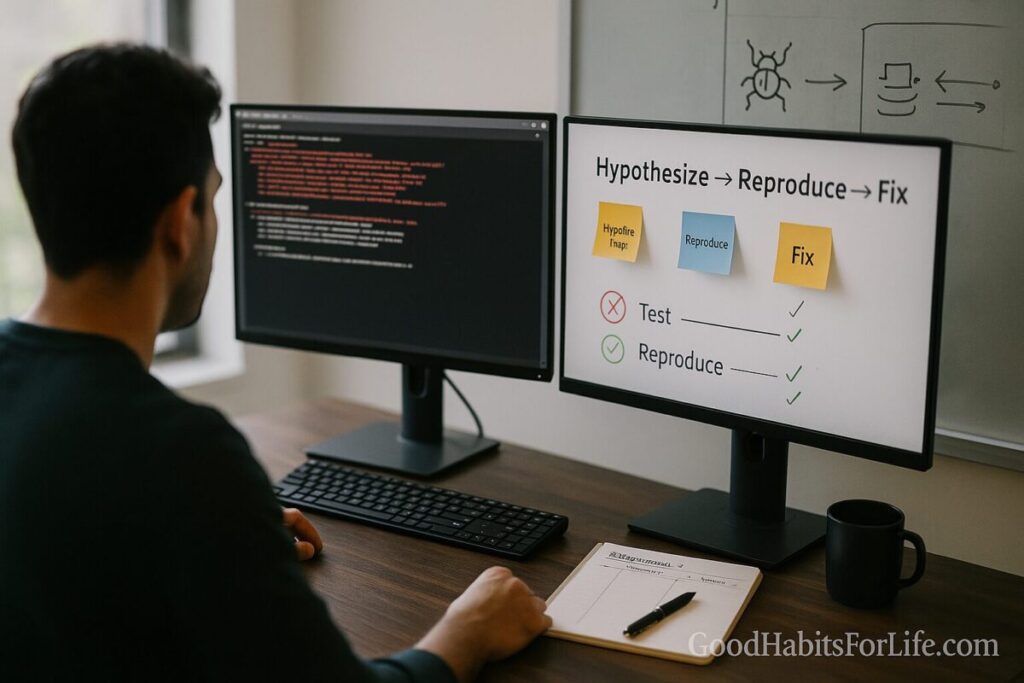
The Debugging Mindset: Hypothesize, Reproduce, Fix
Debugging Mindset: Hypothesize, Reproduce, Fix
Table of Contents
🧭 What & Why
Debugging is disciplined problem-solving: observing faulty behavior, forming a hypothesis about the cause, reproducing the issue reliably, and fixing it with minimal risk. It mirrors the scientific method—you run controlled experiments and learn from each result.
Why it matters
-
Cuts time wasted on guesswork.
-
Produces reliable fixes (with tests) instead of whack-a-mole patches.
-
Improves code quality and team knowledge—today’s bug becomes tomorrow’s guardrail.
Mental model: treat each run as an experiment. If your change didn’t alter the observed behavior, your hypothesis is likely wrong or incomplete. Adjust, rerun.
🧩 Core Loop: Hypothesize → Reproduce → Fix
-
Hypothesize. Based on symptoms, logs, diffs, and recent changes, propose the smallest plausible cause.
-
Reproduce. Create a minimal, deterministic scenario (data + steps + environment) that triggers the bug. If you can’t, keep shrinking scope until you can.
-
Fix. Change one variable at a time. Confirm the issue disappears and add a test that fails before the fix and passes after.
Golden rules
-
Make it visible: increase logging/tracing right where the state diverges from expectations.
-
Reduce surface area: minimize inputs, environment variables, services, and code paths.
-
Isolate change: if two variables change at once, you’ve lost the experiment.
🛠️ Quick Start: Do This Today
A. Capture the failing story
-
Exact error, stack trace, screenshot, or unexpected output.
-
Environment (OS, runtime version, feature flags), data sample, and timestamp.
-
Last known good version; list of recent changes.
B. Create a Minimal Repro
-
Check out the failing commit/branch.
-
Strip the scenario to the smallest input that fails.
-
Freeze versions; pin dependencies; disable caches.
-
If needed, create a unit-test or one-file script that reproduces the bug.
C. Instrument
-
Add temporary logs at suspect boundaries (inputs, conditionals, I/O).
-
Use a debugger breakpoint at the first point where reality diverges from your expectation.
D. Run a single experiment
-
Change one thing (e.g., revert a candidate commit, flip a flag, replace a dependency version).
-
Record result in a short note: hypothesis → change → outcome.
-
Iterate until the cause is isolated.
E. Fix → Test → Prevent
-
Implement the minimal fix.
-
Write a regression test that fails pre-fix and passes post-fix.
-
Remove temporary logs; keep only meaningful observability.
🧪 Techniques & Frameworks (with examples)
1) Binary Search the Blame
-
Git bisect: find the exact commit that introduced a bug between a known good and bad commit.
-
Works for config and data as well: halve the input set until the failure flips.
2) Tighten the Feedback Loop
-
Prefer unit tests and local reproduction over end-to-end tests to accelerate iterations.
-
Use hot reload, watch mode, or focused test runs (e.g.,
npm test -- -t "only this suite").
3) Make State Observable
-
Add structured logs (timestamped, machine-parseable).
-
Emit key fields: request IDs, user IDs, feature flags, input sizes, latency.
-
Use trace IDs to follow requests across services.
Common log levels (guideline)
| Level | Use when… | Example |
|---|---|---|
| TRACE | Fine-grained, step-by-step internals | Loop iterations, SQL params in non-prod |
| DEBUG | Helpful for developers, noisy in prod | Cache hit/miss, branch decision |
| INFO | High-level app events | Job started/finished, deployment |
| WARN | Unexpected but tolerated | Retryable network hiccup |
| ERROR | Failing operation | Uncaught exception, data loss risk |
4) Rubber-Duck & Pair Debugging
-
Explain your code and hypothesis to a “duck” (or teammate). The act of verbalizing often surfaces wrong assumptions and missing steps.
-
Pairing accelerates hypothesis pruning and knowledge transfer.
5) Boundary Checklists
-
Data in (shape, units, encoding, locale).
-
State (defaults, stale caches, permission, time zones).
-
I/O (network, timeouts, DNS, TLS, rate limits).
-
Concurrency (locks, races, ordering).
-
Environment (dev vs prod, container vs host, feature flags).
6) Heisenbugs & Non-Determinism
-
Disable JIT/optimizations; add delays to reveal races.
-
Seed random generators; record seeds.
-
Use deterministic test runners and time freezing.
7) Performance Debugging
-
Reproduce the workload (input size, concurrency).
-
Use profilers/flamegraphs; identify hottest code paths.
-
Change one thing: algorithm, data structure, batch size, caching.
8) Config & Dependency Drift
-
Compare environment diffs: runtime versions, env vars, container images.
-
Pin versions; lockfiles; SBOM (software bill of materials) for complex apps.
-
When in doubt, nuke caches and rebuild.
🗺️ Habit Plan — 7-Day Starter
Goal: Make the hypothesize→reproduce→fix loop your default.
Day 1 — Set the stage
-
Create a
DEBUGGING.mdin your repo with: checklist, logging conventions, and “how to reproduce” template. -
Add
CONTRIBUTING.mdguidance: write a failing test for each bug.
Day 2 — Repro lab
-
Practice building minimal repros for two historic bugs.
-
Time-box: 45 minutes each; aim for <30 lines of code.
Day 3 — Observability boost
-
Add structured logging around two fragile boundaries.
-
Document log fields and correlation IDs.
Day 4 — Tooling drill
-
Learn or refresh: your debugger, test runner focus filters, and
git bisect. -
Create snippets/aliases (e.g.,
alias gbis="git bisect run ./scripts/run_repro.sh").
Day 5 — Pair & duck
-
30 minutes of pair debugging on a real issue.
-
Maintain an experiment log: hypothesis → change → outcome.
Day 6 — Regression armor
-
Add or improve 3 regression tests for previously fixed bugs.
-
Tag them to run in CI for every PR.
Day 7 — Retrospective
-
Review: which heuristics saved the most time?
-
Update
DEBUGGING.mdwith lessons and a “known pitfalls” section.
👥 Audience Variations
Students
-
Favor languages with friendly tooling (e.g., Python/JavaScript) to learn patterns quickly.
-
Turn each bug into a tiny kata: write a failing test, fix, commit with message “test proves failure; commit fixes.”
-
Keep a “bug diary” to track patterns (off-by-one, mutability, path joins, time zones).
Professionals
-
Standardize reproduction templates across the team.
-
Adopt error budgets, SLOs, and post-incident reviews to turn production bugs into systemic improvements.
-
Invest in feature flags and config toggles to test fixes safely in production.
⚠️ Mistakes & Myths to Avoid
-
Myth: “I can’t reproduce it, so I can’t fix it.”
Reality: You can often reproduce a class of the issue—by controlling inputs, seeding randomness, or simulating the environment. -
Mistake: Changing multiple things at once.
Fix: One variable per experiment; record outcomes. -
Mistake: Logging everywhere (noise).
Fix: Log at the boundaries where state transitions happen; prefer structured logs. -
Myth: “It worked on my machine, so it’s not a bug.”
Reality: That is the bug—environment parity and configuration drift matter. -
Mistake: Jumping straight to a fix without a failing test.
Fix: Capture the repro as a test, then change code.
💬 Real-Life Examples & Scripts
Minimal reproduction template (paste into issues/PRs)
Sample unit test that captures a bug
Script: communicate status in Slack/Teams
Update (12:10 IST): Reproduced in v2.3.1 using dataset A (trace 9f2…). Hypothesis: rounding in display layer after locale switch. Running experiment: force en-IN locale off; if pass, will diff formatter config. Next update 30 min.
Commit message pattern
🧰 Tools, Apps & Resources (pros/cons)
-
Interactive Debuggers (VS Code, IntelliJ, PyCharm, Xcode)
Pros: Step-through, watch expressions, conditional breakpoints.
Cons: Setup per project; can mask timing issues; beware of pausing multi-service flows. -
CLI Debuggers (gdb, lldb, pdb, node inspect)
Pros: Scriptable, fast for server/CLI programs.
Cons: Steeper learning curve. -
Profilers & Flamegraphs (perf, Instruments, py-spy,
--prof)
Pros: Identify hotspots & regressions quickly.
Cons: Sampling overhead; requires representative workloads. -
Tracing & Observability (OpenTelemetry, Jaeger, Zipkin, Honeycomb)
Pros: Cross-service visibility; trace IDs link logs/metrics.
Cons: Instrumentation effort; learn query language. -
Version Control Tactics (git bisect, blame, revert)
Pros: Pinpoint change that introduced the bug.
Cons: Requires reproducible tests; long-running bisect can be slow. -
Test Runners & Harnesses (Jest, PyTest, JUnit, Go test)
Pros: Fast feedback; snapshot & property tests.
Cons: Flaky tests hide real signals—stabilize them.
📌 Key Takeaways
-
Model debugging as experiments. Hypothesize → reproduce → fix → test.
-
Shrink the problem. Minimal inputs, pinned env, deterministic runs.
-
Change one variable at a time. Record outcomes; iterate fast.
-
Instrument wisely. Structured logs + tracing beat guesswork.
-
Capture learning. Regression tests,
DEBUGGING.md, and post-mortems build team memory.
❓ FAQs
1) What if I can’t reproduce the bug locally?
Mirror the environment (container image, env vars, flags). Record trace IDs in prod, replay requests in staging, and seed randomness.
2) How do I debug race conditions?
Add delays, use thread sanitizers, increase logging around critical sections, and reproduce under high concurrency with fixed seeds.
3) Should I log everything?
No. Log at boundaries and include correlation IDs. Use levels wisely to keep signals clean.
4) When do I use git bisect vs tests?
Use bisect when you know a window between good/bad versions. Each step should run an automated repro test.
5) How do I know the fix is safe?
Write a failing test first, then apply the fix and watch it pass. Roll out behind a feature flag, monitor, and have a rollback plan.
6) Why do “rubber duck” or pair debugging work?
Explaining forces you to externalize assumptions; teammates spot blind spots and missing experiments.
7) How do I handle intermittent (flaky) failures?
Stabilize the harness: fix timeouts, seed randomness, freeze time, isolate network. Treat flake fixes as first-class work.
8) Is stepping through code always the best approach?
Not always—for distributed or performance issues, logs/traces/metrics and load-testing are often faster.
9) What’s the fastest win for beginners?
Create a minimal repro and turn it into a unit test. Your iteration speed will jump immediately.
10) How do I prevent regressions after the fix?
Keep the test you wrote, add it to CI, and document the root cause and the guardrails you added.
📚 References
-
Google SRE Book — Postmortem Culture & Incident Analysis (free online). https://sre.google/sre-book/postmortem-culture/
-
MIT “The Missing Semester” — Debugging & Profiling lecture notes. https://missing.csail.mit.edu/
-
Microsoft Learn — Debugging techniques (Visual Studio/General concepts). https://learn.microsoft.com/visualstudio/debugger/debugger-feature-tour
-
Chrome DevTools — Debug JavaScript overview. https://developer.chrome.com/docs/devtools/
-
GDB Manual — Debugging with GDB. https://sourceware.org/gdb/current/onlinedocs/
-
OpenTelemetry — Tracing Concepts. https://opentelemetry.io/docs/concepts/signals/traces/
-
Git — git bisect documentation. https://git-scm.com/docs/git-bisect
-
Mozilla MDN — Console API and logging best practices. https://developer.mozilla.org/docs/Web/API/console