
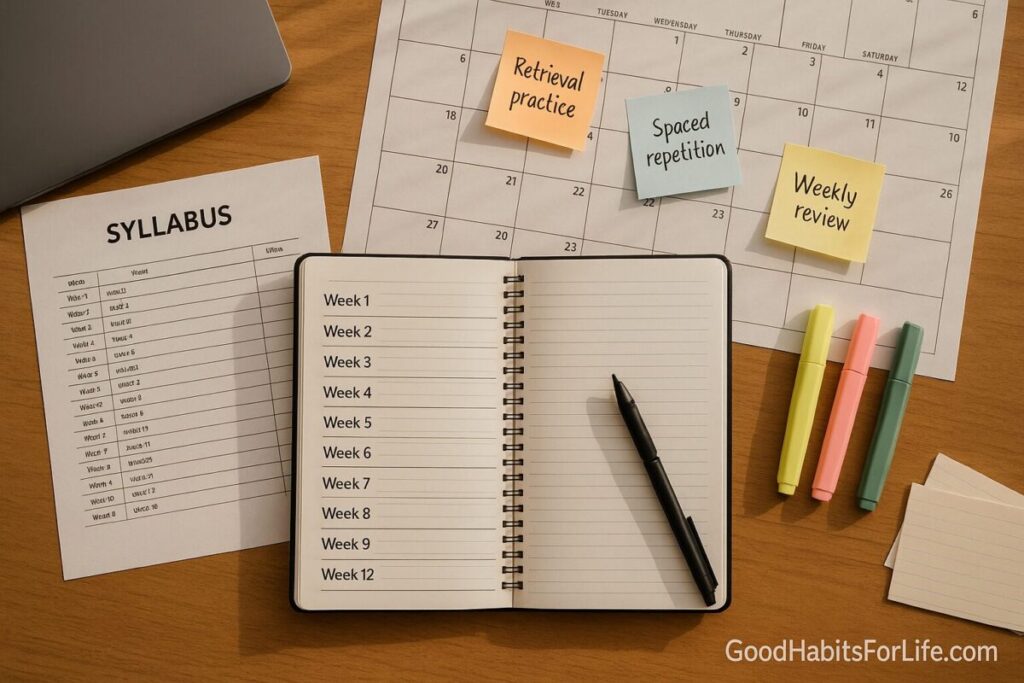
Syllabus Study System: Map Weeks to Wins
Syllabus Study System: Map Weeks to Wins
Table of Contents
🧭 What & Why
Definition. A syllabus study system turns your course outline into a living plan: weekly deliverables, time-blocks for deep work, and scheduled evidence-based techniques (retrieval practice, spaced repetition, interleaving).
Why it works. Students often confuse reading with learning. Research consistently shows that self-testing, spaced review, and mixing topics (interleaving) outperform passive rereading. A weekly review keeps the plan realistic as due dates shift, while small checkpoints prevent last-minute cramming.
Core outcomes
-
Clear map from Week 1 → finals: what to study, when, and how.
-
Early warning on heavy weeks; you redistribute effort before crunch time.
-
Higher retention with less total time, thanks to active methods.
🚀 Quick Start (Do This Today)
-
Collect inputs (15–20 min). Grab the syllabus, LMS calendar, reading list, and assessment rubrics.
-
List deliverables. Extract all exams, quizzes, labs, papers, presentations with due dates.
-
Chunk by week. Map each deliverable to a prep window (start ≥14 days before major exams; ≥7 days for essays).
-
Time-block. Reserve 2–4 focused blocks/week (50–90 min each) for:
-
Retrieval sets (self-testing)
-
Spaced review cards/notes
-
Interleaved problem sets
-
-
Create a dashboard. Columns: Week | Topic | Pages/Problems | Deliverable | Retrieval Sets | Status.
-
Schedule a Weekly Review (30–45 min). Every Friday or Sunday: recalibrate estimates, move blocks, note risks.
-
Start a “parking lot.” A running list for uncertainties to ask your instructor/TA.
Sample mini-dashboard
| Week | Topic/Module | Pages/Problems | Deliverable | Retrieval Sets | Status |
|---|---|---|---|---|---|
| 1 | Intro + Ch.1 | pp. 1–28, #1–10 | Quiz (Fri) | Tue/Thu 20 Qs | 🔄 In progress |
| 2 | Ch.2–3 | pp. 29–72, #1–18 | Lab 1 (Thu) | Mon/Wed 25 Qs | ⏳ Planned |
🗺️ 7-Day Starter Plan
Goal: stand up your system in one week and feel the first gains.
-
Day 1 – Inventory (45–60 min): Pull all dates; star high-stakes items.
-
Day 2 – Map (45 min): Create weekly dashboard; insert every deliverable.
-
Day 3 – Time-blocks (30 min): Add 3 study blocks to your calendar (e.g., Tue/Thu/Sat).
-
Day 4 – Build Retrieval (40 min): Write 20–30 cue–answer questions from Week 1 content.
-
Day 5 – Spaced Review (30 min): First review of Day-4 questions; tag leeches (often-missed items).
-
Day 6 – Interleave (50 min): Mix 2 topics or problem types; note confusion points.
-
Day 7 – Weekly Review (30–45 min): Update dashboard, shift time, send any clarifying email.
Checkpoints
-
✅ Dashboard complete;
-
✅ Calendar has recurring blocks;
-
✅ You ran one retrieval session and one interleaving session;
-
✅ You conducted your first weekly review.
🧠 Techniques & Frameworks That Work
Retrieval Practice (self-testing)
-
Replace passive rereading with question–answer cycles: flashcards, practice problems, blank-page recalls.
-
Keep sessions short and frequent (e.g., 2 × 20–30 min per topic/week).
-
Use an error log and exam wrappers (post-quiz reflections: What type of error? What will I change?).
Spaced Repetition
-
Review new material at increasing intervals (e.g., day 1 → day 3 → day 7 → day 14).
-
Let the app’s scheduler handle spacing, but tag “leeches” (repeat misses) for extra practice.
Interleaving (mixing)
-
Alternate problem types or chapters in one session (A–B–A–C), not A–A–A.
-
Great for math, physics, languages, and skills with similar formulas/concepts.
Time-Blocking & Energy
-
Use 50–75 min focus blocks with a 5–10 min break; stack 2 blocks if needed.
-
Align hardest work with your peak energy time (AM for most; test yourself).
Goal/Task Framing
-
Convert “do well in midterm” into process goals: “3 retrieval sets/week + 1 interleaving set.”
-
Make deliverables visible (dashboard) and scheduled (calendar) to cut friction.
👥 Audience Variations
-
Students (secondary/college): Keep the dashboard simple; prioritize retrieval sets tied to quiz dates.
-
Professionals (certifications/CPD): Use lunch-hour micro-blocks; create scenario-based questions from standards and past papers.
-
Parents (supporting teens): Co-run the weekly review; ask “Which retrieval questions scared you?”—then practice those.
-
Seniors/returning learners: Shorter blocks (30–45 min), more frequent spacing; add verbal recall (teach-back) with a peer.
⚠️ Mistakes & Myths to Avoid
-
Myth: “Rereading = learning.” → No; testing yourself improves retention more than rereading.
-
Mistake: Planning only by due dates; forgetting prep windows.
-
Mistake: Cramming. Spacing + retrieval beats massed practice.
-
Myth: “Finish one chapter perfectly before moving on.” → Interleaving similar topics is better for transfer.
-
Mistake: Skipping the weekly review—that’s where you catch drift early.
💬 Real-Life Examples & Scripts
Email to clarify scope
Hi Dr. Rao, for Lab 2 the rubric mentions “analysis depth.” Could you confirm whether a 2-page results discussion with 2 figures meets expectations? Thanks!
Study partner invite
Want to do a 45-min retrieval sprint on Chapters 2–3 tomorrow 5:30 pm? We’ll swap questions and log misses.
Exam wrapper (post-quiz, 5 min)
-
3 items I missed & why (knowledge gap, misread, time mgmt).
-
One change before next quiz (e.g., 2 extra mixed problem sets).
-
Confidence (1–5) → Plan to raise it by 1 point.
🧰 Tools, Apps & Resources (quick picks)
-
Calendar (Google/Apple/Outlook). Pros: reliable reminders; Cons: easy to overbook—protect buffer time.
-
Task boards (Notion/Obsidian/Todoist/Trello). Pros: flexible dashboards; Cons: can become busy—keep to one board.
-
Flashcards (Anki/RemNote/Quizlet). Pros: spaced repetition + recall; Cons: card-writing takes time—batch it weekly.
-
Note systems (Cornell/Outline/Zettelkasten). Pros: structured cues for retrieval; Cons: choose one and stick to it.
-
Practice banks (past papers, problem sets). Pros: realistic retrieval; Cons: can tempt you to memorize answers—shuffle and time-limit.
📌 Key Takeaways
-
Turn the syllabus into a weekly dashboard of deliverables + prep windows.
-
Schedule retrieval, spacing, and interleaving like appointments.
-
Hold a weekly review to rebalance workload and fix weak spots.
-
Use exam wrappers and an error log to learn from misses.
-
Keep tools minimal; consistency beats complexity.
❓ FAQs
1) How many study blocks per week do I need?
Aim for 3–5 focused blocks per course (50–90 min each), plus one 30–45 min weekly review.
2) What if my syllabus changes mid-term?
Update the dashboard immediately; during your weekly review, shift blocks and extend prep windows for any newly heavy weeks.
3) How do I write good retrieval questions?
Turn headings, formulas, and learning objectives into cue–answer items. Include “why” and “when to use” prompts—not just definitions.
4) Do I still need to take notes if I’m using flashcards?
Yes. Notes generate raw material for cards and support teach-back. Keep notes concise and question-friendly.
5) How early should I start exam prep?
Create a 14- to 21-day runway for majors. The first week is concept mapping + light retrieval; ramp intensity near the end.
6) What if I’m behind?
Shorten readings to key sections, prioritize problem-based retrieval, and book an extra interleaving session. Protect sleep—memory consolidation matters.
7) Is interleaving always better?
It’s especially helpful when topics are confusable (e.g., similar formulas). For brand-new material, do a brief blocked practice first, then interleave.
8) Can group study replace solo work?
Use groups for teach-back and problem swaps, but keep personal retrieval sessions to expose your own gaps.
📚 References
-
Dunlosky, J., et al. (2013). Improving Students’ Learning with Effective Learning Techniques. Psychological Science in the Public Interest. https://doi.org/10.1177/1529100612453266
-
Roediger, H. L., & Karpicke, J. D. (2006). Test-Enhanced Learning. Psychological Science. https://doi.org/10.1111/j.1467-9280.2006.01693.x
-
Cepeda, N. J., et al. (2006). Distributed practice in verbal recall tasks. Psychonomic Bulletin & Review. https://doi.org/10.3758/BF03193966
-
Rohrer, D., & Taylor, K. (2007). The shuffling of mathematics problems improves learning. Instructional Science. https://doi.org/10.1007/s11251-006-9019-7
-
Bjork, R. A. (1994). Memory and metamemory considerations in the training of human beings. In J. Metcalfe & A. Shimamura (Eds.), Metacognition: Knowing about knowing. (Desirable Difficulties). (Publisher summary at UCLA Learning Lab) https://bjorklab.psych.ucla.edu/
-
Cornell University Learning Strategies Center. The Cornell Note-Taking System. https://lsc.cornell.edu/how-to-study/taking-notes/
-
UC San Diego Teaching + Learning Commons. Exam Wrappers & Metacognitive Strategies. https://commons.ucsd.edu/educators/guides/exam-wrappers.html
-
Locke, E. A., & Latham, G. P. (2002). Building a practically useful theory of goal setting and task motivation. American Psychologist. https://doi.org/10.1037/0003-066X.57.9.705
-
Rohrer, D. (2012). Interleaving practice improves mathematics learning. ZDM Mathematics Education. https://doi.org/10.1007/s11858-012-0440-8
-
Brown, P. C., Roediger, H. L., & McDaniel, M. A. (2014). Make It Stick: The Science of Successful Learning. Harvard University Press. https://www.hup.harvard.edu/