
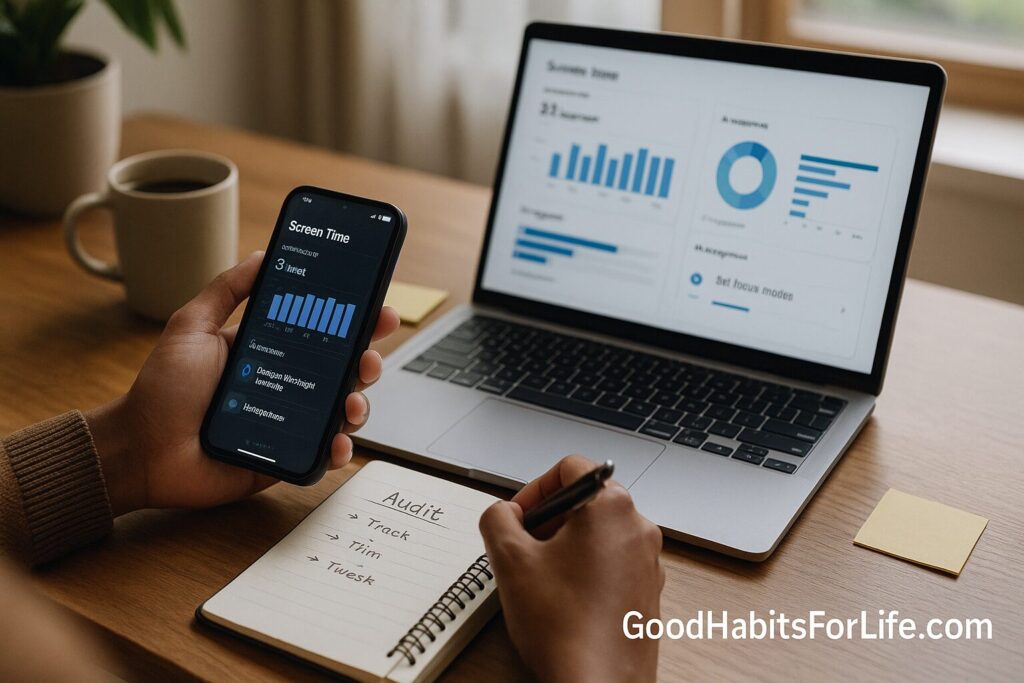
Screen Audit Weekend: Track, Trim, Tweak: AI workflows (2025)
Screen Audit Weekend: Track, Trim, Tweak with AI (2025)
Table of Contents
🧭 What is a Screen Audit & Why it Works
A screen audit is a short, focused review of how you spend time on phones, laptops, and TVs. The goal isn’t a guilt trip; it’s to see reality, cut waste, and design defaults so your tech serves your life.
Why it works
-
Measurement breaks autopilot. Seeing time by app/site exposes hidden loops (e.g., “10 mins” that is actually 2+ hours/week).
-
Purpose beats raw limits. Research supports a nuanced view: moderate, meaningful use is not inherently harmful; extremes are. PubMed
-
Sleep protects everything. Evening light—especially from screens—can suppress melatonin and make it harder to fall asleep; public health guidance recommends minimizing late-night device use. Harvard Healthnhs.uk
-
Activity trade-offs matter. The WHO advises limiting sedentary time and meeting weekly movement targets; reducing recreational screen time helps you reallocate hours to movement, sleep, and relationships. World Health OrganizationPMC
✅ Quick Start: Your 2-Day Weekend Plan
Day 1 — Track & Label
-
Turn on tracking everywhere (15 min).
-
iOS/iPadOS: Settings → Screen Time → Turn On
-
Android: Digital Wellbeing & parental controls → Dashboard
-
macOS/Windows: built-in Screen Time/Focus or a tracker like RescueTime
-
Browsers: usage extensions (e.g., Productivity meters)
-
-
Export or copy 7 days of data (20 min). On each device, note top apps/sites + minutes.
-
Label each item (30 min): mark Work, Learning, Social, or Junk (anything you didn’t intend to open).
-
Spot “leaks” (20 min): autoplay, infinite scroll, notifications, lock-screen glances, late-night usage.
-
Sleep shield (10 min): set a screen curfew (e.g., 22:00), enable Night Shift/Night Light, and move chargers outside the bedroom. (Harvard/NHS both advise minimizing evening light.) Harvard Healthnhs.uk
Day 2 — Trim & Tweak
-
Block by default (25 min).
-
Add app limits for your Junk bucket (start with −30–50%).
-
Set Focus/Do Not Disturb schedules for work, family, and sleep.
-
Use website blockers to cap social feeds and short-video sites.
-
-
Tweak notifications (15 min): turn off badges, breaking news, and promotional pings; keep only people + calendar + 2 critical work apps.
-
Create “friction” (10 min): log out of problem apps; remove them from the first home screen; disable autoplay; unsubscribe from 3 low-value newsletters.
-
Add AI helpers (20 min):
-
“Summarize before opening” shortcut: Send any long link/video to an AI summarizer; skim key points first.
-
Weekly usage report: an automation that exports Screen Time/Digital Wellbeing → Google Sheet → AI generates a one-page report with wins + 1 action.
-
-
Replace with positives (15 min): queue podcasts/playlists, pin a reading list, add walking prompts.
-
Set your Friday 10-minute mini-audit. Quick review of top 5 time-sinks + one tweak for next week.
🧠 30-60-90 Habit Roadmap
Days 1–30 (Stabilize)
-
Cap Junk minutes by 30–50%.
-
Sleep: 1-hour no-screens buffer before bed. nhs.uk
-
Add a Daily Intent card: “Today my screens serve: work output, learning 30 min, connection 20 min.”
-
Automations live: weekly usage report + Friday mini-audit.
Days 31–60 (Upgrade)
-
Tighten Focus modes (workdays auto-enable at login).
-
Convert 60–90 min/week of scroll time into movement to hit WHO activity targets. PMC
-
Start a “summarize first” habit for news/YouTube.
Days 61–90 (Optimize)
-
Shift from minutes to value: track outputs (pages written, workouts, calls made).
-
Bundle notifications into hourly digests.
-
Re-evaluate: keep only apps that add clear value; delete the rest.
🛠️ Techniques & AI Workflows
1) The Purpose Pyramid
-
Musts: work, family safety, essentials.
-
Goods: learning, deep connection, creative play.
-
Nice-to-haves: light entertainment.
-
Junk: mindless loops.
Map apps/sites to a level; then align limits + Focus modes accordingly.
2) AI “Summarize Before Opening”
-
Use an AI action to preview articles/videos (key points, timestamps, estimated value).
-
Result: fewer rabbit holes; more intentional opens.
3) Auto-Tagging Usage
-
Export usage logs → Sheet → AI classifies each app/site as Work/Learning/Social/Junk using your rules.
-
Output a weekly chart with % Junk and Top 3 Leaks.
4) Nudges & Scripts
-
“If I open a social app during work Focus, ask: What am I here to do?”
-
“If YouTube link > 15 min, offer a 5-bullet summary first.”
5) Sleep-First Defaults
-
Night filters at sunset, device-free bedroom, and bedtime routines. Authoritative guidance highlights evening light as a sleep disruptor; prioritize behavior over blue-light gadgets. Harvard Healthnhs.uk
6) Goldilocks Guardrail
-
Keep moderate, purposeful use and avoid extremes; a large-scale analysis suggests the healthiest zone is neither zero nor endless scroll. PubMed
7) Social Media “30-Minute Rule” (Optional)
-
A randomized study found limiting social media to ~30 min/day improved well-being metrics. Try it for 2 weeks and measure your mood. guilfordjournals.comPenn Today
👥 Audience Variations
Students:
-
Study Focus (08:00–13:00, 14:00–17:00), Social window (19:00–20:00), no screens last hour.
-
Replace short videos with lecture summaries or spaced-repetition prompts.
Professionals:
-
Batch email + chat at set times; route VIP contacts to “Allowed People” only.
-
Use “open-with-goal” sticky note: “I’m opening Slack to post X.”
Parents:
-
Create a Family Media Plan: shared curfew, common charging spot, co-viewing on weekends. aap.orgHealthyChildren.org
-
Mirror limits on your own phone; teens notice.
Seniors:
-
Keep large-text, high-contrast settings; use read-aloud and scheduled Do Not Disturb for rest blocks.
-
Prioritize social calls over passive feeds.
Teens:
-
Agree on 2–3 “green-light” creators and a daily cap; install limits together and review weekly.
-
Protect sleep: phones out of bedroom after curfew. nhs.uk
⚠️ Mistakes & Myths to Avoid
-
Myth: “All screen time is bad.” Context and content matter; moderate, purposeful use can be beneficial. PubMed
-
Mistake: Chasing perfect hours. Focus on what screens replace (sleep, movement, relationships) over an arbitrary number. WHO emphasizes limiting sedentary time and staying active. World Health Organization
-
Myth: Blue-light glasses solve everything. Behavior beats gadgets; reduce evening exposure and brightness instead. nhs.uk
-
Mistake: All-or-nothing detoxes. Brief detoxes can help reset, but sustainable habits come from redesigned defaults and ongoing audits. tmb.apaopen.org
🧪 Real-Life Scripts & Examples
Slack/Teams status (work):
“Heads-down 10:00–12:00 (Focus on report). Ping me after 12:00 or use Urgent tag.”
Family text (evening curfew):
“Phone parking after 9:30 tonight. If you need me, call once (emergency) or drop a note for morning.”
Self-prompt (home screen widget):
“What am I here to do?” → (Post update / Pay bill / Map route / Close app)
AI weekly report (auto-generated):
-
% Junk: 17% (↓8pp)
-
Top leak: Short videos (−42 min)
-
Sleep wins: 5 nights with curfew
-
Next tweak: Disable autoplay + add 20:30 reading cue
📚 Tools, Apps & Resources (quick pros/cons)
-
iOS Screen Time / Android Digital Wellbeing — built-in, free; good for limits & Focus modes; limited cross-device analytics.
-
RescueTime / Qustodio / Freedom / Cold Turkey — powerful blocking & reports; small subscription; setup time needed.
-
Read-it-later + AI summaries (Reader/Pocket + AI) — reduces doomscrolling; still requires discipline.
-
Browser site limiters — fast friction; can be bypassed if you’re determined.
-
Family Media Plan (AAP) — structured family rules; designed for kids/teens but helpful for households. aap.org
🧷 Key Takeaways
-
Measure first: track and label a full week of use.
-
Cut the leaks: limits, Focus, blockers, no-autoplay.
-
Sleep rules: 60-minute buffer before bed, warm display, chargers out. Harvard Healthnhs.uk
-
Use AI as a bouncer: summarize before opening, auto-tag usage, weekly report.
-
Think purpose, not raw hours—and keep a simple Friday mini-audit. PubMed
❓ FAQs
How many hours of screen time is healthy for adults?
There’s no one-size number. Aim for purposeful use, protect sleep, and meet WHO activity targets (150–300 min moderate activity/week). Trim low-value time first. PMC
Do digital detoxes work?
Short detoxes can reset habits, but lasting change comes from redesigned defaults (limits, Focus, blockers) and weekly reviews. tmb.apaopen.org
Is blue light really that bad?
Evening light can delay melatonin and impair sleep; reduce brightness and avoid screens in the hour before bed. Harvard Healthnhs.uk
What about kids and teens?
Use a Family Media Plan, prioritize sleep/homework, and co-view where possible. aap.org
Isn’t some social media good for connection?
Yes—intentional, time-boxed use can be positive. Heavy, unbounded use is linked to worse well-being; one study found benefits from limiting to ~30 min/day. guilfordjournals.com
How do I track across multiple devices?
Use built-in tools on each device plus a desktop/browser tracker. Export to a Sheet and generate an AI weekly summary.
Do I need blue-light glasses?
Not required. Prioritize behavioral changes: earlier curfew, warm display, lower brightness. nhs.uk
What’s the fastest win?
Disable autoplay + move social apps off your first screen + add a “summarize before opening” shortcut.
📚 References
-
World Health Organization. Guidelines on Physical Activity and Sedentary Behaviour (2020). https://www.who.int/publications/i/item/9789240015128 World Health Organization
-
Bull FC et al. 2020 WHO Guidelines on physical activity and sedentary behaviour. Br J Sports Med. 2020. https://pmc.ncbi.nlm.nih.gov/articles/PMC7719906/ PMC
-
Harvard Health Publishing. Blue light has a dark side. (2024 update). https://www.health.harvard.edu/staying-healthy/blue-light-has-a-dark-side Harvard Health
-
NHS Every Mind Matters. How to fall asleep faster and sleep better. https://www.nhs.uk/every-mind-matters/mental-wellbeing-tips/how-to-fall-asleep-faster-and-sleep-better/ nhs.uk
-
Przybylski AK, Weinstein N. A Large-Scale Test of the Goldilocks Hypothesis. Psychol Sci. 2017. https://pubmed.ncbi.nlm.nih.gov/28085574/ PubMed
-
Hunt MG et al. Limiting Social Media Decreases Loneliness and Depression. J Soc Clin Psychol. 2018. https://guilfordjournals.com/doi/10.1521/jscp.2018.37.10.751 guilfordjournals.com
-
Penn Today summary of Hunt et al. (2018). https://penntoday.upenn.edu/news/social-media-use-increases-depression-and-loneliness Penn Today
-
APA Open. Time-Specific Digital Detox Interventions: Effects and Effectiveness. (2025). https://tmb.apaopen.org/pub/0ikby46e tmb.apaopen.org
-
OECD. The Impact of Digital Technologies on Well-Being. (2024). https://www.oecd.org/content/dam/oecd/en/publications/reports/2024/11/the-impact-of-digital-technologies-on-well-being_848e9736/cb173652-en.pdf OECD
-
American Academy of Pediatrics. Media and Children: Family Media Plan. https://www.healthychildren.org/English/fmp/Pages/MediaPlan.aspx HealthyChildren.org
Disclaimer
This guide is educational and is not medical or mental-health advice. If screens are affecting your health, sleep, or mood, consult a qualified professional.