
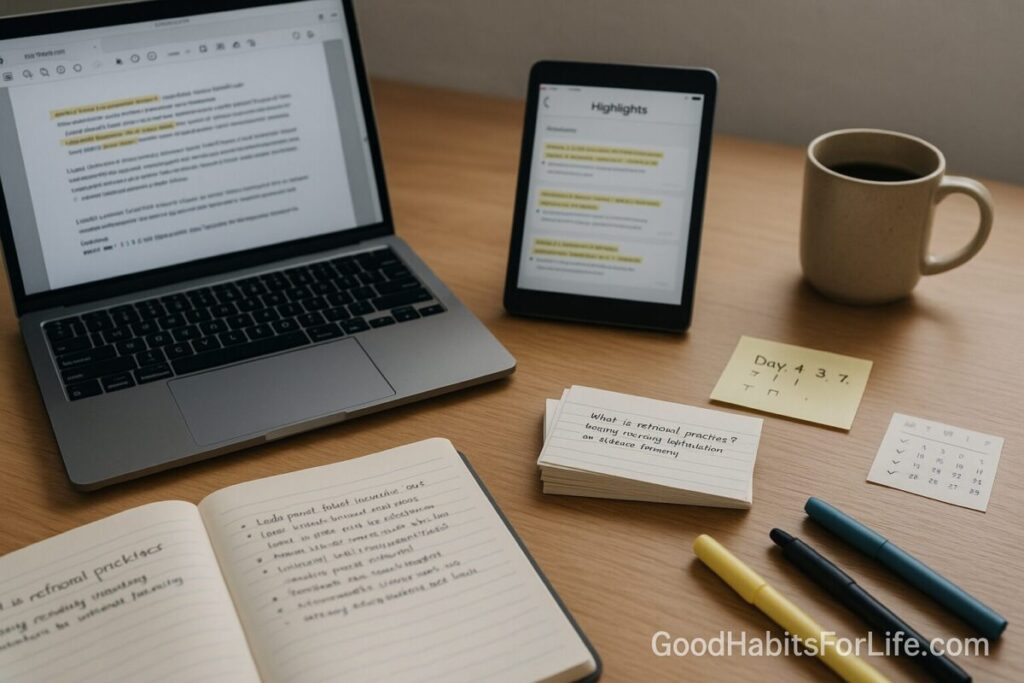
Reading to Notes Pipeline: PDF Highlights Cards
PDF Highlights to Notes & Flashcards (Reading-to-Notes)
Table of Contents
🧭 What & Why
Definition. A reading-to-notes pipeline is a repeatable workflow that turns PDF highlights into clean notes and flashcards you’ll actually review. It combines three evidence-based principles:
-
Retrieval practice: actively recalling ideas (e.g., testing or flashcards) strengthens memory far more than re-reading. SAGE Journals+1
-
Spaced repetition: revisiting material on a schedule dramatically boosts retention over cramming. PubMed+1
-
Desirable difficulties & interleaving: a little productive struggle and mixing similar topics improves transfer. bjorklab.psych.ucla.edu+1
Why it matters. Students and professionals often over-highlight then never come back. Research reviews rank highlighting and re-reading as low-utility compared with retrieval and spacing, so your time is better spent processing highlights into prompts you can review. SAGE Journals
✅ Quick Start (Do-This-Today)
-
Read with intent (10–15 min chunks). Before you open the PDF, write a 1-sentence goal: “After this section I should explain X in 2 lines.”
-
Highlight sparingly. Mark only atomic facts, definitions, or arguments you’ll use. Add a brief why-note (e.g., “counterexample to claim A”).
-
Export highlights. Use your stack (below) to export to Markdown/Notion/Obsidian. Hypothesis+2Readwise Docs+2
-
Distill to notes. Clean the export: group by question/problem, keep source links back to the PDF page. Zotero
-
Make cards from the best lines. Turn the 20% most useful highlights into Q→A or cloze cards.
-
Review tomorrow. Start spaced repetition: 1, 3, 7, 21, 60 days (adjust to your exam/project date). PubMed
🛠️ The Workflow (Choose Your Stack)
Pick one stack and commit for 30 days. All three preserve links back to the exact PDF page.
Stack A — Zotero → Markdown/Obsidian → Anki/Obsidian cards
-
Read/Annotate: Open PDFs in Zotero PDF Reader; highlight and comment. Zotero
-
Export: Create a note from annotations; export notes to Markdown (keeps links to PDF + citations). Zotero Forums+1
-
Distill: In Obsidian, tidy headings, tag topics, and add
#cardssections. -
Cards: Use Obsidian Spaced Repetition or export to Anki. GitHub
Why this stack? Free, academic-grade citations, robust PDF-page backlinks.
Stack B — Hypothesis (web/PDF) → Readwise → Notion/Obsidian
-
Read/Annotate: Use Hypothesis to highlight PDFs on the web or local copies via the extension.
-
Export: Use Hypothesis export or Readwise to sync highlights into Notion/Obsidian. Readwise Docs+3Hypothesis+3Hypothesis+3
-
Distill: Convert synced pages into evergreen notes; add short summaries and questions.
-
Cards: Create Q→A or cloze blocks right inside your notes or push to Anki.
Why this stack? Fastest for web PDFs and mixed reading (blogs, papers, reports).
Stack C — Any PDF app → Manual Markdown → Anki
-
Read/Annotate: Highlight in your favorite viewer (Preview, Acrobat, PDF Expert).
-
Export: Copy highlights to Markdown; optionally use Pandoc later to convert notes to DOCX/PDF. pandoc.org
-
Cards: Hand-craft fewer, higher-value cards.
Why this stack? Minimal tools, maximum control.
A Simple Pipeline Table
| Step | Action | Tool Options | Output | Time |
|---|---|---|---|---|
| 1 | Read & highlight | Zotero / Hypothesis / Acrobat | Annotated PDF | 30–45 min |
| 2 | Export | Zotero note / Hypothesis export / Readwise | Markdown/Notion page | 2–5 min |
| 3 | Distill | Obsidian/Notion | Clean note with headings + links | 10–15 min |
| 4 | Make cards | Obsidian SR / Anki | Q→A / cloze deck | 10–15 min |
| 5 | Review | Obsidian SR / Anki | Daily session | 5–10 min |
🧠 Techniques & Frameworks (Science-backed)
-
Retrieval > re-reading. Self-testing (free-recall, short-answer, teach-back) outperforms concept mapping and re-study for long-term retention. Bates College
-
Spaced repetition. For durable memory across weeks–months, space reviews. A rule-of-thumb: set your first review gap to ~10–20% of your desired retention interval (e.g., if you need it in 30 days, first review ≈ 3–6 days). PubMed
-
Interleaving. Mix similar topics (e.g., statistics tests) to sharpen discrimination and strategy selection. PubMed
-
Desirable difficulties. Make learning a bit effortful (recall without notes, write 2-line summaries, sketch diagrams). The struggle encodes better. bjorklab.psych.ucla.edu
-
Note-making vs note-taking. Summarize in your own words; avoid verbatim copying—typing tends toward transcription. SAGE Journals
Card Styles that Work
-
Q→A: “What problem does method X solve?”
-
Cloze: “The core assumption of Y is {{c1::…}}.”
-
Image occlusion: Hide parts of a figure/table you must recall.
🛤️ Habit Plan (30-60-90 Roadmap)
Goal: A friction-light pipeline you run daily in ≤60 minutes.
Days 1–30: Build the skeleton
-
Pick one stack and set it up.
-
Create templates (see Scripts below).
-
Run the loop 3–4 days/week on short PDFs (5–10 pages).
-
End of week: prune card bloat; keep only high-yield items.
Days 31–60: Scale to real projects
-
Process full papers/chapters (15–25 pages).
-
Add interleaving: alternate topics each session. PubMed
-
Dial in review load to ≤100 reviews/day (adjust ease/intervals).
Days 61–90: Optimize & automate
-
Batch exports; use folder rules and tags.
-
Add weekly synthesis notes (link multiple sources into one explainer).
-
Review analytics: drop low-value cards; merge duplicates.
👥 Audience Variations
-
Students: Tie every card to a syllabus LO (learning outcome). Make “exam-level” cards—conceptual, not trivia.
-
Researchers/Grad: Capture claims + evidence; one card per figure/table insight with citation link.
-
Professionals: Use scenario-based prompts (“If client says X, then…”). Review during commute or lunch.
-
Seniors/Return-to-learning: Prefer larger fonts and fewer daily reviews (≤50). Emphasize teach-back notes.
⚠️ Mistakes & Myths to Avoid
-
Over-highlighting. If >10–15% of a page is yellow, you’re not deciding—you’re painting.
-
Card overload. 300 low-value cards beat you; 60 high-yield cards win.
-
Copy-paste notes. Verbatim text ≠ understanding; paraphrase first. SAGE Journals
-
No source links. Always keep a backlink to the PDF page for context. Zotero
-
One-and-done reviews. Schedule spaced reviews—memory needs revisiting. PubMed
💬 Real-Life Examples & Scripts
A. Distill a Highlight → Note → Card
-
Highlight: “Interleaving improves strategy selection even with dissimilar problems.”
-
Note (2 lines): Interleaving aids discrimination and links problem → method; useful beyond near-identical tasks.
-
Card (Q→A):
-
Q: Why can interleaving beat blocking for math practice?
-
A: It improves discrimination among problem types and strengthens mapping of problem → strategy. PubMed
-
B. Two-Line Summary Script
“This section argues [core claim] because [key evidence]; so I should [action/implication].”
C. If-Then Planning
-
If I finish a reading chunk (5–10 pages), then I immediately export highlights and make 3 cards before closing the PDF.
D. Obsidian Card Template (Markdown)
🧰 Tools, Apps & Resources (Pros/Cons)
-
Zotero (PDF Reader + Notes) — Free
Pros: Academic citations; link-back to PDF pages; Markdown export via notes. Cons: Setup learning curve. Zotero+1 -
Hypothesis — Free
Pros: Works on web & PDFs; group annotation; simple export. Cons: Best with web-hosted PDFs or extension. Hypothesis -
Readwise — Paid (free trial)
Pros: Auto-sync highlights to Notion/Obsidian; Markdown/CSV export. Cons: Subscription. Readwise Docs+1 -
Obsidian Spaced Repetition — Free plugin
Pros: Review cards inside your notes; flexible scheduling. Cons: Requires clean note structure. GitHub -
Anki — Free
Pros: Mature SRS; mobile/desktop; powerful cloze & image occlusion. Cons: UI is utilitarian; mind your card count. -
Pandoc — Free
Pros: Convert Markdown → DOCX/PDF when you need polished outputs. Cons: Command-line. pandoc.org
📌 Key Takeaways
-
A simple daily loop—highlight → export → distill → cards → review—beats bloated systems.
-
Focus on retrieval, spacing, and interleaving; they drive durable learning. Psychnet+2PubMed+2
-
Keep only high-yield cards and always link back to the source page. Zotero
-
Commit to one stack for 30 days; tweak later.
❓ FAQs
1) Is highlighting bad?
Not inherently—but alone it’s weak. Convert highlights into prompts and review with spacing for real gains. SAGE Journals
2) What review schedule should I start with?
Try 1-3-7-21-60 days, then adjust to your exam/project timeline. Research shows spacing over days–months outperforms cramming. PubMed
3) Q→A or cloze cards?
Use both. Cloze is fast for facts; Q→A is better for concepts and transfer. Mix them and prune aggressively.
4) Do I need Anki if I use Obsidian?
No. Obsidian’s Spaced Repetition plugin works well inside notes; export to Anki only if you need mobile sync/features. GitHub
5) How many cards per article?
Start with 3–10 high-yield cards. If your daily review exceeds ~100, prune or merge.
6) How do I keep context for a card?
Always include a source link back to the exact PDF page or section in your note. Zotero
7) Should I type notes or write by hand?
Either works—just avoid verbatim transcription. Typing can encourage copying; paraphrase to deepen processing. SAGE Journals
8) Can I automate exports?
Yes: Hypothesis → Readwise → Notion/Obsidian can auto-sync; Zotero exports notes to Markdown quickly. Readwise Docs+2Readwise Docs+2
📚 References
-
Karpicke, J. D., & Blunt, J. R. (2011). Retrieval practice produces more learning than elaborative studying with concept mapping. Science. https://www.bates.edu/research/files/2018/07/science.1199327.full_.pdf Bates College
-
Roediger, H. L., & Karpicke, J. D. (2006). Test-enhanced learning. Psychological Science. https://journals.sagepub.com/doi/10.1111/j.1467-9280.2006.01693.x SAGE Journals
-
Dunlosky, J., et al. (2013). Improving Students’ Learning With Effective Learning Techniques. Psychological Science in the Public Interest. https://journals.sagepub.com/doi/abs/10.1177/1529100612453266 SAGE Journals
-
Cepeda, N. J., et al. (2006). Distributed practice in verbal recall tasks: A review and quantitative synthesis. Psychological Bulletin. https://pubmed.ncbi.nlm.nih.gov/16719566/ PubMed
-
Cepeda, N. J., et al. (2008). Spacing effects in learning: A temporal ridgeline of optimal intervals. Psychological Science. https://pubmed.ncbi.nlm.nih.gov/19076480/ PubMed
-
Rohrer, D. (2014). The benefit of interleaved mathematics practice is not limited to superficially similar kinds of problems. Journal of Experimental Psychology: Applied. https://pubmed.ncbi.nlm.nih.gov/24578089/ PubMed
-
Bjork, R. A., & Bjork, E. L. (2020). Desirable difficulties in theory and practice. Journal of Applied Research in Memory and Cognition. https://bjorklab.psych.ucla.edu/robert-a-bjork-publications/ bjorklab.psych.ucla.edu
-
Mueller, P. A., & Oppenheimer, D. M. (2014). The Pen Is Mightier Than the Keyboard. Psychological Science. https://journals.sagepub.com/doi/pdf/10.1177/0956797614524581 SAGE Journals
-
Zotero. The Zotero PDF Reader and Note Editor. (Docs). https://www.zotero.org/support/pdf_reader Zotero
-
Naval Postgraduate School Library. Work with PDFs and Notes – Zotero. https://libguides.nps.edu/zotero/pdfs-notes NPS Library Guides
-
Hypothesis. Exporting and Importing Annotations. https://web.hypothes.is/help/exporting-and-importing-annotations/ Hypothesis
-
Readwise. Exporting Highlights. https://docs.readwise.io/readwise/docs/exporting-highlights Readwise Docs