
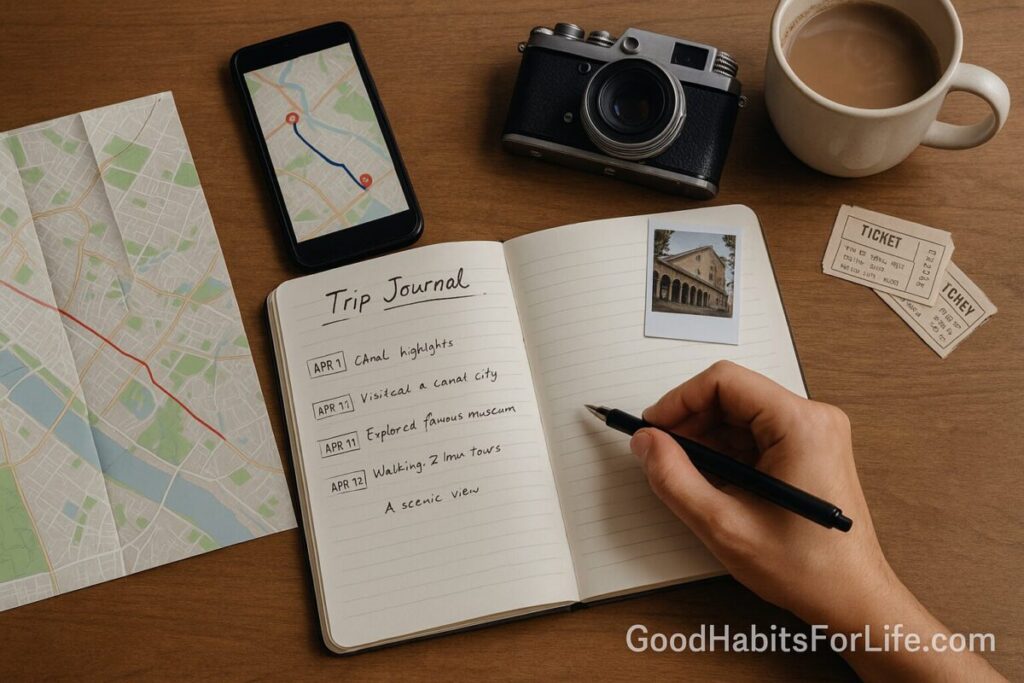
Memories & Maps: Build a Trip Journal
Memories & Maps: Build a Trip Journal
Table of Contents
🧭 What Is a Trip Journal & Why It Matters
A trip journal is a lightweight way to capture where you went (maps/routes), what happened (notes/photos), and what it meant (reflections, highlights, lessons). It’s more than a scrapbook: it’s a habit that strengthens memory, helps you make sense of experiences, and creates a reusable record for future planning. Research on expressive writing shows consistent benefits for emotional processing and well-being, while basic cognitive principles (like the peak-end rule) explain why recording highlights improves how we remember a trip. A good journal:
-
Preserves details that fade (names, places, times).
-
Surfaces patterns (what you actually enjoy vs. what you think you should enjoy).
-
Improves future trips (packing lists, timing, budget learnings).
-
Becomes shareable without oversharing (you choose what to include).
✅ Quick Start: Capture Your Day in 10 Minutes
Use this tonight—no special gear required.
-
Create a Day Card (paper page or one note in your app) titled
YYYY-MM-DD – City/Trail/Stop. -
3-3-1 Capture:
-
3 Photos: the scene, the people, the “detail” (e.g., ticket, plate, trail marker).
-
3 Notes: best moment, challenge, surprise. Write 1–2 short sentences each.
-
1 Map Pin: drop/save a pin at your main stop; add a label (e.g., “Sunset point”).
-
-
Add a 60-second reflection: “What will future-me thank present-me for remembering?”
-
Tomorrow prep (30 seconds): write a mini-plan and one question to answer tomorrow (e.g., “Where’s a quiet breakfast spot?”).
🛠️ Choose Your Format: Analog, Digital, or Hybrid
Pick the one you’ll actually use.
-
Analog (notebook, scrapbook)
-
Pros: tactile, screens-off, creative layouts; easy for kids.
-
Cons: harder to search/backup; maps require printing/taping.
-
-
Digital (notes or journaling app)
-
Pros: searchable; timestamps; easy to back up; attach media and links.
-
Cons: screen fatigue; distraction risk; app lock-in.
-
-
Hybrid (paper + cloud folder)
-
Pros: best of both—handwritten summaries plus a shared drive with photos, routes, and scans.
-
Cons: two places to manage; requires a weekly sync ritual.
-
Good default: a single cloud folder per trip (Trip_2025_Leh-Ladakh/) with subfolders: 01_Itinerary, 02_Maps, 03_Photos, 04_Notes, 05_Receipts & Tickets. Pair it with either a notebook or a simple notes app.
🗺️ Maps That Tell the Story (Routes, Pins, GPX)
Routes turn scattered photos into a coherent narrative.
-
Automatic timelines: Enable Google Maps Timeline (Android/iOS/web) or review Apple Maps history to recall places and times. Take a route screenshot per day for quick visual context; annotate with arrows and labels.
-
Hikes & rides: Record GPX with Strava, Komoot, or a watch; export the file; save in your
02_Mapsfolder. -
Custom day maps: In Google My Maps, drop pins for stops and notes (“Lunch: small café; try lemon pie”), export a share link, and paste into your day card.
-
Privacy: Turn off timeline when desired, set app-level privacy controls, and share static screenshots instead of live locations.
📸 Photos & Artifacts Workflow
Make your media manageable.
-
Daily triage (5 minutes):
-
Mark Favorites for the day (aim: 10–20 max).
-
Add one-line captions while memory is fresh.
-
Put “keepers” in
03_Photos/Day_03_Badrinath/.
-
-
Artifacts: Snap or scan tickets, menus, trail maps; save PDFs in
05_Receipts & Tickets. -
Metadata tips: Keep photos chronological; if needed, adjust time zone in batch after travel.
-
Backups: Cloud + one offline copy when you get home (external drive).
-
Sharing: Create a small Highlights album (15–30 photos) and a 60-second video reel; link to your route map for context.
🧠 Techniques & Writing Frameworks
Evidence-aligned, quick to use.
-
The 5-Senses Snapshot: one sentence each for sight, sound, smell, taste, touch.
-
STAR Moment: Situation–Task–Action–Result—great for lessons learned (e.g., “We almost missed the ferry; solution: pack the night before”).
-
3-2-1 Reflection: 3 highlights, 2 frictions, 1 change for next time.
-
Peak-End Card: Name the day’s peak and how you ended the day; this bias shapes future memory.
-
RIDER Note (route, interactions, delights, expenses, reflections): a tidy five-bullet format.
-
Expressive burst (4×4): four minutes of free writing, four lines of summary—process emotions quickly without derailing the trip.
🧩 Audience Variations
-
Families with kids: Give each child a tiny notebook or a single shared page with stickers and “best bug/animal I saw.” Let them pick the day’s album cover photo.
-
Students / backpackers: Track costs (transport, food, stays) inside the day card; add hostel names and contact IGs of new friends.
-
Professionals on business trips: Use a template that includes stakeholders met, decisions made, follow-ups, and restaurant/location notes for client hosting next time.
-
Seniors: Prioritize comfort details (rest stops, accessibility notes, medication schedule), written legibly; add large-print labels to photos.
⚠️ Mistakes & Myths to Avoid
-
Myth: “Real journals take hours.” Truth: a reliable 10-minute habit beats an epic entry you never write.
-
Over-collecting: Thousands of photos = decision fatigue. Curate early.
-
No dates/locations: Always add context; future-you won’t remember.
-
Relying on one app: Export or keep an open format (PDF/GPX/JPG) for long-term access.
-
Privacy blind spots: Location histories and EXIF data can reveal home addresses; share stripped copies when posting publicly.
💬 Real-Life Examples & Copy-Paste Prompts
-
Arrival entry:
“Landed in Kochi at 13:10. Humid breeze at the taxi stand, jasmine smell strong. Dropped pin: Fort Kochi ferry. Peak: sunset orange on water. Challenge: ATM line; workaround—UPI at café.” -
Daily 3-2-1:
-
3 highlights: ___
-
2 frictions: ___
-
1 change for tomorrow: ___
-
-
Map caption:
“Day 4 route (76 km): Munnar → Top Station → Kundala Dam. Add 30 min for tea gardens viewpoint at 10:15—best light.” -
Kids prompt:
“Draw the funniest thing you saw today. What sound do you still hear? Where did we eat the tastiest bite?”
🧰 Tools, Apps & Resources (Pros & Cons)
| Tool | Best For | Pros | Cons |
|---|---|---|---|
| Google Maps Timeline / My Maps | Automatic routes; custom pin maps | Free; easy sharing; exportable | Requires Google account; manage privacy |
| Apple Maps (iOS) | iPhone users | System integration; private by default | Fewer export options than Google |
| Polarsteps / Wanderlog | Auto travel diary | Auto map + photos; nice sharing | App lock-in; paid features for some |
| Day One / Journey | Rich journaling | Templates; encrypted; cross-device | Subscription for full power |
| Notion / Obsidian | Power users | Templates, backlinks, offline vault | Setup time; learning curve |
| Strava / Komoot | Hikes, rides | GPX logs, elevation | Social by default—adjust privacy |
| Paper Notebook + Cloud Folder | Low-tech reliability | Distraction-free; flexible | Manual syncing of photos/maps |
📅 7-Day Starter Plan + 30-60-90 Roadmap
7-Day Starter (during your next short trip or the coming week):
-
Day 0 (prep, 20 min): Create the master folder and a
Day Cardtemplate; test dropping a map pin and taking one annotated route screenshot. -
Day 1–5 (10 min/night): Use the 3-3-1 capture; mark favorites; one reflective sentence.
-
Day 6 (30 min): Curate 20–30 highlight photos; export one GPX/route image; add a 200-word recap.
-
Day 7 (15 min): Create a “What to repeat / What to change” list for next time.
30-60-90 Roadmap (to make this a durable habit):
-
Day 30: A reusable trip template (folders + day cards), default prompts, and a privacy checklist.
-
Day 60: One polished trip journal shared with family/friends (PDF or page), plus a packing checklist refined from experience.
-
Day 90: A small Trip Playbook: best routes, favorite stays, budget norms, accessibility notes—something you consult before every future trip.
📌 Key Takeaways
-
A repeatable capture routine beats sporadic big entries.
-
Routes + captions turn random photos into a coherent story.
-
Privacy by design—control location history and what you share.
-
Keep everything exportable (PDF/JPG/GPX), and curate early.
❓ FAQs
1) What’s the minimum I need to track each day?
The 3-3-1 rule: 3 photos, 3 short notes, 1 map pin. Add one reflective sentence.
2) Should I journal morning or night?
Night helps consolidate memory; morning works for planning and insights. Pick one and keep it consistent.
3) Do I need a fancy journaling app?
No. A phone notes app + cloud folders is sufficient. Apps add convenience (templates, encryption, export) if you enjoy them.
4) How do I include paper tickets or maps?
Snap a well-lit photo or use a scanning app; save as PDF/JPG in an Artifacts folder and reference them in your day card.
5) How do I record hiking routes without mobile data?
Use an offline-capable app (e.g., Komoot/Strava with downloaded maps) or a GPS watch; export GPX and save it with your photos.
6) How can I protect my privacy when sharing?
Turn off live location sharing, strip EXIF from photos, and share screenshots of maps instead of live links. Use app privacy controls.
7) How long should entries be?
Aim for 100–200 words max per day. Use bullets and frameworks (5-Senses, 3-2-1) to keep it fast.
8) What if I fall behind?
Make a timeline catch-up: review your map history, calendar, and photo timestamps to reconstruct the day. Write only highlights and lessons.
9) How do I turn my journal into a shareable story?
Curate 15–30 highlight photos, add route images, and export to a single PDF/page with captions and a one-page recap.
References
-
Smyth, J. M. (1998). Written emotional expression: Effect sizes, outcome types, and moderating variables. Journal of Consulting and Clinical Psychology, 66(1), 174–184. https://doi.org/10.1037/0022-006X.66.1.174
-
Pennebaker, J. W. (1997). Writing about emotional experiences as a therapeutic process. Psychological Science, 8(3), 162–166. https://doi.org/10.1111/j.1467-9280.1997.tb00605.x
-
Kahneman, D., Fredrickson, B. L., Schreiber, C. A., & Redelmeier, D. A. (1993). When more pain is preferred to less: Adding a better end. Science, 259(5091), 190–192. https://doi.org/10.1126/science.8450333
-
University of Rochester Medical Center. Journaling for Mental Health. https://www.urmc.rochester.edu/encyclopedia/content.aspx?ContentTypeID=1&ContentID=4552
-
Greater Good Science Center (UC Berkeley). How Journaling Can Help You in Hard Times. https://greatergood.berkeley.edu/article/item/how_journaling_can_help_you
-
Google Support. See your travels in Timeline. https://support.google.com/maps/answer/6258979
-
Apple Support. Use Maps on your iPhone. https://support.apple.com/guide/iphone/use-maps-iph3d102d3/ios
-
OpenStreetMap Wiki. Export. https://wiki.openstreetmap.org/wiki/Export
-
Strava Support. Privacy Controls on Strava. https://support.strava.com/hc/en-us/articles/115000173384-Privacy-Controls-on-Strava