
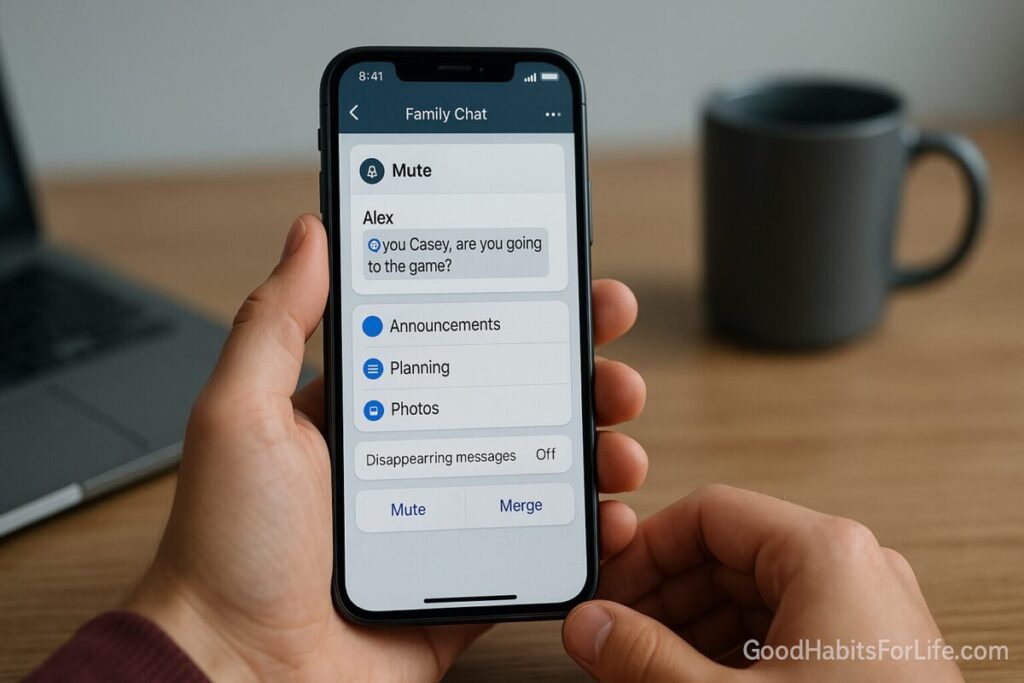
Group Chat Etiquette 2025: Mute, Mention, Merge
Group Chat Etiquette 2025: Mute, Mention, Merge
Table of Contents
🧭 What & Why
Group chats are amazing for coordination and connection—but without shared norms they become noisy, stressful, and confusing. Modern apps give you powerful controls to shape your experience: you can mute by chat, filter notifications, use @mentions to target attention, organize sub-groups, and even merge or sunset legacy chats cleanly. On WhatsApp you can mute individual or group chats with duration options; device notification settings can override app settings when you truly need silence. WhatsApp Help Center+1
Mentions are best for precision. In WhatsApp groups, typing “@” lets you tag someone so they see an “@” badge for messages where they were mentioned—useful for catch-up and accountability. Signal lets you choose whether mentions break through if you’ve muted a chat (“Always notify me” vs “Don’t notify if muted”). WhatsApp Help Centersupport.signal.org
To tame large communities, WhatsApp offers Communities (a hub with an Announcements group and topic-based subgroups), while Telegram supports massive groups, Replies/Mentions/Hashtags, Topics, and Slow Mode to reduce message floods. These structures make “merging” fragmented chats practical. WhatsApp Help Center+1Telegram+1
Privacy and hygiene matter too: disappearing messages and permission controls (who can add you to groups) reduce clutter and limit unwanted invites. WhatsApp Help Center+1
✅ Quick Start (Do This Today)
-
Mute smartly: Mute your noisiest groups. For strict quiet, use your phone’s Focus/Do Not Disturb to allow only VIP people/apps. WhatsApp Help CenterApple SupportGoogle Help
-
Reply with context: Always Reply to the exact message you’re addressing so the thread reads clearly later. WhatsApp Help Center
-
Use mentions sparingly: Tag only the person(s) who truly need to see it; avoid tagging entire groups. On Signal, set whether mentions should notify even when muted. WhatsApp Help Centersupport.signal.org
-
Pin house rules: Pin a short “group norms” note (e.g., hours, @mention rules, spoilers tags).
-
Enable disappearing messages for high-chatter threads (e.g., 24h/7d/90d on WhatsApp) to prevent clutter. WhatsApp Help Center
-
Consolidate: If you run multiple near-duplicate groups, create a Community (WhatsApp) or Topics (Telegram) and guide members to the right channel. WhatsApp Help CenterTelegram
-
Verify unknown invites: For new/unknown group invites, check WhatsApp’s safety overview and leave if it looks shady. The Verge
🛠️ 7-Day Starter Plan
Day 1 – Audit & Mute: List your five noisiest groups → mute them; turn on a Focus/DND schedule for sleep and work blocks. Apple SupportGoogle Help
Day 2 – Announce Norms: Post and pin a 5-line etiquette note (see Scripts below).
Day 3 – Mentions & Replies: Commit to replying with context and using mentions only for owners/assignees. WhatsApp Help Center+1
Day 4 – Disappearing Messages: Set a timer for high-volume threads (e.g., 24h for coordination). WhatsApp Help Center
Day 5 – Merge: If you manage multiple groups, spin up a WhatsApp Community (up to 100 groups) or Telegram Topics; post a migration plan and deadlines. WhatsApp Help CenterTelegram
Day 6 – Privacy Settings: Lock who can add you to groups; review group admin permissions. WhatsApp Help Center+1
Day 7 – Review & Adjust: Check what still pings you; fine-tune Focus/DND and mention settings (Signal). support.signal.org
🧠 Techniques & Frameworks
1) Mute-First Protocol
-
Rule: Mute any chat that pings more than twice daily without direct relevance. Use Focus/DND for deep work and sleep. Apple SupportGoogle Help
-
Why it works: You remain in the conversation for later catch-up without social fallout, and urgent messages still reach you via direct @mentions or VIP overrides (Signal’s mention settings, iOS Focus allow-lists). support.signal.orgApple Support
2) Precision Mentioning
-
Use @ only when assigning tasks, asking for decisions, or conveying time-sensitive info. WhatsApp highlights mentions with an “@” indicator to help people scan. WhatsApp Help Center
3) Thread Discipline
-
Always Reply to the message you’re addressing; this keeps mini-threads legible in busy chats and aids search later. WhatsApp Help Center
4) Structured Spaces (Merge)
-
WhatsApp Communities: Create a hub with Announcements + topic subgroups; it’s ideal for schools, clubs, families with many sub-threads. WhatsApp Help Center
-
Telegram Topics & Slow Mode: Break large groups into topic threads; enable Slow Mode to throttle rush-hour messages. Telegram+1
5) Ephemeral by Default
-
Use disappearing messages for planning, logistics, and time-bound conversations (WhatsApp 24h/7d/90d; Signal configurable). Post decisions in a pinned summary to preserve outcomes. WhatsApp Help Centersupport.signal.org
6) Safety Gate
-
Unknown group? Review the safety overview before joining; leave/report suspicious ones. Also restrict who can add you to groups. The VergeWhatsApp Help Center
👥 Audience Variations
-
Students: Use Topics/Communities to split coursework, labs, and social. Set 24h disappearing messages for logistics; pin exam-date summaries. Telegram
-
Professionals: Schedule Focus for deep work; keep mentions for decisions/owners. Post weekly Announcements with actions and due dates. Apple Support
-
Parents: Consolidate class/club chats inside a Community; keep Announcements for official updates; use 7-day disappearing messages to reduce clutter. WhatsApp Help Center
-
Seniors: Mute non-urgent groups; keep a small Favorites list that can notify during DND (iOS Focus allow-lists). Apple Support
-
Teens: Practice consent norms (no unsolicited adds). Use mentions kindly; avoid spam reactions; report unknown invites. WhatsApp Help CenterThe Verge
⚠️ Mistakes & Myths to Avoid
-
Myth: “Leaving is rude.”
Better: Mute first; if a group truly isn’t for you, exit with a brief courtesy note. -
Mistake: Tagging everyone for minor updates. Use @mentions for owners; otherwise post without tags. WhatsApp Help Center
-
Mistake: Letting every app ping after midnight. Use Focus/DND with allow-lists. Apple SupportGoogle Help
-
Mistake: Infinite history in high-chatter groups. Use disappearing messages + pinned summaries. WhatsApp Help Center
-
Mistake: Spinning up duplicate groups. Merge into Communities or Topics. WhatsApp Help CenterTelegram
💬 Real-Life Examples & Scripts
Pin this “House Rules” (copy-paste):
Welcome! Please: (1) reply to the message you’re addressing; (2) @mention only owners/assignees; (3) no late-night pings—use scheduled send; (4) logistics auto-delete in 24h; (5) report unknown invites.
Gentle nudge when spammy:
Quick reminder: let’s keep @mentions for the person who needs to act. Thank you!
Merging multiple groups (WhatsApp Community):
We’re consolidating chats into [Community Name]. This group closes on Friday 18:00. Join the new Announcements and the topic group that fits you (links below). WhatsApp Help Center
Boundary with kindness:
I’m muting notifications outside work hours. I’ll catch up in the morning. If anything is urgent for me, please @mention.
🧰 Tools, Apps & Resources (pros/cons)
-
WhatsApp
Pros: Communities hub, Announcements, reactions, message editing, disappearing messages, group privacy controls. Cons: Large-scale moderation tools are basic compared with enterprise platforms. WhatsApp Help Center+4WhatsApp Help Center+4WhatsApp Help Center+4 -
Signal
Pros: Privacy-first, granular mention notifications even when muted, disappearing messages defaults. Cons: Fewer “at scale” features than Telegram for mega-groups. support.signal.org+1 -
Telegram
Pros: Topics, Slow Mode, huge group capacity, replies/mentions/hashtags. Cons: Sheer size can invite noise without firm norms. Telegram+2Telegram+2 -
Your Phone
Pros: iOS Focus and Android Do Not Disturb give true quiet hours with allow-lists. Cons: Requires a few minutes to set up well. Apple SupportGoogle Help
📌 Key Takeaways
-
Mute aggressively; escalate to Focus/DND for real quiet. Apple SupportGoogle Help
-
Use @mentions for owners/deciders only; always reply with context. WhatsApp Help Center+1
-
Merge duplicate groups using Communities/Topics; keep one Announcements channel. WhatsApp Help CenterTelegram
-
Set disappearing messages for high-volume threads; pin decisions. WhatsApp Help Center
-
Verify unknown invites; adjust who can add you to groups. The VergeWhatsApp Help Center
❓ FAQs
1) Should I mute or leave a noisy group?
Start with mute so you can skim later; leave with a brief note if it’s consistently irrelevant. WhatsApp supports per-chat mute; iOS/Android can enforce quiet via Focus/DND. WhatsApp Help CenterApple SupportGoogle Help
2) Do @mentions notify people even if the chat is muted?
Behavior varies by app. WhatsApp highlights mentions (an “@” badge) for easier catch-up; Signal lets you choose whether mentions notify when muted. WhatsApp Help Centersupport.signal.org
3) How do I merge several groups into one organized space?
Create a WhatsApp Community (with Announcements + subgroups) or use Telegram Topics. Post a clear migration deadline and close old groups. WhatsApp Help CenterTelegram
4) What timer should I pick for disappearing messages?
For logistics: 24h. For weekly planning: 7 days. WhatsApp supports 24h/7d/90d; Signal offers configurable timers. WhatsApp Help Centersupport.signal.org
5) How do I stop random people adding me to groups?
Change WhatsApp group privacy (“Who can add me to groups”) to contacts or “My Contacts Except…”. WhatsApp Help Center
6) Is there an “@everyone” on WhatsApp?
No official @everyone; tag only relevant people to keep noise low. WhatsApp Help Center
7) How big can groups get, and what helps at scale?
Telegram supports very large groups; use Topics and Slow Mode. WhatsApp Communities organize many groups under one hub. Telegram+1WhatsApp Help Center
8) What’s the safest way to handle unknown group invites or scammy links?
Review WhatsApp’s safety overview prompt before joining; leave/report if unsure. The Verge
9) How do I keep context without long paragraphs?
Use Reply to the specific message and add a one-line summary or reaction for acknowledgment. WhatsApp Help Center+1
10) Can I edit a message I just sent?
WhatsApp allows edits within 15 minutes—use for quick corrections, not for changing meaning after decisions. WhatsApp Help CenterWhatsApp.com
📚 References
-
WhatsApp Help Center — Mute chat notifications; manage notifications (includes device override notes). WhatsApp Help Center+1
-
WhatsApp Help Center — How to mention in a group. WhatsApp Help Center
-
WhatsApp Help Center — About Communities; Create a community (up to 100 groups). WhatsApp Help Center+1
-
WhatsApp Help Center — About disappearing messages. WhatsApp Help Center
-
WhatsApp Help Center — Group privacy: who can add you to a group. WhatsApp Help Center
-
WhatsApp Help Center & Blog — Reply to a message; Edit messages (15-minute window). WhatsApp Help Center+1WhatsApp.com
-
Signal Support — Mentions in group chats; In-app notification options (mute); Set and manage disappearing messages. support.signal.org+2support.signal.org+2
-
Telegram — FAQ (large groups, replies/mentions/hashtags); Slow Mode announcement. Telegram+1
-
Apple Support — Allow or silence notifications for a Focus. Apple Support
-
Google/Android Support — Limit interruptions with Do Not Disturb. Google Help
-
The Verge — WhatsApp “Safety overview” before joining unknown group chats. The Verge
⚖️ Disclaimer
This guide covers general digital-wellbeing and communication practices. For safety, privacy, or legal concerns in your region, follow local laws and official platform guidance.