
Dual Coding in 2025: Diagrams, Doodles & Data
Dual Coding in 2025: Diagrams, Doodles & Data
Table of Contents
🧭 What & Why
What is dual coding?
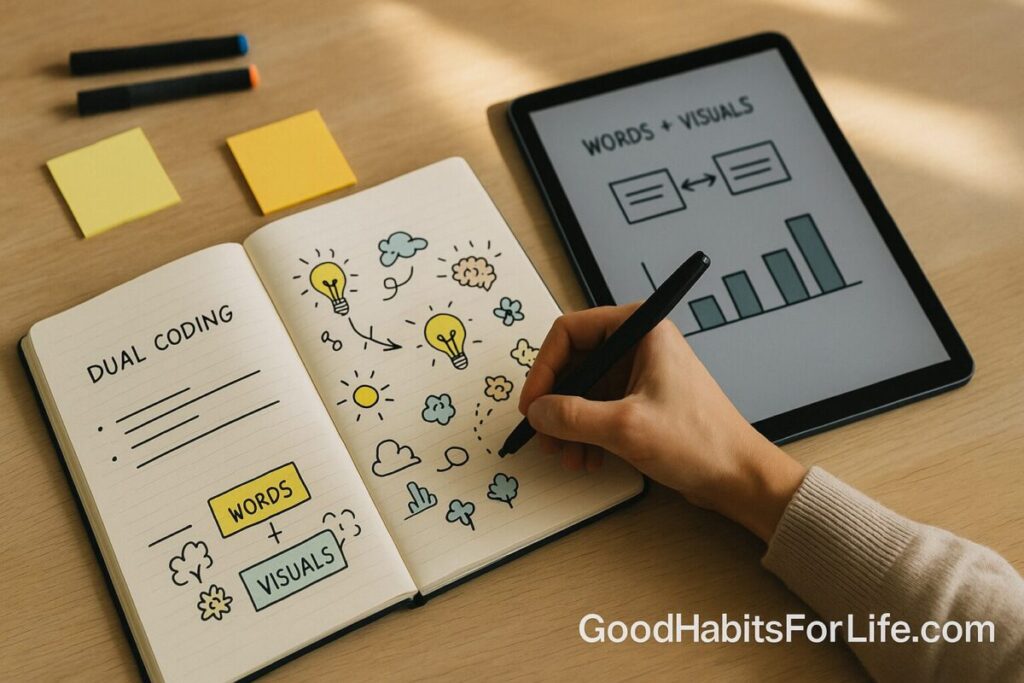
Dual coding means learning with two complementary code systems—verbal (words) and non-verbal (images)—so the concept is stored and retrieved through both channels. This approach originates in Allan Paivio’s Dual Coding Theory and has been widely applied to education and literacy. Internet Archive+1
Why it works (in plain English):
-
Adding a relevant diagram (or even a quick doodle) to text creates a richer memory trace that integrates verbal + visual + motor elements. PubMed+1
-
Well-designed multimedia (words + graphics, minus clutter) improves understanding and transfer across settings—including digital, VR/AR, and remote learning—when you follow proven design principles. ScienceDirect+1
-
Pictures often beat words alone for recall (the picture-superiority effect)—especially when visuals are concrete and aligned with the idea. BPS Psychology Hub+1
✅ Quick Start: Do This Today
Time needed: 10 minutes per study chunk.
-
Pick a topic (one subheading or concept).
-
Read once, highlighting just 3–5 key terms.
-
Doodle beside the text: boxes for concepts, arrows for causation, icons for examples. Don’t worry about art.
-
Label each visual with a short phrase (≤5 words).
-
Link ideas using arrows or +/– to show relationships.
-
Self-test: cover the text and explain your diagram out loud from memory.
-
Tidy in 60 seconds: circle the main idea, add a legend, and date it.
Pro tip: If the concept is process-heavy, use a flowchart; if it’s compare/contrast, draw a 2×2 matrix; if it’s definitions, sketch flash-doodles (tiny icons with labels). These align with multimedia design and signaling principles to reduce extraneous load. ScienceDirect
🛠️ 7-Day Dual Coding Starter Plan
Goal: make visual-verbal pairing automatic.
| Day | Focus | What you’ll do | Output |
|---|---|---|---|
| 1 | Symbols set | Create 10 reusable icons (cause, effect, example, pro, con, timeline marker, %). | A mini “legend” in your notebook. |
| 2 | Flow steps | Turn one process into a 5-box flow with verbs. | Flowchart with arrows & labels. |
| 3 | Compare/contrast | Build a 2×2 matrix for two theories/solutions. | Matrix with one-line summaries. |
| 4 | Map the ideas | Draw a concept map (central idea → branches). | Labeled nodes + connecting phrases. |
| 5 | Graph & annotate | Plot 1 simple graph (e.g., trend/time) and add 3 callouts. | Graph with annotations. |
| 6 | Teach-back | Explain your diagrams to a peer or to your phone. | 2–3 minute audio or summary. |
| 7 | Retrieval mix | From memory, redraw the week’s visuals in mini-form. | 1 page of “micro-maps.” |
Why this plan? Concept maps and graphic organizers show medium-to-large effects on learning across domains; combining them with retrieval practice compounds the gains. Simon Fraser University+1
🧠 Techniques & Frameworks That Work
1) Mayer’s Multimedia Principles (student edition)
Use these distilled rules whenever you pair text with visuals:
-
Multimedia: words + graphics beat words alone.
-
Coherence: delete decorative clutter (stickers, busy clipart).
-
Signaling: highlight key parts (bold labels, arrows).
-
Spatial contiguity: keep the label next to the thing it names.
-
Segmenting: break complex figures into steps or layers. ScienceDirect
2) DeFT Framework for Multiple Representations (Ainsworth)
Ask three checks when you add a diagram:
-
Function: What job does this visual do—organize, explain, or compare?
-
Task: Will learners interpret, transform, or construct the visual?
-
Form: Is this the right representation (timeline vs. map vs. matrix)? ResearchGate
3) The Drawing Effect (fast version)
When you draw what you’re trying to remember—even a rough sketch—recall improves versus writing alone, across many experiments. Keep it scrappy; detail isn’t required. PubMed+1
4) Graphic Organizers by Problem Type
-
Processes: flowchart, swimlane.
-
Structures: labeled diagram/cutaway.
-
Comparisons: T-chart, 2×2.
-
Cause–Effect: fishbone, causal loop.
-
Categories: tree map.
-
Spatial/temporal: map, timeline. (Meta-analyses support organizers for improved comprehension.) Simon Fraser University
5) Evidence-Aligned Note Recipe (“R-S-L-T-T”)
Read → Sketch → Label → Test → Tidy.
-
Sketching and labeling apply multimedia & signaling principles.
-
Testing adds retrieval practice (top-tier learning strategy). SAGE Journals
👥 Audience Variations
Students (school/college):
-
Use margin doodles + concept maps per lecture section; re-draw from memory before quizzes.
-
In science/math, prefer worked-example flows (step + mini-icon per step).
Professionals:
-
Convert long memos into 1-page diagrams: problem → options → trade-offs → decision.
-
For meetings, annotate a slide live with arrows and labels (coherence + signaling). ScienceDirect
Parents/Teachers:
-
With younger learners, co-create picture dictionaries (icon + word + sentence).
-
In physics/history, have learners draw the situation before solving or explaining; better diagrams correlate with better solutions. arXiv
Seniors & adult learners:
-
Favor bigger, high-contrast visuals with labels on-object (spatial contiguity).
-
Use the drawing effect for names/appointments (icon + label + cue). SAGE Journals
⚠️ Mistakes & Myths to Avoid
-
Myth: “Pretty art matters.” Reality: clarity beats beauty; schematic doodles work. ScienceDirect
-
Overload: too many colors, fonts, stickers → cognitive noise; remove decoration. ScienceDirect
-
Separated labels: legends far from diagrams force split attention; label in place. ScienceDirect
-
One-size visuals: choose the representation that matches the task (DeFT). ResearchGate
-
Only pictures: dual coding is words + visuals; keep both active. nschwartz.yourweb.csuchico.edu
💬 Real-Life Examples & Scripts
A. Definition you must memorize (e.g., “opportunity cost”)
-
Script: “Draw a scale icon. Left pan: Choice A; right pan: Choice B. Arrow to Choice A; cross out B; label ‘next best foregone.’”
B. Timeline (history/biography)
-
Script: “Line with 3 anchor years; above each, a mini-icon (gavel, map, handshake). Add 3-word labels; circle the turning point.”
C. Process (biology: photosynthesis)
-
Script: “Sun → leaf → glucose box → outputs; add CO₂/H₂O arrows; label each arrow with one verb.”
D. Compare Theories (psychology)
-
Script: “2×2: axes = ‘evidence strength’ × ‘scope’; place Theory A/B; add one icon per cell; write one-line takeaway.”
E. Word list (language learning)
-
Script: “For each new word, doodle a literal icon + write the word; group by category; test by covering labels.”
🧰 Tools, Apps & Resources (Pros/Cons)
-
Paper notebook + fineliner
-
Pros: fastest, zero friction; Cons: hard to search/share.
-
-
Excalidraw / diagrams.net (draw.io)
-
Pros: free, simple shapes, keyboard shortcuts; Cons: limited handwriting feel.
-
-
OneNote / GoodNotes / Notability
-
Pros: pen-friendly layers, easy labeling; Cons: ecosystem lock-in.
-
-
Obsidian (+ Excalidraw plugin)
-
Pros: Markdown + diagrams inside a knowledge base; Cons: setup learning curve.
-
-
Miro / Whimsical / Canva
-
Pros: templates for flows, maps, 2×2; Cons: can tempt decorative clutter—use coherence principle. ScienceDirect
-
Templates to keep handy (print or copy): blank timelines; 2×2 matrices; fishbone; tree map; Cornell page with a “doodle margin.”
📚 Key Takeaways
-
Combine short labels + simple visuals to encode ideas twice.
-
Use the right organizer for the task (flow, map, matrix, timeline). ResearchGate
-
Follow multimedia rules: coherence, signaling, contiguity, segmenting. ScienceDirect
-
Draw to remember—even quick sketches beat writing alone for recall. PubMed
-
Make it a daily 10-minute habit with read → sketch → label → test → tidy.
❓ FAQs
1) Do I have to be good at drawing?
No. Studies show the memory boost isn’t about artistic quality—rough sketches still help. PubMed
2) Are infographics better than notes?
Only if they follow coherence and signaling; decorative infographics can hurt learning. ScienceDirect
3) Should I color-code everything?
Use color sparingly to signal categories or steps; avoid rainbow overload. ScienceDirect
4) What’s the difference between a concept map and a mind map?
Both radiate from a central idea, but concept maps emphasize labeled relationships (A → causes → B) and show stronger evidence for learning benefits across studies. Simon Fraser University
5) Does dual coding help with problem-solving (not just memory)?
Yes—diagrams that represent the problem structure correlate with better solutions in domains like physics. arXiv
6) Can I do dual coding on a laptop?
Yes—just keep labels next to parts, reduce clutter, and segment complex figures. ScienceDirect
7) Is dual coding the same as learning styles (visual/auditory)?
No. Dual coding is about combining words + visuals for everyone; it’s not matching instruction to supposed “styles.” nschwartz.yourweb.csuchico.edu
8) What about VR/AR learning in 2025?
The same principles apply—words + visuals, signaling, and coherence—across traditional and immersive environments. SpringerOpen
References
-
Paivio, A. Mental Representations: A Dual Coding Approach. Oxford University Press. (Foundational theory). https://academic.oup.com/book/10932 Oxford Academic
-
Clark, J. M., & Paivio, A. (1991). Dual Coding Theory and Education. https://nschwartz.yourweb.csuchico.edu/Clark%20%26%20Paivio.pdf nschwartz.yourweb.csuchico.edu
-
Mayer, R. E. (2021). Evidence-Based Principles for How to Design Effective Multimedia Instruction. Journal of Applied Research in Memory and Cognition. https://www.sciencedirect.com/science/article/abs/pii/S2211368121000231 ScienceDirect
-
Çeken, B. E., et al. (2022). Multimedia learning principles in different learning environments (incl. VR/AR). Smart Learning Environments. https://slejournal.springeropen.com/articles/10.1186/s40561-022-00200-2 SpringerOpen
-
Wammes, J. D., Meade, M. E., & Fernandes, M. A. (2016). The Drawing Effect: Reliable and Robust Memory Benefits in Free Recall. Quarterly Journal of Experimental Psychology. https://pubmed.ncbi.nlm.nih.gov/26444654/ PubMed
-
Fernandes, M. A., Wammes, J. D., & Meade, M. E. (2018). The Surprisingly Powerful Influence of Drawing on Memory. Current Directions in Psychological Science. https://journals.sagepub.com/doi/abs/10.1177/0963721418755385 SAGE Journals
-
Ainsworth, S. (2006). DeFT: A conceptual framework for learning with multiple representations. Learning and Instruction. https://www.researchgate.net/publication/222410911_DeFT_A_conceptual_framework_for_learning_with_multiple_representations_Learning_and_Instruction_16_183-198 ResearchGate
-
Nesbit, J. C., & Adesope, O. O. (2006). Learning with Concept and Knowledge Maps: A Meta-Analysis. https://www.sfu.ca/~jcnesbit/research/NesbitAdesope2006.pdf Simon Fraser University
-
Whitehouse, A. J. O., Maybery, M. T., & Durkin, K. (2006). The development of the picture-superiority effect. British Journal of Developmental Psychology. https://bpspsychub.onlinelibrary.wiley.com/doi/abs/10.1348/026151005X74153 BPS Psychology Hub
-
Defeyter, M. A., Russo, R., & McPartlin, P. L. (2009). Picture superiority in recognition memory. Journal of Cognitive Psychology. https://www.sciencedirect.com/science/article/abs/pii/S0885201409000471 ScienceDirect
-
Dunlosky, J., et al. (2013). Improving Students’ Learning With Effective Learning Techniques. Psychological Science in the Public Interest. https://journals.sagepub.com/doi/10.1177/1529100612453266 SAGE Journals