
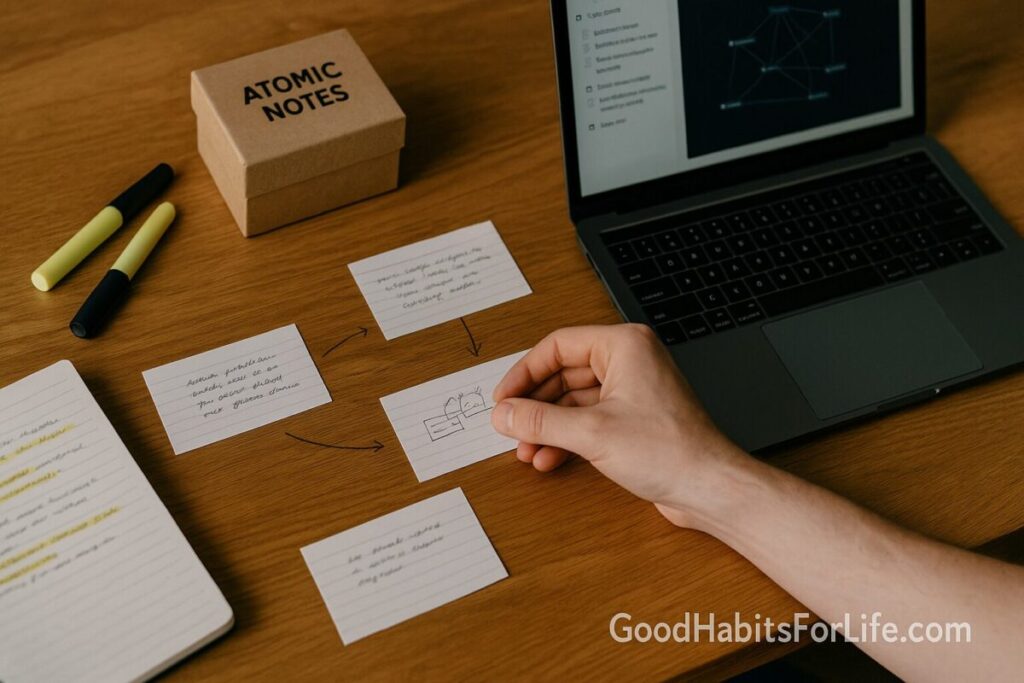
Atomic Notes: From Highlights to Insights
Atomic Notes: Turn Highlights into Insights
Table of Contents
🧭 What & Why: The Case for Atomic Notes
Atomic notes are small, self-contained notes that capture a single idea in your own words, with context and links. They turn raw highlights into reusable building blocks—perfect for drafting articles, papers, products, and talks.
Why this works (evidence-based):
-
Active retrieval beats passive rereading. Converting a highlight into your own statement (and quizzing yourself later) improves retention and transfer compared with rereading. psychnet.wustl.edu+1
-
Spacing and interleaving matter. Tiny notes reviewed on a spaced schedule—and mixed with related topics—outperform cramming. laplab.ucsd.edu+1
-
Cognitive load stays manageable. One-idea notes reduce mental overload and make future recombination easier. Wiley Online Library
-
Dual coding & better structure. Adding a quick diagram or schema to a note (even rough) can deepen learning and later recall. nschwartz.yourweb.csuchico.edu+1
Atomic notes pair well with evergreen notes (evolving, reusable ideas) and Zettelkasten (a web of linked thoughts). Andyʼs working notes+1
⚡ Quick Start: From Highlight to Atomic Note in 10 Minutes
When you finish a reading/viewing session, run this loop immediately:
-
Capture (2 min): Paste 2–5 important highlights or quotes.
-
Clarify (4 min): For each, write a 2–4 sentence own-words summary + a why-it-matters line. (Progressive Summarization Layer 1–2: bold the essence, then add a one-line summary.) Forte Labs
-
Connect (2 min): Add two links:
-
Up-link: a broader note it supports.
-
Side-link: a related idea or counterexample (Zettelkasten-style bidirectional links). zettelkasten.de
-
-
Cue (2 min): Add a retrieval prompt (question) and a spaced review date (e.g., 2d, 7d, 30d). pdf.retrievalpractice.org+1
Atomic note template (copy-paste):
-
Title (statement): Spacing expands retention for weeks, not hours
-
Claim (2–4 sentences): …
-
Evidence/Source: [link]
-
Why it matters: …
-
Links: [[Memory Basics]] ← up | [[Interleaving vs Blocking]] ↔ side
-
Retrieval prompt: What’s an optimal gap before the next review and why?
-
Next review: 2025-09-16 (2d)
🗺️ 7-Day Starter Plan (with Checkpoints)
Goal: Build a working knowledge web (20–30 atomic notes) and a repeatable pipeline.
Day 1 – Set the rails (45–60 min)
-
Pick a home (Obsidian, Logseq, Notion). Create folders: Inbox, Atomic, Evergreen, Sources.
-
Install a spaced-review plugin or set calendar reminders.
-
Make your Atomic Note Template (above).
-
Add 5 notes from a recent article/chapter.
Day 2 – Progressive Summarization pass (30 min)
-
Highlight the essence in yesterday’s 5 notes; add one-line summaries. Forte Labs
-
Add two links per note.
Day 3 – Retrieval & Cornell prompts (30 min)
-
For each note, add a quiz question (Cornell “cue” column concept adapted). lsc.cornell.edu
-
Do your first spaced review (2-day interval).
Day 4 – Interleave topics (30–40 min)
-
Create 5 new notes from a different source.
-
Mix reviews: alternate old and new topics for better discrimination. Wiley Online Library
Day 5 – Visual pass (25–30 min)
-
Add a rough diagram or list to 3 notes (dual coding). nschwartz.yourweb.csuchico.edu+1
Day 6 – Synthesis (30–45 min)
-
Promote 2–3 atomic notes into evergreen notes (broader theses). Andyʼs working notes
-
Draft a 300-word mini-essay using only links to your notes.
Day 7 – Audit & scale (30 min)
-
Check: each note has a claim, source, links, prompt, and next review.
-
Set weekly Inbox→Atomic time blocks (2×45 min).
-
Aim for ~5 notes/day going forward.
🛠️ Techniques & Frameworks that Compound
1) Progressive Summarization (PS) — Make notes discoverable over time.
-
Layer 0: the source (PDF, webpage).
-
Layer 1: capture key passages.
-
Layer 2: bold/highlight the essence.
-
Layer 3: your 1-line summary.
-
Layer 4: remix/synthesis (turn into evergreen or publish). Forte Labs
2) Zettelkasten linking — Connections over collections.
-
Give each atomic note a stable ID/title.
-
Always add at least two links (up-link and side-link).
-
Prefer conceptual titles (“Spacing improves retention”) over topical (“Spacing Effect”). zettelkasten.de
3) Retrieval practice baked-in — Questions > re-reading.
-
End each note with a prompt (e.g., “Explain interleaving to a 12-year-old.”).
-
Add a quick self-test before you open the note. pdf.retrievalpractice.org
4) Spacing & interleaving schedule — Beat forgetting, learn to discriminate.
-
Default spacing: 2d → 7d → 16d → 35d; adjust by difficulty.
-
Review mixed topics in one session to avoid pattern overfitting. laplab.ucsd.edu+1
5) Cornell method, modernized — Turn cues into cards.
-
Use a “cue” line at the top of each note: Q: … A: … (collapsed).
-
Convert cue lines into spaced prompts or Anki cards. lsc.cornell.edu
6) Dual coding & multimedia principles — Add simple visuals.
-
A box-and-arrow sketch or table can cement understanding (no art skills required).
-
Follow coherence and signaling principles: less clutter, clear cues. University of Hartford+1
7) Cognitive load hygiene — Keep it atomic.
-
Split sprawling ideas; one claim per note reduces working-memory strain. Wiley Online Library
8) Input method: type vs handwrite — Pick by outcome.
-
Handwriting can reduce verbatim transcribing and foster deeper processing; results vary by task. Use what best supports generative note-making. Cpb Us W2 Wpmucdn+1
👥 Audience Variations
Students:
-
Tie notes directly to learning objectives; convert lecture slides into 5–7 atomic notes with Cornell-style cues. lsc.cornell.edu
-
Add exam-style retrieval prompts; interleave by chapter section. pdf.retrievalpractice.org+1
Professionals:
-
Capture decisions, rationales, and “gotchas” as atomic notes; link to SOPs.
-
Review before recurring meetings (weekly spacing).
Researchers/Academics:
-
Maintain literature notes → atomic claims → evergreen theses chain.
-
Attach PDF page cites; diagram models (dual coding). nschwartz.yourweb.csuchico.edu
Creators/Writers:
-
Tag notes by audience and angle (e.g., “beginner”, “counterintuitive”).
-
Synthesize 3–5 related notes into a post; PS Layer 4 to publish. Forte Labs
⚠️ Mistakes & Myths to Avoid
-
Myth: “More highlights = more learning.” → Without retrieval and spacing, retention drops fast. laplab.ucsd.edu
-
Mistake: Vague titles like “Interesting Idea.” → Use claim-as-title.
-
Mistake: Islands of notes with no links. → Enforce “2 links per note” rule. zettelkasten.de
-
Myth: “Handwriting always wins.” → It can help, but match the method to the task and avoid verbatim typing. Cpb Us W2 Wpmucdn+1
-
Mistake: Cram reviews. → Switch to spaced cycles and interleaving. laplab.ucsd.edu+1
💬 Real-Life Examples & Copy-Paste Scripts
1) Title patterns (swap in your topic):
-
“X causes Y under Z conditions”
-
“Spacing improves ___ by ___% vs massing (when ___)”
-
“Interleaving beats blocking for ___ tasks” Wiley Online Library
2) Synthesis script (200–300 words):
Start with your strongest claim-notes. Link 3–5 atomic notes. Write a paragraph per note: claim → evidence → implication → link to next. End with a summary that names what to do next (e.g., change review spacing or add cues).
3) Retrieval prompts to attach:
-
Explain the spacing effect to a friend who crams the night before. laplab.ucsd.edu
-
Give an everyday example of interleaving (not sports). Wiley Online Library
-
Sketch a simple diagram that dual-codes this idea. nschwartz.yourweb.csuchico.edu
4) Meeting/lecture capture mini-flow (5 min):
-
Write 3 atomic notes: a decision, a rationale, an open question.
-
Add one cue each; schedule a 2-day review.
🧰 Tools, Apps & Resources (Pros & Cons)
| Tool | Best for | Pros | Cons |
|---|---|---|---|
| Obsidian | Local markdown, heavy linking | Fast links/backlinks, plugins (spaced review) | Setup time; plugin curation |
| Logseq | Outliners who think in bullets | Block refs, daily journals | Sync setup; graph can sprawl |
| Notion | Teams, databases | Views, templates, sharing | Backlinks weaker; offline |
| Zotero | Research pipelines | PDF annotations → notes | Learning curve |
| Readwise | Highlight inbox | Auto-import Kindle/Twitter/PDF | Paid after trial |
| Anki | Spaced prompts | Mature SRS; cloze cards | Card design takes time |
Pro tip: Whatever you pick, enforce one intake inbox and a daily 10-minute “highlight → atomic” slot.
📌 Key Takeaways
-
Make one-idea notes with claim, why-it-matters, links, and a retrieval prompt.
-
Run the 10-minute capture → clarify → connect → cue loop after each reading. Forte Labs+1
-
Use spacing + interleaving + retrieval for durable knowledge you can use. laplab.ucsd.edu+2Wiley Online Library+2
-
Promote clusters into evergreen notes and publish from them. Andyʼs working notes
❓ FAQs
1) How many words should an atomic note be?
Short enough to grasp at a glance—often 80–200 words plus a link or diagram.
2) Where do “evergreen notes” fit?
They’re syntheses built from atomic notes; think durable, evolving ideas you’ll reuse. Andyʼs working notes
3) Do I need fancy software?
No. Plain text/markdown works. Software helps with backlinks, search, and spaced review.
4) Should I store full quotes?
Keep short quotes for nuance, but lead with your own-words claim and link out.
5) What’s the difference between highlights, literature notes, and atomic notes?
Highlights capture the source’s words; literature notes explain the source; atomic notes state your claim in context and link it.
6) Do I convert every highlight?
No. Prioritize high-leverage ideas: those you’ll use in writing, decisions, or projects.
7) How do I review efficiently?
Follow 2d → 7d → 16d → 35d spacing; mix topics (interleaving) and answer your prompts aloud. laplab.ucsd.edu+1
8) Is handwriting better than typing?
Handwriting can reduce verbatim copying; choose the method that fosters generative processing for you. Cpb Us W2 Wpmucdn
9) How do I avoid “note hoarding”?
Enforce the 2 links per note rule and publish small syntheses weekly. zettelkasten.de
10) Can atomic notes help with exams or talks?
Yes—prompts + spacing improve recall; link clusters become slide/story outlines. pdf.retrievalpractice.org
📚 References
-
Roediger, H. L., & Karpicke, J. D. (2011). The Power of Testing Memory (review). Perspectives on Psychological Science. [PDF]. psychnet.wustl.edu
-
Roediger, H. L., Agarwal, P. K., McDaniel, M. A., & McDermott, K. B. (2011). Test-Enhanced Learning in the Classroom. [PDF]. pdf.retrievalpractice.org
-
Cepeda, N. J., et al. (2008). Spacing Effects in Learning. Psychological Science. [PDF]. laplab.ucsd.edu
-
Cepeda, N. J., et al. (2006). Distributed Practice in Verbal Recall: Meta-analysis. [PDF]. augmentingcognition.com
-
Rohrer, D., & Taylor, K. (2009). The effects of interleaved practice. Applied Cognitive Psychology. [PDF]. Wiley Online Library
-
Sweller, J. (1988). Cognitive Load During Problem Solving: Effects on Learning. Cognitive Science. [DOI/abstract]. Wiley Online Library
-
Clark, J. M., & Paivio, A. (1991). Dual Coding Theory and Education. [PDF]. nschwartz.yourweb.csuchico.edu
-
Mayer, R. E. (2009). Multimedia Learning (Cambridge). Chapter principle page. Cambridge University Press & Assessment
-
Matuschak, A. (2024). Evergreen notes. (notes.andymatuschak.org). Andyʼs working notes
-
Cornell University Learning Strategies Center. Cornell Note-Taking System. (guide). lsc.cornell.edu
-
Forte, T. (2017/2023). Progressive Summarization. (Fortelabs blog). Forte Labs
-
Mueller, P. A., & Oppenheimer, D. M. (2014). The Pen Is Mightier Than the Keyboard. Psychological Science. [PDF]. Cpb Us W2 Wpmucdn