
Decision Logs for Couples: Write Once, Align Many
Decision Logs for Couples: Write Once, Align Many
Table of Contents
🧭 What is a Decision Log (and Why Couples Need One)
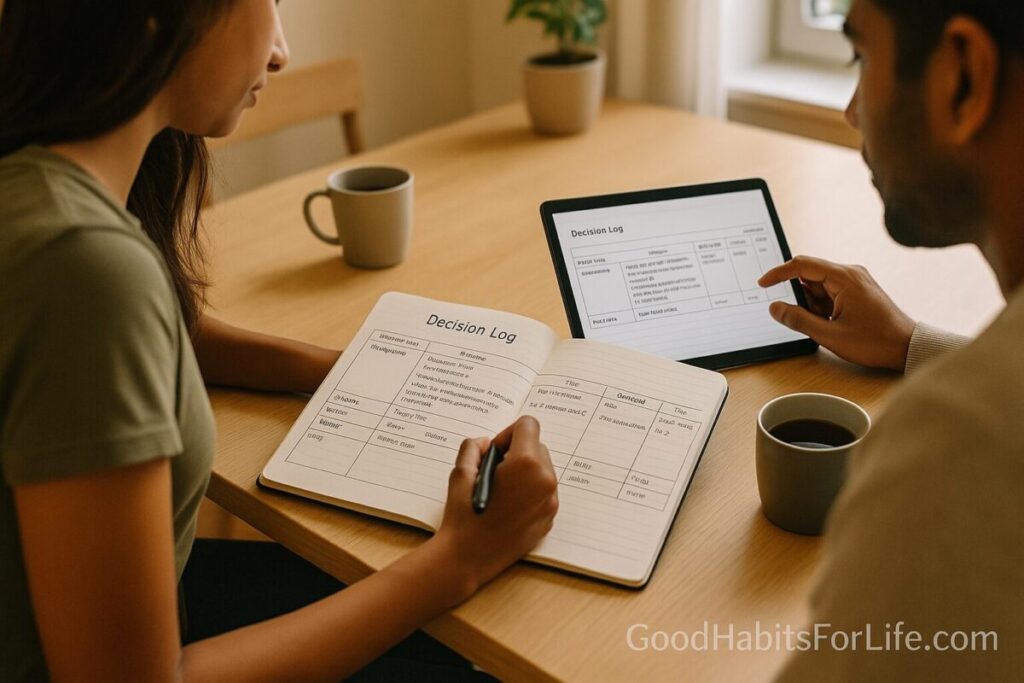
A decision log is a single, shared record of choices you’ve made together—what you decided, why, and when you’ll revisit it. Think of it as your household’s “source of truth.” Instead of re-arguing last month’s choice (“Didn’t we agree…?”), you both point to the exact entry.
Why it works
-
Reduces re-deciding. Writing decisions externalizes memory and lowers cognitive load, so your brain doesn’t carry every detail.
-
Improves recall & clarity. Notes capture the reasoning (not just the result), which keeps context alive months later.
-
Creates fairness. Each voice and rationale are documented, so updates feel cooperative, not unilateral.
-
Supports better follow-through. Pairing decisions with “who/when/how” (implementation intentions) dramatically raises completion rates.
-
Builds a calm culture. Referencing a neutral record lowers “he said/she said” tension and preserves goodwill.
What goes in a decision log
-
Date & topic: e.g., 2025-09-14 | Groceries budget.
-
Decision (one-liner): Cap ₹15,000/mo with weekly top-up rules.
-
Why (key reasons & constraints): Track overspending; keep eating fresh; plan batch cooking.
-
Owner(s): Both; A tracks spend, B does price compares.
-
Next check date: 2025-10-15 after 4 weeks.
-
Status: Active / Paused / Replaced / Retired.
-
Tags: money, food.
✅ Quick Start: Your First 20 Minutes
Goal: Get a usable log today—no complex setup.
-
Pick one shared space (5 min). Google Docs, Apple Notes (shared), Notion, Obsidian (synced), or a single Trello card.
-
Paste this template (2 min).
-
Log the next 3 decisions (8 min). Money, calendars/travel, and a home/parenting item are great starters. Keep each entry to ~6–10 lines.
-
Create a weekly review (2 min). Add a repeating calendar event: “Decision Log: 10-minute check-in (Sundays, 8 pm).”
-
Agree a rule (3 min). “If it’s not in the log, it’s not decided.” Add it to the top of the doc.
🛠️ 30-60-90 Alignment Plan
Days 0–30 (Start & Stabilize)
-
Week 1: Create the shared doc; add 5–10 entries that matter now (budget, screen-time rules, chore split, savings %, bedtime routine).
-
Week 2: Add “why” to any entries missing rationale. Start using Next Check Date to avoid re-hashing.
-
Week 3: Introduce Tags (money, parenting, health, travel, home, extended family).
-
Week 4 Review: Close the loop on 1–2 decisions (mark “Replaced” or “Retired” if superseded).
Days 31–60 (Consistency & Coverage)
-
Add Decision IDs (DL-001, DL-002) so you can reference them quickly.
-
Start a Monthly Summary section: What worked, what didn’t, what we’ll try next month.
-
Pilot a premortem for one big decision (see Frameworks): “Imagine it failed—what went wrong?”
Days 61–90 (Quality & Habits)
-
Create playbooks for recurring choices (e.g., “Weekend plan,” “House guest protocol,” “Sick-day childcare”).
-
Add a light metrics column where relevant (e.g., Food cost ≤ ₹15k/mo; Date night ≥ 2/mo; Screen-free dinners ≥ 5/wk).
-
Quarterly Deep Review (60–90 min): prune stale entries, consolidate, and upgrade 2–3 decisions into clear policies.
🧠 Core Techniques & Frameworks
1) Implementation Intentions (“If-Then”)
Turn decisions into triggers: “If it’s Friday 6 pm, then we review next week’s dinners.” This small shift dramatically improves follow-through.
2) The SHARE Conversation (Adapted for Couples)
-
Seek your partner’s perspective.
-
Highlight options with pros/cons.
-
Align with values and constraints.
-
Reach a decision together.
-
Evaluate on the check date.
3) Premortem (Gary Klein)
Before finalizing a big choice, ask: “It’s 6 months later and this went badly—what likely caused it?” Capture risks and add prevention steps right in the log.
4) Active Listening & Notes
Mirror back: “What I’m hearing is… Did I get that right?” Then write the one-line decision. Capturing the why reduces future misremembering.
5) Status Discipline
Never delete; retire or replace entries. A visible trail prevents “we never agreed that” dynamics.
6) Time-boxed Reviews
Weekly 10–15 min “State of the Union” prevents buildup. Bring the log; scan only “Active” and “Next Check This Week.”
👥 Audience Variations
Students / Young Couples
-
Keep it ultra-simple: one note app + 5 core tags (money, meals, chores, travel, social).
-
Use micro-reviews (5 min) before weekends.
Parents
-
Add childcare/health/school tags and a family calendar link in the header.
-
Create “School Mornings” and “Sick-Day” mini-playbooks as entries.
Professionals with Heavy Schedules
-
Integrate with your work calendar and set hard stops (e.g., Tue/Thu 9 pm) for brief reviews.
-
Use IDs and a search-friendly tool (Notion/Obsidian) to find entries fast.
Seniors / Sandwich Generation
-
Add healthcare and eldercare tags; note medications, appointments, and who’s driving.
-
Keep font large, and add a simple printable monthly summary.
Long-Distance Couples
-
Use a shared doc + brief video call. Asynchronous comments keep momentum across time zones.
⚠️ Mistakes & Myths to Avoid
-
Myth: “Writing kills spontaneity.”
Reality: It protects spontaneity by removing repetitive debates. -
Mistake: Logging only the decision, not the why.
Without context, you’ll re-argue assumptions later. -
Mistake: Using 5 different apps.
Pick one home for decisions; link out if needed. -
Myth: “We’ll remember.”
Human memory is leaky under stress; the log is your backup brain. -
Mistake: No check dates.
Every meaningful entry should say when you’ll revisit it.
💬 Real-Life Examples & Copy-Paste Scripts
Example Entry 1: Budget Guardrails
-
Date: 2025-09-14
-
Topic: Groceries Budget
-
Decision: Cap ₹15,000/month; weekly top-up ≤ ₹1,000 if we’re hosting.
-
Why: Overspending; want healthier staples; batch-cook on Sundays.
-
Owner(s): A tracks; B compares prices.
-
Next Check: 2025-10-15
-
Status: Active
-
Tags: money, food
Example Entry 2: Screen-Free Dinners
-
Decision: No phones at dinner; 20-minute family recap.
-
If-Then: If phone rings = vibrate; return calls after dishes.
-
Review: After 30 days.
Conversation Scripts
-
To propose a decision:
“Can we add a quick entry to the log? Topic: weekend mornings. My proposal is alternating lie-ins; Why: sleep & fairness; Check date: one month.” -
When you feel stuck:
“Let’s premortem this: if this change fails, what would have caused it?” -
To prevent re-hashing:
“Let’s check DL-012. We agreed to revisit next week—can we hold till then?” -
To update fairly:
“I’d like to mark DL-004 as ‘Replaced’ with a new approach. Here’s what changed and why.”
🧰 Tools, Apps & Resources (Pros/Cons)
| Tool | Best For | Pros | Cons |
|---|---|---|---|
| Google Docs | Simple, universal | Free, share easily, comments, version history | Can get messy without IDs/tags |
| Apple Notes (Shared) | Apple-only households | Fast, low friction, checklists | Weaker cross-platform |
| Notion | Power users | Databases, tags, templates, relations | Setup overhead; learning curve |
| Obsidian (Sync) | “Second brain” fans | Local files, backlinks, plugins | Paid sync for multi-device |
| Trello | Visual thinkers | Cards, labels, due dates | Harder to see reasoning in one view |
| Spreadsheet | Metrics & IDs | Sort/filter, easy exports | Too rigid for long “why” notes |
Tip: Start lightweight (Docs/Notes). Move to Notion/Obsidian only if you outgrow basics.
📚 Key Takeaways
-
A decision log is your couple’s single source of truth.
-
Keep entries short but complete: decision + why + owner + check date + status + tags.
-
Weekly 10–15 min reviews stop re-deciding and build calm alignment.
-
Use If-Then triggers, premortems, and status discipline to keep quality high.
-
Don’t over-tool it. One home, consistent habits.
❓ FAQs
1) Isn’t this just “meeting minutes”?
Similar, but focused on decisions and revisits, not full conversations.
2) How often should we review?
Weekly is ideal (10–15 min). For busy seasons, bi-weekly still works—keep check dates current.
3) What if we disagree later?
Add a new entry that replaces the old one; keep the history so you both see the evolution.
4) Should we log small stuff?
If it causes repeat friction (e.g., dishes, bedtime), yes. Otherwise, keep it light.
5) How do we handle decisions with parents/in-laws?
Create a separate tag (extended family) and write boundary decisions clearly with scripts.
6) What about sensitive topics (health, money)?
Limit sharing permissions to just you two; consider a local/encrypted app.
7) We forget to write—now what?
Use a one-tap shortcut (phone widget) that opens your template. Log the decision before ending the chat.
8) How do we keep it from bloating?
Monthly pruning: retire stale entries, merge duplicates, and summarize outcomes.
9) Can this help with big life choices (moving, kids, jobs)?
Yes—use premortems, metrics, and longer check windows (quarterly). Create a mini-brief before deciding.
10) What if one of us hates “systems”?
Co-design a minimum viable log: one page, 10 lines per entry, weekly 10 minutes. Make the benefit (fewer repeat arguments) explicit.
References
-
AHRQ. The SHARE Approach: Shared Decision Making. https://www.ahrq.gov/health-literacy/professional-training/shared-decision/index.html
-
NICE Guideline NG197. Shared decision making. https://www.nice.org.uk/guidance/ng197
-
Mueller, P. A., & Oppenheimer, D. M. (2014). The Pen Is Mightier Than the Keyboard: Advantages of Longhand Note Taking. Psychological Science. https://journals.sagepub.com/doi/10.1177/0956797614524581
-
Gilbert, S. J. (2015). Strategic Use of Reminders: A Review of the Intention Offloading Literature. Current Directions in Psychological Science, 24(3), 193–199. https://journals.sagepub.com/doi/10.1177/0963721415568662
-
Gollwitzer, P. M., & Sheeran, P. (2006). Implementation Intentions and Goal Achievement: A Meta-Analysis. Advances in Experimental Social Psychology, 38, 69–119. https://www.sciencedirect.com/science/article/pii/S0065260106380020
-
World Health Organization. WHO Surgical Safety Checklist. https://www.who.int/teams/integrated-health-services/patient-safety/research/safe-surgery/surgical-safety-checklist
-
The Gottman Institute. The State of the Union Meeting. https://www.gottman.com/blog/state-of-the-union-meeting/
-
American Psychological Association. Active Listening. https://www.apa.org/topics/communication/active-listening
-
American Academy of Pediatrics (HealthyChildren). Holding a Family Meeting. https://www.healthychildren.org/English/family-life/family-dynamics/Pages/Holding-a-Family-Meeting.aspx