
Privacy 101 for Learners: Data Trails in EdTech
Privacy 101: Your Data Trails in EdTech
Table of Contents
🧭 What & Why
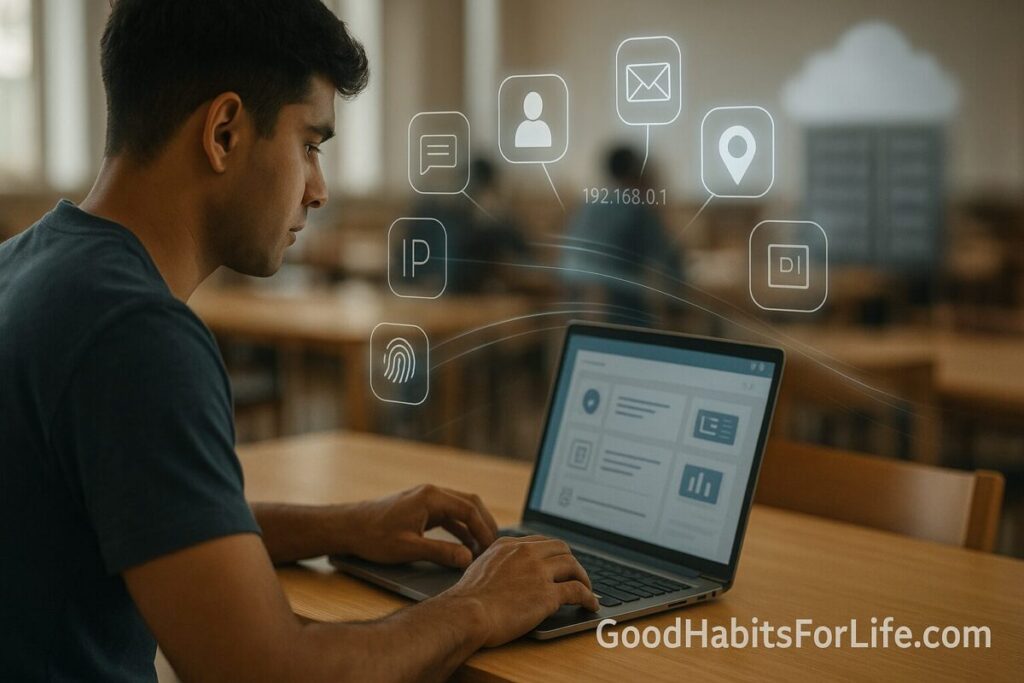
What counts as your “data trail”?
-
Identifiers: name, email, student ID, IP, device IDs.
-
Activity data: clicks, time on page, quiz answers, keystrokes, messages.
-
Device/network data: location (approx), OS/browser, Wi-Fi details, telemetry.
-
Sensitive categories in some tools: biometrics (voice/face), behavior/discipline notes, special-category data (e.g., health/IEP notes).
Why it matters
-
Longevity: Education records and platform histories can persist for years.
-
Sharing: Data may flow to analytics, cloud vendors, or third-party add-ons.
-
Rights & risks: Regulations give you rights (access, correction, deletion, opt-out/consent), but only if you use them.
-
Reputation & opportunity: Leaks or oversharing can affect scholarships, admissions, and employment screening.
The legal backdrop (plain-English):
-
US: FERPA protects education records; COPPA adds extra safeguards for children under 13 and was strengthened in 2025 to curb monetization/targeted ads without parental opt-in.
-
EU/UK: GDPR + the UK Children’s Code emphasize data minimization, transparency, and “best interests of the child.” DPIAs are expected for high-risk processing.
-
India: DPDP Act 2023 (with draft rules in consultation) sets notice/consent, security, and user-rights requirements that will apply across sectors including education.
✅ Quick Start (Do This Today)
-
Separate accounts. Use your school account only for school tools; keep personal browsing on personal accounts/devices.
-
Lock down access. Turn on 2-factor authentication and use a unique manager-generated password.
-
Minimize data. If a field isn’t mandatory, leave it blank. Decline optional profile fields and unnecessary permissions (camera/mic/location).
-
Check privacy settings. In the top 3 tools you use (LMS, notes app, AI assistant), switch off ad personalization and third-party sharing where possible.
-
Browser hygiene. Clear cookies, restrict cross-site tracking, and review extensions; remove anything you don’t need.
-
Ask one question. Email your teacher/admin: “Which vendors receive my data from <Tool A> and how long is it retained?”
-
Log your changes. Keep a 1-page privacy log (date, app, setting toggled, data you removed).
🛠️ 7-Day Starter Habit Plan
Goal: Shrink your data trail and exercise your rights.
-
Day 1 — Inventory: List every learning app/site used in the past month. Mark: account type, what data you gave, whether you can export/delete.
-
Day 2 — Access & 2FA: Update passwords + enable 2FA on school email/LMS and any app that supports it.
-
Day 3 — Minimize: Remove optional profile items (photo, bio, phone). Disable analytics/ad personalization settings in each app.
-
Day 4 — Data requests: Practice your rights: submit Access or Delete requests to one app you no longer use.
-
Day 5 — Devices: Audit your browser/phone: remove unused extensions/apps; restrict background permissions; update OS.
-
Day 6 — Sharing map: For your main LMS, read its privacy policy: who are the “processors/sub-processors”? Note retention and export options.
-
Day 7 — Review & repeat: Set a quarterly reminder for a 30-minute privacy tune-up.
🧠 Techniques & Frameworks That Work
-
Data Minimization (GDPR principle): Only share what’s necessary for the educational purpose. If optional → keep it empty.
-
Purpose Limitation: Data collected for coursework shouldn’t be reused for marketing without consent.
-
DPIA (Data Protection Impact Assessment): A structured risk analysis schools/vendors perform for high-risk data uses (e.g., monitoring, biometrics, AI profiling). Ask whether one exists for any tool you’re required to use.
-
Least-Privilege Access: Teachers/admins should only see what they need (e.g., class-level, not school-wide).
-
Retention and Deletion: Prefer vendors with short, documented retention and self-service deletion/export.
-
Consent with Teeth: For minors, consent must be verifiable (parent/guardian under COPPA, country-specific rules under GDPR/Children’s Code). Consent should be revocable and granular (not bundled).
-
Privacy by Default: Default settings should be the most protective, not the most permissive.
👥 Audience Variations
Students:
-
Use school devices as if activity is monitored. Don’t research sensitive personal topics on school accounts. Prefer encrypted messaging for private chats.
-
Learn the export/delete paths for each app you use.
Parents/Guardians:
-
Ask for the vendor list and the school’s DPIAs. Confirm who can see your child’s data and for how long.
-
For under-13s, expect verifiable parental consent before data collection; look for opt-in, not opt-out.
Educators/Faculty:
-
Avoid “unsanctioned apps.” If you must pilot, run a lightweight DPIA and use a class-only dataset.
-
Configure tools with privacy-protective defaults (roster scoping, limited analytics, no public profiles).
School/District Admins:
-
Maintain a system of record for vendor contracts, data maps, DPIAs, and sub-processor lists.
-
Include deletion SLAs in contracts; require independent privacy ratings and security attestations.
⚠️ Mistakes & Myths to Avoid
-
Myth: “Incognito = invisible to school IT.”
Reality: Network and device monitoring can still log activity. -
Myth: “Deleting an app deletes my data.”
Reality: You usually need a Delete/Erasure request. -
Myth: “Consent once means consent forever.”
Reality: You can withdraw consent; processing must stop unless another lawful basis applies. -
Mistake: Using personal email for coursework.
Fix: Keep school work on school accounts to limit cross-profiling. -
Mistake: Oversharing in profiles/portfolios.
Fix: Post only what serves learning outcomes.
💬 Real-Life Examples & Copy-Paste Scripts
Request the school’s vendor list (parents/students):
Subject: Request for list of approved EdTech vendors and data-sharing
Hello <School/District Privacy Officer>,
Please share the current list of EdTech vendors used in my/our courses, including any sub-processors, data retention periods, and links to each vendor’s privacy policy. Thanks!
Ask a vendor to delete your account:
Subject: Data deletion request
Hello <Vendor Privacy Team>,
I am requesting erasure of my account and all associated personal data for <email/ID>. Please confirm deletion and provide records of any third parties with whom data was shared.
Check if a DPIA exists (educators/admins):
Subject: DPIA for <Tool>
Hi <Vendor>,
Has a Data Protection Impact Assessment been completed for <Tool> in K-12/higher-ed use? If yes, please share a summary (purposes, data categories, risks, mitigations, retention). If not, please provide your risk assessment approach.
🧰 Tools, Apps & Resources (quick pros/cons)
-
Common Sense Privacy Program — Independent privacy evaluations of popular EdTech. Pro: easy ratings; Con: coverage varies by region/tool.
-
US Student Privacy (ED.gov) — Practical guidance, security best practices, FERPA/PPRA explainers. Pro: official; Con: US-focused.
-
ICO Children’s Code & DPIA Guides — Clear, child-centric standards and templates. Pro: strong defaults; Con: UK-specific though widely emulated.
-
UNICEF/UNESCO Guidance — Policy-level guardrails for AI/EdTech in schools. Pro: global framing; Con: less tool-specific.
-
EFF Privacy Badger (orgs/schools) — Browser add-on to reduce online tracking. Pro: blocks trackers; Con: may affect some site features.
-
School policies — Ask for the Data Governance or Acceptable Use policy; it should list monitoring practices, escalation paths, and rights.
📌 Key Takeaways
-
Your education data travels farther than you think; minimize it and use privacy-protective defaults.
-
Know the rules where you are (FERPA/COPPA, GDPR/Children’s Code, DPDP Act) and use your rights (access, correction, deletion).
-
Ask for DPIAs, retention limits, and sub-processor lists before adopting tools.
-
Make privacy a habit: quarterly checkups, separated accounts, and conscious sharing.
❓ FAQs
1) Can my school see what I do on my own laptop at home?
If you’re on the school network or using school accounts/apps, activity may be logged. On personal networks with personal accounts, monitoring is far more limited—but be cautious with any school-mandated software.
2) Do I need parental consent to use learning apps?
For children under 13 (US), verifiable parental consent is generally required. Under GDPR-regions, a digital age of consent applies (varies by country); schools may rely on other legal bases for core teaching tasks.
3) What is a DPIA in simple terms?
A Data Protection Impact Assessment is a structured risk review for high-risk processing (e.g., monitoring, biometrics, profiling). It documents data flows, risks, and mitigations, and should be done before deployment.
4) How long do EdTech tools keep my data?
It varies. Look for retention periods in the privacy policy and request deletion when you stop using the service.
5) Are AI-powered classroom tools riskier?
They can be, because they often collect more data (content, voice, behavior). Prefer vendors with clear model/data policies, opt-outs, and local processing where possible.
6) Does “incognito mode” protect me at school?
No. It only limits local history on your device. Network and device-level monitoring can still capture activity.
7) Can I stop my data being shared with third parties?
Often yes—via opt-out or by limiting optional features. For minors, some sharing (like targeted ads) may be prohibited without opt-in.
8) I’m in India. Does the DPDP Act help students?
Yes. The DPDP Act 2023 sets duties for data fiduciaries (like notice, security, breach reporting) and gives you rights. Draft rules that clarify implementation are advancing.
9) What if a vendor refuses deletion?
Escalate to your school/district privacy officer. In regulated regions, you can also escalate to the relevant data protection authority.
10) How do I choose safer tools?
Prefer tools with independent privacy ratings, short retention, clear export/delete paths, and transparent sub-processor lists.
📚 References
-
U.S. Department of Education — Protecting Student Privacy (FERPA/PPRA hub): https://studentprivacy.ed.gov/
-
CDC — FERPA overview (2024): https://www.cdc.gov/phlp/php/resources/family-educational-rights-and-privacy-act-ferpa.html
-
FTC — Finalized COPPA Rule changes (Jan 16, 2025): https://www.ftc.gov/news-events/news/press-releases/2025/01/ftc-finalizes-changes-childrens-privacy-rule-limiting-companies-ability-monetize-kids-data
-
Federal Register — Children’s Online Privacy Protection Rule (Apr 22, 2025): https://www.federalregister.gov/documents/2025/04/22/2025-05904/childrens-online-privacy-protection-rule
-
European Commission — Data protection explained (GDPR principles): https://commission.europa.eu/law/law-topic/data-protection/data-protection-explained_en
-
EDPB — Guidelines on Consent under GDPR (05/2020): https://www.edpb.europa.eu/our-work-tools/our-documents/topic/consent_en
-
UK ICO — Age-Appropriate Design Code (Children’s Code): https://ico.org.uk/for-organisations/uk-gdpr-guidance-and-resources/childrens-information/childrens-code-guidance-and-resources/
-
UK ICO — Data Protection Impact Assessments (DPIAs) guide: https://ico.org.uk/for-organisations/uk-gdpr-guidance-and-resources/accountability-and-governance/guide-to-accountability-and-governance/data-protection-impact-assessments/
-
UNICEF (2024) — Data protection in schools (GDPR-aligned guidance): https://www.unicef.org/eca/reports/data-protection-schools
-
India MeitY — Digital Personal Data Protection Act, 2023 (official PDF): https://www.meity.gov.in/static/uploads/2024/06/2bf1f0e9f04e6fb4f8fef35e82c42aa5.pdf
-
PIB (India) — Draft Digital Personal Data Protection Rules, 2025 (consultation): https://www.pib.gov.in/PressReleasePage.aspx?PRID=2090048
-
Common Sense — Privacy Program (EdTech evaluations): https://privacy.commonsense.org/resource/ed-tech
-
EFF — Privacy Badger for orgs/schools (reduce tracking): https://www.eff.org/deeplinks/2025/09/libraries-schools-why-organizations-should-install-privacy-badger
Disclaimer: This guide is educational and not legal advice; check your local laws/policies and consult a qualified professional for specific decisions.