
Learning Analytics: Read Your Dashboard Wisely: Dopamine Detox (2025)
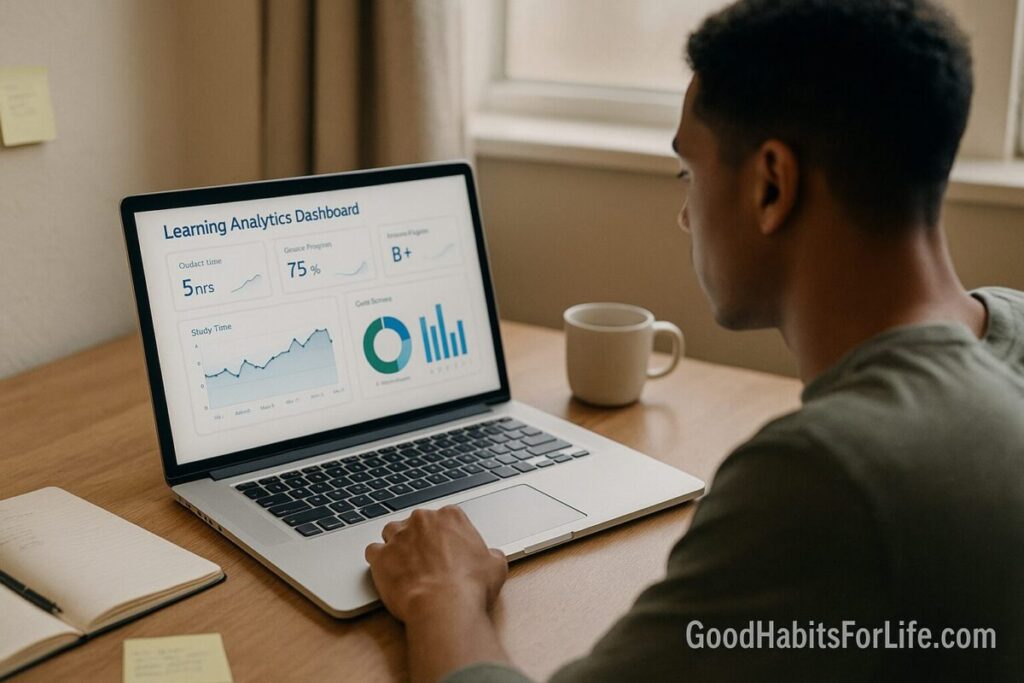
Learning Analytics Dashboard: Read It Wisely (2025)
Table of Contents
🧭 What & Why
What it is. A learning analytics dashboard (LAD) visualizes your learning data—logins, time on tasks, assessment scores, course progress—so you can monitor study behaviors and outcomes. Institutions use dashboards to improve retention and success; student-facing versions aim to nudge self-regulated learning. EDUCAUSE Library+1
Why it matters (and the nuance). Systematic reviews show dashboards can help—but effects vary and are modest unless the dashboard drives concrete behaviors (planning, practice, help-seeking). The best results come when dashboards are pedagogically informed and paired with self-regulated learning strategies. ACM Digital Library+2arXiv+2
Ethics first. If a tool processes personal data, educators must apply clear consent, transparency, and minimal-data principles. The EU’s educator guidelines and sector codes provide practical guardrails. Publications Office of the EU+1
✅ Quick Start (Do This Today)
-
Name one goal for this course (e.g., “Raise weekly quiz average from 68% to 78% in 3 weeks”).
-
Pick 2 lead metrics you control (input metrics):
-
Practice blocks completed (e.g., 3 × 25-min active-recall sessions).
-
Spaced reviews done (e.g., 2 per topic/week).
Choose 1 lag metric you’ll validate (output metric): weekly quiz average.
-
-
Schedule your checks: Tuesdays & Fridays at 18:00—five minutes max—then one action per check (e.g., add two 25-min practice blocks for Topic 4).
-
Turn off dashboard push alerts; pull data on your schedule to avoid compulsive refreshing. “More checking” ≠ “more learning.” PMC
-
Act, don’t admire: If engagement is low, book a help session or start a retrieval practice set immediately. (Retrieval + spacing beat rereading.) SAGE Journals
-
Use cohort context: Compare against peers in the same module, not across courses with different activity patterns. jisc.ac.uk
🛠️ Habit Plan: 30-60-90 Roadmap
Days 1–30 (Build the loop)
-
Create a Dashboard Map: list your 2 inputs + 1 output and where each appears in the dashboard.
-
Install “check windows” (calendar blocks Tue/Fri 18:00).
-
Implement Pomodoro + Retrieval: three 25-min sessions/day, finish with 5-min self-quiz. SAGE Journals
-
Privacy check: confirm what’s collected, who sees it, and opt-out options if applicable. Publications Office of the EU
-
Checkpoint (Day 30): 8+ scheduled checks done; at least 12 retrieval blocks completed.
Days 31–60 (Tighten feedback)
-
Add a Weekly Reflection (Sun): What worked? What to change? Map answers to next week’s inputs.
-
Shift time from passive reading to practice tests if quiz gains <5 pts. SAGE Journals
-
Checkpoint (Day 60): Quiz average trending up ≥5 pts; help-seeking logged (forum, office hour) if not.
Days 61–90 (Optimize & sustain)
-
Add predictive flags (if available) and set if-then plans: “If ‘at risk’ flag shows, then email tutor and schedule two practice blocks.”
-
Audit your signals: remove any metric you can’t act on within 48 hours.
-
Checkpoint (Day 90): Stable routine: two checks/week, one action per check; output metric meets or nears target.
🧠 Techniques & Frameworks that Work
1) Self-Regulated Learning (SRL) cycle—use the dashboard in three phases
-
Forethought: set a weekly target; pick inputs (practice, review).
-
Performance: during study, log sessions; keep retrieval practice primary.
-
Self-reflection: in your check window, review metrics → adjust next week.
This SRL loop is well-established in learning science and boosts achievement when taught explicitly. Leiderschapsdomeinen
2) Retrieval Practice & Spacing—make the metrics align with learning, not just activity
Dashboards often over-weight “time on task.” Instead, count practice tests, spaced reviews, and error-correction cycles—techniques rated high-utility by a major review. SAGE Journals
3) “Dopamine Detox” vs. Distraction Control—what actually helps
You can’t “reset” or “detox” dopamine. Dopamine is a normal neurotransmitter involved in motivation and learning; the social-media “detox” branding is misleading. What helps is stimulus control (reduce variable-reward pings), scheduled checks, and values-based planning. Harvard Health+2Cleveland Clinic+2
4) Read visuals with caution
Teacher and student interpretations of dashboards improve when the design makes explanations actionable and visualization literacy is supported. Ask: What action does this tile suggest? learning-analytics.info
5) Ethics, equity & context
Prefer module-level comparisons; avoid cross-course league tables. Be transparent about what your data means—and what it doesn’t. Follow established codes and educator guidance for consent and data minimization. jisc.ac.uk+2jisc.ac.uk+2
👥 Audience Variations
Students (secondary, college, adult learners)
-
Keep it simple: 2 inputs + 1 output; two checks/week; one action per check.
-
Use the dashboard to trigger behaviors (practice, office hours), not to judge yourself.
Parents
-
Ask schools how analytics are used, who sees the data, and how consent works. Focus conversations on habits (“What practice blocks will you do this week?”), not on raw comparisons. Publications Office of the EU
Teachers/Advisors
-
Provide an action legend on dashboards: for each tile, the suggested next step. Offer cohort-appropriate reference ranges. Train students in SRL use of the dashboard. SpringerLink
Professionals in workplace learning
-
Replace “hours watched” with “problems solved / simulations completed.” Add brief reflection prompts to turn data into decisions.
⚠️ Mistakes & Myths to Avoid
-
Myth: “More checking = more learning.”
Reality: Excess monitoring fuels anxiety and distraction; schedule checks and tie each to one action. PMC -
Myth: “Dopamine detox fixes study motivation.”
Reality: There’s no physiological detox; use distraction reduction, time-boxing, and values-based goals. Harvard Health+1 -
Mistake: Chasing vanity metrics (raw time-on-page).
Fix: Track practice tests completed and error reduction instead. SAGE Journals -
Mistake: Comparing across unrelated cohorts.
Fix: Use module-level context or groups with similar task structures. jisc.ac.uk -
Mistake: Ignoring privacy and consent.
Fix: Apply educator guidelines & codes of practice; keep only necessary data. Publications Office of the EU+1
💬 Real-Life Examples & Scripts
When the dashboard shows “red” on engagement
“This week I completed 0 retrieval blocks. I will add two 25-min practice sessions for Topic 3 on Wed/Fri 19:00 and post one question to the forum.”
When your quiz average stalls
“I’m switching one reread session to a practice test and will analyze 5 missed items to create targeted flashcards.” SAGE Journals
Email to a tutor/advisor (template)
Subject: Support plan for Unit 4
Hi [Name], my dashboard shows low practice completion for Unit 4. I’ve scheduled two practice blocks and a peer-study session. Could we review my mistakes from Quiz 2 and prioritize next steps?
Weekly reflection prompt
“What did I do that moved the needle? What will I change next week?” (Log answers in your check window.)
🧰 Tools, Apps & Resources (pros/cons snapshot)
-
LMS Analytics (Canvas, Moodle, etc.)
Pros: integrated with coursework; immediate feedback. Cons: may emphasize activity over learning—configure tiles for practice metrics. learning-analytics.info -
Microsoft Education Insights / Jisc Student App
Pros: student-facing visuals; cohort context; early-warning flags. Cons: require literacy and clear action prompts; verify consent & opt-out. student.la.jisc.ac.uk+1 -
Institutional dashboards (Jisc, custom BI)
Pros: module-level benchmarking, retention focus. Cons: accuracy depends on data quality and appropriate comparisons. jisc.ac.uk -
SRL & Study Tools (Anki or quiz banks for retrieval, calendar for check windows)
Pros: align with high-utility techniques. Cons: require routine. SAGE Journals -
Policy/Guidance
EU ethical guidelines for educators; sector codes of practice. Use them to inform classroom policies and student comms. Publications Office of the EU+1
📚 Key Takeaways
-
Dashboards succeed when they trigger actions (practice, help-seeking), not when they become a feed to scroll. ACM Digital Library
-
Check on a schedule, not with every notification. Tie each check to one concrete next step. PMC
-
Prefer practice-based inputs and validated outputs over raw activity counts. SAGE Journals
-
Use module-level comparisons; avoid cross-course league tables. jisc.ac.uk
-
Follow consent and data-minimization rules and communicate them clearly. Publications Office of the EU+1
-
Skip the “dopamine detox” myth; use distraction control and values-based planning instead. Harvard Health+1
❓ FAQs
1) How often should I check my dashboard?
Twice a week works for most learners: one mid-week course-correction and one end-week review with scheduling. Tie each check to an action (book office hour, add two practice blocks). PMC
2) Which metrics matter most?
Inputs you control (practice tests, spaced reviews) and outputs you validate (quiz scores, error reduction). Time-on-page is less informative for learning. SAGE Journals
3) Do dashboards really improve grades?
They can—especially when designs are pedagogically informed and students are trained to use them for SRL. Effects are mixed without that pairing. ACM Digital Library+1
4) What about privacy and consent?
Ask your institution what’s collected, who can see it, and how to opt out. EU educator guidelines and sector codes specify transparency and minimal data. Publications Office of the EU+1
5) Is “dopamine detox” a good study hack?
No. You can’t detox dopamine. Reduce distractions (notifications, infinite scroll) and schedule dashboard checks; that’s what helps. Harvard Health+1
6) How do I handle scary red flags?
Use if-then plans: “If ‘at-risk’ flag shows, then email tutor and add two practice blocks within 24 hours.” Focus on behaviors, not blame. ACM Digital Library
7) I study in short bursts—does that show up?
Yes, if you track practice blocks completed and retrieval items reviewed. Add those tiles or log them manually alongside LMS data. SAGE Journals
8) Should I compare with top students?
Only within the same module and assessment design; cross-course comparisons mislead. jisc.ac.uk
9) Can teachers make dashboards more helpful?
Yes: include an action legend for each tile and teach SRL routines in class (goal → practice → review). SpringerLink
10) What if my dashboard emphasizes clicks, not learning?
Supplement it: track practice tests, error logs, and spaced reviews in a simple spreadsheet or app, and discuss with your instructor. SAGE Journals
📚 References
-
EDUCAUSE. 2024 Analytics Landscape Study (overview & key findings). https://library.educause.edu/resources/2024/9/2024-educause-analytics-landscape-study EDUCAUSE Library+1
-
Jisc. Learning analytics (student-facing tools & services). https://www.jisc.ac.uk/learning-analytics jisc.ac.uk+1
-
ACM/LAK 2024. Have Learning Analytics Dashboards Lived Up to the Hype? https://dl.acm.org/doi/10.1145/3636555.3636884 ACM Digital Library
-
Kaliisa R. et al. 2023. Systematic Review of LADs (effect sizes). arXiv:2312.15042. https://arxiv.org/pdf/2312.15042 arXiv
-
Paulsen L. 2024. Student-facing LADs design trends. Education and Information Technologies. https://link.springer.com/article/10.1007/s10639-023-12401-4 SpringerLink
-
Dunlosky J. et al. 2013. Improving Students’ Learning with Effective Learning Techniques. Psych Sci in the Public Interest. https://journals.sagepub.com/doi/10.1177/1529100612453266 SAGE Journals
-
Zimmerman BJ. 2002. Becoming a Self-Regulated Learner. https://www.leiderschapsdomeinen.nl/wp-content/uploads/2016/12/Zimmerman-B.-2002-Becoming-Self-Regulated-Learner.pdf Leiderschapsdomeinen
-
Jisc. Code of Practice for Learning Analytics. https://www.jisc.ac.uk/guides/code-of-practice-for-learning-analytics jisc.ac.uk
-
European Commission (2022). Ethical guidelines on the use of AI and data in teaching & learning (for educators). https://op.europa.eu/en/publication-detail/-/publication/d81a0d54-5348-11ed-92ed-01aa75ed71a1 Publications Office of the EU
-
Kitto S. et al. 2024. Learning analytic dashboards & feedback—promise and pitfalls. J Cont Edu Health Prof. https://pmc.ncbi.nlm.nih.gov/articles/PMC11925967/ PMC
-
Jisc blog (2024). Successful learning analytics means understanding the data (module-level comparisons). https://www.jisc.ac.uk/blog/la-story-successful-learning-analytics-means-understanding-the-data jisc.ac.uk
-
Harvard Health (2020). Dopamine fasting: misunderstanding science. https://www.health.harvard.edu/blog/dopamine-fasting-misunderstanding-science-spawns-a-maladaptive-fad-2020022618917 Harvard Health
-
Cleveland Clinic (2024). Dopamine detoxes don’t work. https://health.clevelandclinic.org/dopamine-detox Cleveland Clinic
-
The Scientist (2024). Debunking the Dopamine Detox Trend. https://www.the-scientist.com/debunking-the-dopamine-detox-trend-72036 The Scientist
⚖️ Disclaimer
This article is for educational purposes only and is not medical or mental-health advice.