
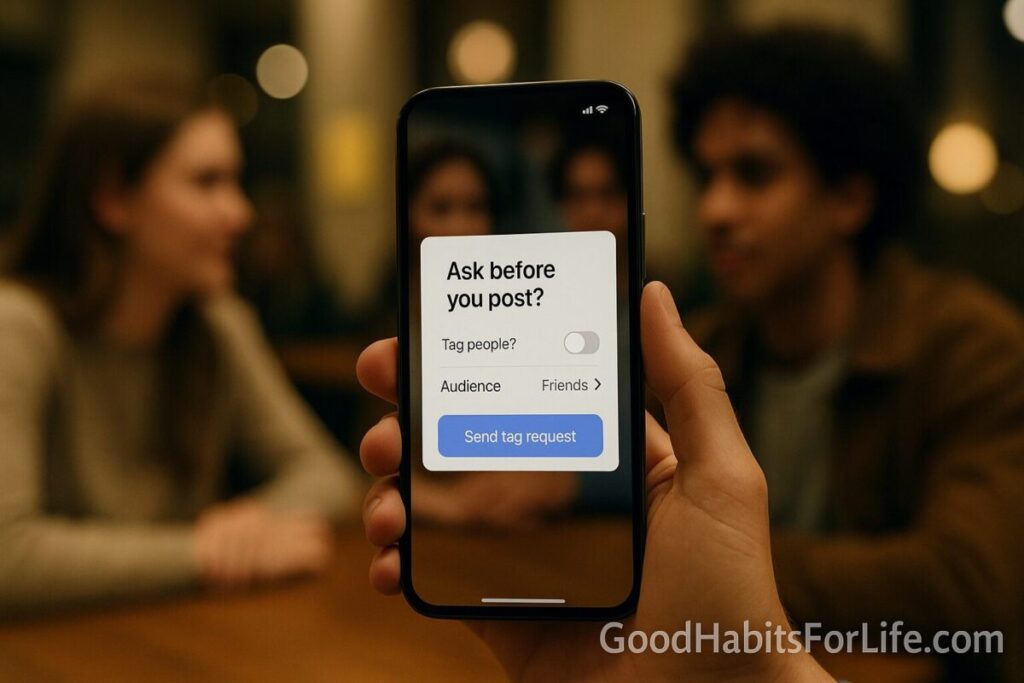
Photo Tagging & Privacy: Ask Before You Post: Dopamine Detox (2025)
Photo Tagging Privacy (2025): Ask Before You Post
Table of Contents
🧭 What & Why
Photo tagging privacy means getting clear consent before you upload or tag someone in a photo. It protects people’s control over their identity, context, and digital footprint.
Why it matters:
-
Brains chase social rewards. Notifications, likes, and tags trigger reward circuits, which can drive compulsive checking—and hasty posts. Setting a consent norm slows you down and strengthens trust. APA+1
-
It’s not just etiquette—it’s policy. In many regions, identifiable photos are treated as personal data and bring responsibilities for consent and control. India’s DPDP Act (2023) and EU rules highlight consent and children’s data protections. MeitYEuropean Union
-
Teens are always-on. Most teens use major platforms daily; respectful tagging and audience limits reduce unwanted exposure and social pressure. Pew Research Center
✅ Quick Start (Do This Today)
-
Ask first.
“Hey! Love this pic—ok to post and tag you?” (Use scripts below.) -
Turn on Tag Review.
-
Instagram → Settings → Privacy → Tags → Manually approve tags. Instagram Help Center
-
Facebook → Settings & privacy → Settings → Profile and tagging → Review tags. Facebook
-
Control share links.
-
Google Photos → Album Options → toggle Link sharing off; remove members you don’t want. Google Help
-
Silence the urge.
Mute social app notifications for 24 hours; post later with a clear head. -
Write a 1-line boundary in your bio.
“📸 Please ask before posting or tagging me. Thanks!”
🛠 Settings & Safeguards (Instagram, Facebook, Google Photos)
-
Manually approve tags and limit who can tag/mention you under Privacy. This stops auto-appearance on your profile and reduces surprise exposure. Instagram Help Center+1
-
Review tags before they appear and review posts you’re tagged in. Use Profile and tagging settings to keep control of your timeline. Facebook+1
Google Photos
-
Use shared album controls: turn link sharing off, remove members, and avoid posting sensitive images in auto-shared spaces. Google Help
Pro move: Share via private messenger or a locked album with expiry—then remove access after the event.
🧠 “Dopamine Detox,” Actually
The viral term “dopamine detox” isn’t a medical protocol. Clinicians describe it more accurately as behavioral reset: reducing high-frequency reward cues (e.g., notifications, infinite scroll) so you’re less reactive and more intentional. Short, time-boxed breaks and notification pruning can help—especially around posting and tagging. Cleveland Clinic
Research links social reward seeking to problematic social media use; dialing back instant rewards (likes/tags) and adding friction (tag review, ask-first) can reduce compulsive posting. PMC+1
🗓️ 7-Day Habit Plan (Consent-First Posting)
Goal: Make “Ask Before You Post” your default.
-
Day 1 — Audit: Turn on tag review (IG/FB). Disable push notifications for social apps.
-
Day 2 — Boundaries: Add a bio line: “Ask before posting/tagging.” Tell close friends/family in your group chat.
-
Day 3 — Scripts: Save three consent messages (see below) as text shortcuts.
-
Day 4 — Albums: In Google Photos, turn off public link sharing on any “family/friends” albums; prune members. Google Help
-
Day 5 — Blur Basics: Learn to blur faces or sensitive details before sharing (tools below).
-
Day 6 — Check-in: Review any pending tag requests; approve only what you’re comfortable with.
-
Day 7 — Reflect: What felt awkward? Update your scripts/boundaries; keep notifications off or limited.
🧩 Audience Variations
-
Students/Teens: Agree class/event rules (“No posts without ok”). Parents/guardians should model ask-first behavior and monitor early use. APA+1
-
Parents: Treat kids’ images as sensitive; involve kids in decisions as they age (“sharenting” awareness). UNICEF
-
Professionals: Use work-safe channels; avoid posting colleagues/clients without written permission.
-
Seniors: Keep circles small; have a trusted family member help manage privacy settings.
-
Creators: Use explicit model consent; blur bystanders; maintain a consent log—especially across borders (GDPR/DPDP). European UnionMeitY
⚠️ Mistakes & Myths to Avoid
-
“It’s public, so it’s fine.” Context collapse is real; a harmless party photo can reach employers or schools.
-
Auto-tagging surprises. Without tag review, images can appear on your profile instantly. Turn it on. Instagram Help CenterFacebook
-
“Kids don’t mind.” Many do—ask them; consent norms teach digital citizenship. UNICEF
-
“Dopamine detox cures everything.” It’s a reset, not a cure-all. Pair breaks with concrete settings and habits. Cleveland Clinic
💬 Real-Life Examples & Scripts (Copy-Paste)
Before posting a group photo
-
“This pic came out great—ok to post on IG? Happy to tag or keep names out. 👍”
If someone tagged you without asking
-
“Hey! Would you mind removing that tag or switching to friends-only? I prefer to approve tags first.”
Family/parent chat
-
“Can we do an ‘ask before you post the kids’ rule? I’ll share a private album link for close family.”
Event host note
-
“Photos welcome! Please ask before tagging others. Use our shared album; no public links.”
🧰 Tools, Apps & Resources
-
Instagram Tag Review — control tags/mentions before they appear. Instagram Help Center
-
Facebook Profile & Tagging — review tags and posts you’re tagged in. Facebook
-
Google Photos Sharing Controls — toggle link sharing and manage members. Google Help
-
Blur/Anonymize
-
Facepixelizer (web) — quick face/text blur. Facepixelizer
-
Privacy Blur / BlurFace (mobile) — on-device face blur/pixelate. Apple+1
-
Tip: Always blur school badges, license plates, geotags, and sensitive backgrounds before sharing.
📌 Key Takeaways
-
Consent-first posting is a small habit with huge trust dividends.
-
Use platform controls (tag review, audience limits) to add healthy friction. Instagram Help CenterFacebook
-
A gentle “dopamine detox” reduces impulsive posting; combine breaks with privacy settings. Cleveland Clinic
-
Children’s images deserve extra care; laws and guidelines emphasize consent. UNICEFMeitY
❓ FAQs
1) Is it rude to ask for consent before posting?
It’s respectful—and increasingly expected. Make it routine and quick.
2) Do I need consent to post a photo taken in public?
Laws vary; even if it’s legal, consent is best practice. Consider minors and sensitive contexts. European Union
3) How do I stop friends from auto-tagging me?
Enable tag review on Instagram/Facebook so tags don’t appear until you approve. Instagram Help CenterFacebook
4) What if someone shared my photo without permission?
Ask for removal, report the post on the platform, and in some regions you can invoke data rights or file complaints (e.g., under India’s DPDP Act). MeitY
5) Is a “dopamine detox” safe?
It’s essentially a behavioral break from high-stimulation cues. It’s not a medical treatment; if you struggle with mood/anxiety, seek professional advice. Cleveland Clinic
6) How do I share family photos more safely?
Use private albums with link sharing off; keep membership small and review regularly. Google Help
7) How can teens build good posting habits?
Practice ask-first consent, set accounts to private, and get help from caregivers to review settings. APA
📚 References
-
American Psychological Association — Why young brains are especially vulnerable to social media. https://www.apa.org/news/apa/2022/social-media-children-teens APA
-
American Psychological Association — Protecting teens on social media (Monitor on Psychology). https://www.apa.org/monitor/2023/09/protecting-teens-on-social-media APA
-
Pew Research Center — Teens and Social Media: Fact Sheet (2025). https://www.pewresearch.org/internet/fact-sheet/teens-and-social-media-fact-sheet/ Pew Research Center
-
Instagram Help — Manually approve tags; control mentions & tags. https://help.instagram.com/496738090375985 ; https://help.instagram.com/627963287377328/ Instagram Help Center+1
-
Facebook Help — Review tags & posts before they appear. https://www.facebook.com/help/247746261926036/ ; https://www.facebook.com/help/215642745162773/ Facebook+1
-
Google Photos Help — Stop sharing an album; manage link sharing. https://support.google.com/photos/answer/6280921 Google Help
-
European Union — Data protection and online privacy (GDPR overview). https://europa.eu/youreurope/citizens/consumers/internet-telecoms/data-protection-online-privacy/index_en.htm European Union
-
Ministry of Electronics & IT (India) — Digital Personal Data Protection Act, 2023 (official PDF). https://www.meity.gov.in/static/uploads/2024/06/2bf1f0e9f04e6fb4f8fef35e82c42aa5.pdf MeitY
-
Cleveland Clinic — Dopamine Detoxes Don’t Work: Here’s What To Do Instead. https://health.clevelandclinic.org/dopamine-detox Cleveland Clinic
-
Wadsley et al., 2021 — Reward-based motives & problematic SNS use. https://pmc.ncbi.nlm.nih.gov/articles/PMC9483697/ PMC
-
UNICEF — What you need to know about “sharenting”. https://www.unicef.org/parenting/child-care/sharenting UNICEF
Disclaimer: This article offers general information on online privacy, consent, and digital wellbeing; it’s not legal or mental-health advice. Consult qualified professionals for your situation.