
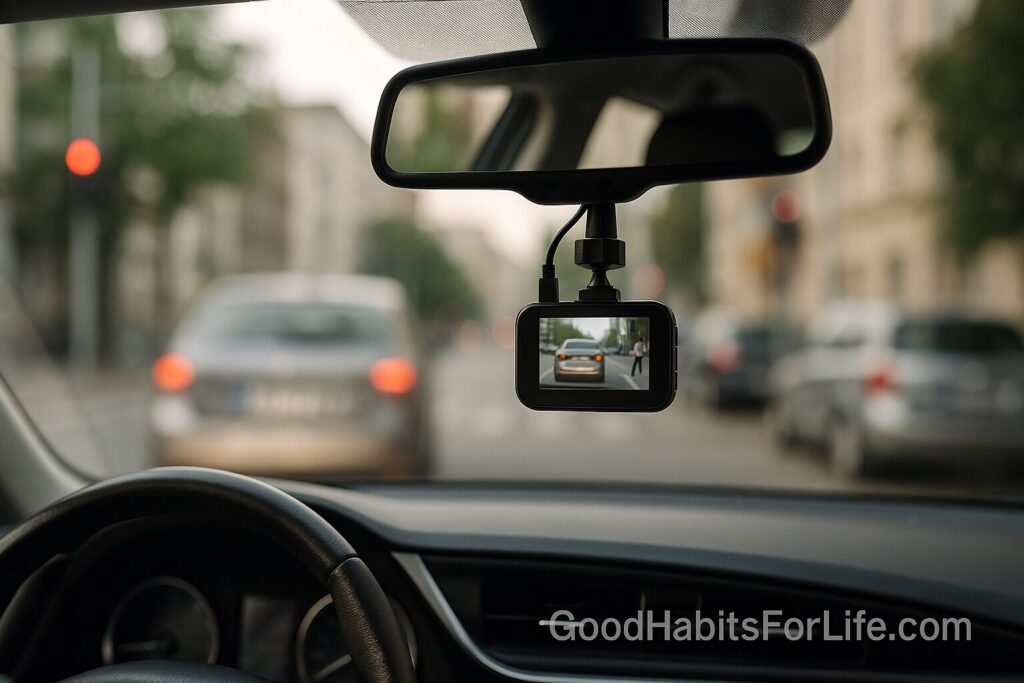
Dashcam Footage & Privacy: Share with Care
Dashcam Footage & Privacy: Share with Care
Table of Contents
🧭 What Counts as “Dashcam Privacy” & Why It Matters
The idea: Dashcams capture personal data—faces, number plates, voices, addresses, and even GPS routes. In many countries, that means privacy and data-protection rules can apply (e.g., GDPR/UK GDPR in the EU/UK; DPDP Act in India). Even where privacy law is lighter, you still face defamation, harassment, or wiretapping risks if you publish irresponsibly.
Benefits of getting this right
-
Evidence that holds up: Properly preserved footage is more likely to be accepted by insurers or police.
-
Lower legal exposure: You avoid claims for misuse, unlawful audio recording, or intrusion.
-
Community trust: You help make roads safer without shaming or doxxing people.
-
Search-proof reputation: Viral posts live forever—posting carefully protects you too.
Key concept: Data minimization—capture only what you need; when sharing, include only what’s necessary for the purpose (e.g., an insurer does not need your child’s face or a pedestrian’s address in the background).
✅ Quick Start: Safe Recording & Sharing (Today)
Set up your dashcam correctly
-
Mount legally. Follow local windshield obstruction rules (e.g., permitted “corner” areas in some regions).
-
Check audio. In places with all-party consent rules, turn audio off unless you have consent or a clear lawful basis.
-
Date/time & GPS. Keep accurate timestamps; enable GPS only if needed (useful for claims but more sensitive).
-
Storage & security. Use reliable cards (e.g., high-endurance microSD), enable file-locking for incidents, and set auto-overwrite intervals you understand.
When an incident happens
-
Preserve the original. Immediately copy the native file from the SD card and don’t edit it. Keep a second read-only backup.
-
Create a “sharing copy.” Use tools to blur faces/plates and crop irrelevant frames (see tools below).
-
Limit the audience.
-
Insurer/police: share privately, not on social media.
-
Public sharing: only if truly necessary and lawful; anonymize aggressively.
-
-
Strip metadata on the copy (EXIF/GPS where applicable).
-
Keep a short note (who, what, where, when) and hash or checksum of the original to show integrity.
Everyday etiquette
-
Avoid filming inside other people’s homes through windows.
-
Don’t post to shame; if sharing for road-safety education, remove identifiers.
-
Respect requests from individuals to blur or remove if local law grants rights to access/erasure.
🧠 30-60-90 Day Habit Plan for Dashcam Etiquette
Days 0–30 (Set the foundation)
-
✅ Confirm legal basics for your region (privacy, audio consent, mounting).
-
✅ Set default audio off (toggle on only with consent/lawful basis).
-
✅ Install a blur workflow (YouTube Studio or FFmpeg + simple editor).
-
✅ Create a “Claims Kit” folder template:
/Original/,/Blurred/,/Notes/,/Checksums/. -
✅ Draft your insurer/police share script (see below).
Days 31–60 (Sharpen the workflow)
-
🔒 Add a simple retention policy (e.g., auto-overwrite every 14–30 days unless an incident occurs).
-
🧪 Run a mock export: pull a clip, blur faces/plates, strip metadata, save checksums.
-
🏷️ Label SD cards and keep a spare in the glove box.
Days 61–90 (Go pro)
-
🗂️ Tag and index incident files by date/time.
-
🧑🤝🧑 If you manage family or fleet drivers, run a 15-minute training on consent, blurring, and sharing.
-
🛡️ Review insurance policy terms on dashcam evidence and your local rules annually.
🛠️ Techniques & Frameworks: How to Decide If/How to Share
Use the S.H.A.R.E. test before you upload or send footage:
-
S — Safety & Legality: Is sharing necessary for safety or a legal claim? Are you allowed to publish this under local law (privacy, defamation, contempt, wiretapping)?
-
H — Human Dignity: Could this harm or expose someone (children, home addresses, vulnerable people)?
-
A — Anonymize: Have you blurred faces/plates, cropped tight, muted audio, and removed metadata?
-
R — Relevance: Does the recipient need all of this? Share the minimum clip.
-
E — Evidence Handling: Keep the original and a checksum; document when/how you exported.
When audio consent matters
-
Many jurisdictions allow recording if at least one party consents; others require all parties’ consent (often called “two-party consent”). If uncertain, disable audio or get explicit consent.
Mounting & view
-
Some areas permit mounting within specific windshield corners or on the dashboard only; obstructing the driver’s view can be illegal. Check your vehicle code.
🌍 Regional & Audience Variations
EU/UK (GDPR/UK GDPR)
-
If footage identifies a person (face, plate + context), you may be processing personal data.
-
For private/personal use (e.g., for your own records), rules are lighter; for non-household use (e.g., business vehicles, publishing), you may need a lawful basis, transparency (notices), and respond to access/erasure requests where applicable.
India (DPDP Act 2023)
-
Focuses on digital personal data and consent/legitimate uses. Be prudent with online sharing; avoid posting identifiable details without necessity.
U.S.
-
Privacy is patchwork; audio recording laws vary by state (one-party vs. all-party consent).
-
Mounting rules (windshield obstruction) also vary by state; learn your state’s positions.
-
For civil claims, insurers often accept dashcam footage if reliable and relevant—keep originals intact.
Audience-specific
-
Parents: Blur children’s faces and school locations; don’t post school routes.
-
Professionals/Fleets: Treat dashcams as regulated systems—have a privacy notice, retention limits, access controls, and staff training.
-
Creators/Educators: Use stock or staged clips; never expose private identifiers; get model/location releases where needed.
⚠️ Mistakes & Myths to Avoid
-
“Public road = no privacy at all.” Not true. Data-protection and other laws can still apply.
-
Posting before reporting. Viral shaming can backfire legally—and with insurers.
-
Sharing the whole drive. Oversharing increases risk; trim to the relevant segment.
-
Forgetting audio. Audio triggers wiretapping rules in many places—turn it off by default.
-
Trusting a single blur. Test on multiple frames; fast motion can unmask faces/plates.
-
Deleting the original. Keep the native file safe; edit a separate copy.
-
Mounting anywhere. Illegal placement can itself be a violation.
📚 Real-Life Scripts & Examples
To an insurer (email)
Subject: Dashcam Clip – [Date, Time, Location]
Hi [Insurer Name],
I’m submitting a blurred copy (MP4, 30s) of the incident at [location] on [date/time] from my dashcam. The original, unedited file is preserved and can be produced if required. Brief facts: [1–3 bullet points].
Regards, [Name], Policy #[number].
To the police (in person or email portal)
I have the original recording preserved plus a sharing copy. The clip shows [very short description]. I can provide a sworn statement if needed.
Consent request (for public posting)
I’d like to share a short, anonymized clip of the incident for road-safety education. I’ll blur faces/plates and remove audio. Are you comfortable with that? If not, I won’t post.
Responding to a privacy concern
Thanks for flagging. I’ve reviewed the clip and removed/blurred the section you mentioned. I aim to educate on road safety—not identify individuals.
🧰 Tools, Apps & Resources (Pros/Cons)
-
YouTube Studio (Face/Area Blur) — Free, simple in browser; quick anonymization; exports are easy.
-
Pros: Automatic face detection; fast. Cons: Needs upload to YouTube; limited precision vs. pro editors.
-
-
FFmpeg (open-source) — Powerful command-line blurring/cropping; batch processing.
-
Pros: Free, scriptable, fast. Cons: Learning curve; manual masks/tracking.
-
-
DaVinci Resolve / Premiere Pro / Final Cut — Robust mask tracking and effects.
-
Pros: Precise, pro-grade. Cons: Larger installs; paid tiers.
-
-
Metadata tools — Use your editor or OS to remove location/EXIF on copies.
-
Storage — High-endurance microSD; rotate cards; verify after incidents.
📌 Key Takeaways
-
Treat dashcam footage like personal data—share sparingly and anonymize.
-
Keep audio off unless lawful and necessary.
-
Preserve the original; share an edited copy with blurs/crops and a short note.
-
Check local laws on privacy, audio consent, and mounting.
-
When in doubt: don’t post publicly; share privately with the parties who need it.
❓ FAQs
1) Can I post crash footage to social media?
You can often record in public, but posting online can raise privacy, defamation, or harassment issues. If you must post, blur faces/plates, mute audio, and avoid identifying details. When unsure, don’t post.
2) Do insurers accept dashcam footage?
Usually yes if it’s relevant and reliable. Share a blurred copy privately and keep your original intact with timestamps.
3) Do I need permission to give footage to police?
No permission is typically needed to report a crime or submit evidence. Provide a copy and retain your original.
4) Is it legal to record audio in my car?
Depends on local law. Some places require all-party consent for audio. To be safe, keep audio off unless you have consent or a clear lawful basis.
5) Are number plates “personal data”?
A plate can identify a person when combined with context or access to databases. Best practice: blur plates before public sharing.
6) How long should I keep footage?
Keep routine driving footage short-term (auto-overwrite). For incidents, keep until the claim or case resolves, then review retention.
7) Where can I legally mount a dashcam?
Rules vary. Some regions allow specific windshield corner placements or dashboard only. Check your local vehicle code.
8) Can my employer use dashcams in work vehicles?
Often yes, but employers must follow privacy rules (lawful basis, notice to drivers, retention, security). Ask for the policy.
9) What if my dashcam captures my neighbor’s home?
Aim your camera to avoid private spaces. If someone raises a concern, consider adjusting aim and deleting non-essential clips.
10) How do I blur faces/plates quickly?
Use YouTube Studio’s blur tools or FFmpeg/NLE editors with mask tracking. Always review frame-by-frame around the subject.
📚 References
-
UK ICO — CCTV & dashcams guidance (video surveillance, includes dashcams) — https://ico.org.uk/for-organisations/uk-gdpr-guidance-and-resources/cctv-and-video-surveillance/
-
UK ICO — Guidance on video surveillance (what it addresses) — https://ico.org.uk/for-organisations/uk-gdpr-guidance-and-resources/cctv-and-video-surveillance/guidance-on-video-surveillance-including-cctv/what-does-this-guidance-address/
-
EDPB — Guidelines 3/2019 on processing personal data through video devices — https://www.edpb.europa.eu/our-work-tools/our-documents/guidelines/guidelines-32019-processing-personal-data-through-video_en
-
EDPB — Connected Vehicles Guidelines 01/2020 (v2.0) — https://www.edpb.europa.eu/system/files/2021-03/edpb_guidelines_202001_connected_vehicles_v2.0_adopted_en.pdf
-
EU Law — GDPR (Article 6, lawfulness of processing) — https://eur-lex.europa.eu/eli/reg/2016/679/oj/eng
-
India — Digital Personal Data Protection Act, 2023 — Government PDF — https://www.meity.gov.in/static/uploads/2024/06/2bf1f0e9f04e6fb4f8fef35e82c42aa5.pdf
-
Reporters Committee — Recording Guide (U.S. state audio-consent overview) — https://www.rcfp.org/reporters-recording-guide/
-
California — Vehicle Code §26708 (windshield obstruction / mounting rules) — https://codes.findlaw.com/ca/vehicle-code/veh-sect-26708/
-
Australia OAIC — Security cameras and privacy overview — https://www.oaic.gov.au/privacy/your-privacy-rights/surveillance-and-monitoring/security-cameras
-
New Zealand Privacy Commissioner — Privacy & CCTV — https://www.privacy.org.nz/resources-and-learning/a-z-topics/privacy-and-cctv/
-
YouTube Help — Blur your videos (faces/areas) — https://support.google.com/youtube/answer/9057652
-
FFmpeg — Filters documentation (blurs/crop/masks) — https://ffmpeg.org/ffmpeg-filters.html
⚖️ Disclaimer
This article offers general information on dashcam privacy and evidence handling and is not legal advice; check your local laws or consult a qualified professional for your situation.