
Digital Wellbeing 2025: Small Screen Rules that Stick
Digital Wellbeing 2025: Small Screen Rules that Stick
Table of Contents
🧭 What Digital Wellbeing Means (and Why It Matters)
Digital wellbeing is the ability to use screens and connected tech in ways that support your goals, health, relationships, and values—without letting algorithms set the agenda.
Why it matters in 2025:
-
Sleep & mood: Late-night scrolling pushes back melatonin release and fragments sleep, which can spill into next-day stress and low energy.
-
Attention & productivity: Constant notifications and app switching degrade deep work and make tasks take longer.
-
Relationships: Background checking during conversations (“phubbing”) reduces perceived empathy and satisfaction.
-
Kids & teens: Evidence-informed limits and co-viewing help learning while reducing exposure to age-inappropriate content.
-
Eyes & posture: Long, unbroken near-work drives eye strain and poor ergonomics; micro-breaks and good setup help.
The goal: fewer default distractions, more intentional screen time that sticks because it fits real life.
✅ Quick Start: Do This Today
-
Audit the home screen (10 min). Move purposeful tools (calendar, camera, notes, maps) to page 1. Bury social feeds in a folder named “Later.”
-
Turn off non-human notifications. Keep pings only for people (calls, messages, work mentions). Silence badges for everything else.
-
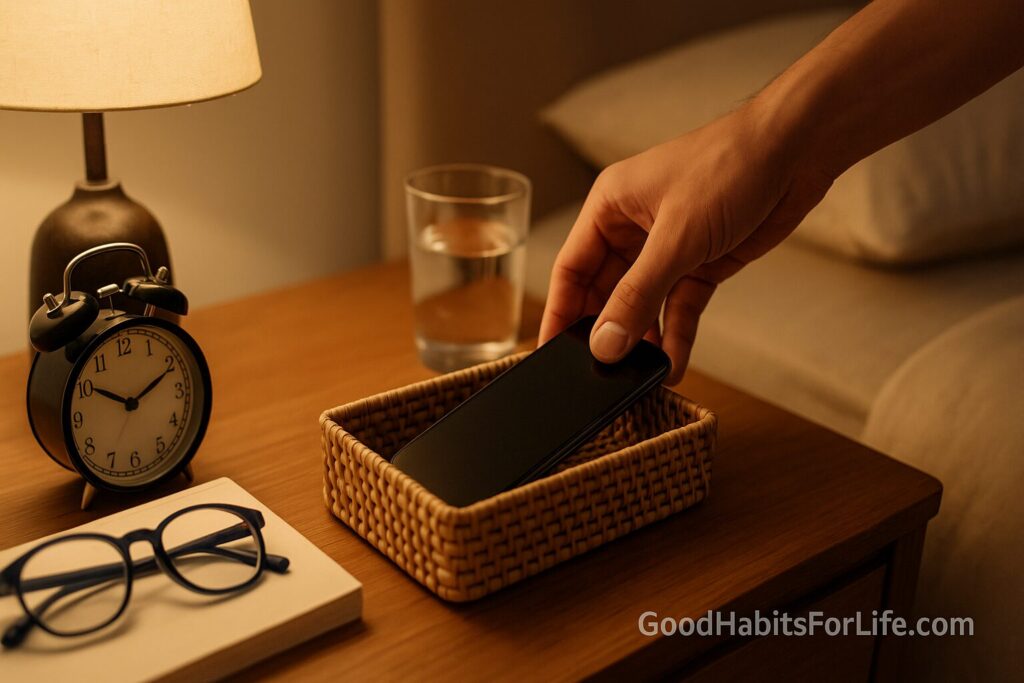
Set bed mode, now. Devices charge outside the bedroom; apply “Night Shift/Blue light filter” after sunset; set an automated wind-down 60–90 minutes before sleep.
-
Create two no-phone zones. Examples: dining table + bathroom; or commute + first 30 min at work.
-
Install a blocker. Enable Focus/Do Not Disturb for two 50-minute blocks today (morning/afternoon).
-
Adopt the 20-20-20 eye break. Every 20 minutes, look 20 feet (6 m) away for 20 seconds; stand/stretch hourly.
🗺️ 30-60-90 Day Habit Plan
Days 1–30: Foundation
-
Define “Green/Amber/Red” apps.
-
Green: utility (banking, maps, notes).
-
Amber: neutral/limited (news, YouTube for learning).
-
Red: infinite scroll/social feeds, short-video loops, shopping feeds.
-
-
Rules:
-
Reds limited to 15–30 min/day combined, scheduled; no Reds before noon or after 8 pm.
-
Ambers only with a task (“Learn X”), not for boredom.
-
-
Environment: grayscale the phone after 8 pm; remove autoplay on video platforms; add website blockers to all browsers.
-
Weekly review: 10 minutes each Sunday: what triggered overuse, one tweak for next week.
Days 31–60: Deep Work & Sleep
-
Focus architecture: two 90-minute deep-work windows on weekdays; notify teammates via status.
-
Communication cadences: check email/IM 3 times/day (late morning, mid-afternoon, end-day).
-
Evening routine: device-free last 60–90 minutes; keep a bedside paper book or notepad.
-
Family/household media plan drafted and agreed (see scripts below).
Days 61–90: Sustain & Personalize
-
Refinement: move one Red app off your phone entirely (use desktop only).
-
Social design: schedule intentional media (2–4 posts/week) vs passive consumption.
-
Digital sabbath: one half-day per week screen-light (walks, hobbies, friends).
-
Measure: compare sleep quality, steps, reading minutes, or time-on-task vs. Day 1.
🛠️ Techniques & Frameworks That Work
-
Implementation intentions (“If-Then”). If I sit to eat, then my phone goes in the far room.
-
Precommitment. Use app/website blockers with locked schedules you don’t override in-the-moment.
-
Friction design. Log out of Red apps; remove saved passwords; require search to open them.
-
Temptation bundling. Pair Amber learning videos with stationary bike or stretching.
-
Timeboxing + Pomodoro. 25–50 min work sprints + 5–10 min breaks; cap sessions at three per morning.
-
Stoplight app map. Review monthly which apps change color based on your goals.
-
Co-view & coach (for kids). Watch together, discuss ads/misinformation, and connect content to offline play.
👥 Variations by Audience
Students:
-
Study in 50/10 blocks; phone in another room; block social apps until after homework.
-
Use reading-mode e-ink where possible; take handwritten notes to reduce multitasking.
Parents & caregivers:
-
For under-5s, avoid screens for under-2s and keep sedentary screen time very limited for ages 2–4; prioritize sleep, physical play, and reading.
-
Create shared spaces for screens; use parental controls and conversations. Co-view when possible.
Professionals:
-
Default to calendar-blocked focus; batch comms; set a team “quiet hours” policy.
-
Keep meetings camera-optional where suitable to reduce fatigue.
Seniors:
-
Favor larger fonts/high contrast; schedule stretch/eye breaks; use scams/misinformation training resources.
-
Video chat for connection; keep bedtime screens low-light and brief.
Teens:
-
Agree device curfew and charging station; track mood vs. app use weekly; rotate offline hobbies with friends.
-
Use “Close friends” or private groups to reduce performative pressure.
⚠️ Mistakes & Myths to Avoid
-
Myth: “Blue-light glasses fix sleep.” They may help comfort, but behavior (timing and brightness) matters more.
-
Myth: “All screen time is bad.” Content, context, and purpose matter; educational/creative use can be beneficial.
-
Mistake: Relying on willpower in the moment; design your defaults instead.
-
Mistake: One set of rules for kids, none for adults—model the habits you want to see.
-
Mistake: Measuring only hours, not outcomes (sleep, mood, reading, progress).
🗣️ Real-Life Examples & Copy-Paste Scripts
Family Media Plan (fridge-ready):
-
Times: No phones at meals; all devices docked by 9:00 pm.
-
Places: Bedrooms and bathrooms are screen-free.
-
Content: YouTube Kids or co-viewed channels only; no autoplay.
-
Consequences: Missed docking = next day starts 30 minutes later for entertainment apps.
-
Rewards: Friday family movie if we hit the week’s docking streak.
Work status line:
-
“In focus 10:00–11:30 + 14:30–16:00. Ping me outside those windows or mark ‘urgent’ and I’ll see it at next check.”
Friend group message:
-
“I’m doing a weekend screen-light block. If it’s plans-critical, call me; otherwise I’ll reply Sunday evening.”
Personal rule card (wallet/notes app):
-
“Reds after lunch only; dock by 21:00; two deep-work blocks; 20-20-20.”
🧰 Tools, Apps & Resources (Pros & Cons)
-
iOS Screen Time / Android Digital Wellbeing — Built-in dashboards, app limits, Focus modes. Pros: free, system-level; Cons: easy to override if you choose.
-
Freedom / Cold Turkey / Focus — Cross-device blockers with schedules and lockdown. Pros: strong precommitment; Cons: paid, setup time.
-
LeechBlock (Firefox), StayFocusd (Chrome) — Browser-level site limits. Pros: granular rules; Cons: doesn’t cover apps.
-
Forest — Gamified focus timer that grows virtual/real trees. Pros: fun; Cons: not for everyone.
-
Readwise / Matter / Pocket — Save-to-read pipelines reduce scattered tabs. Pros: consolidates reading; Cons: another inbox if unmanaged.
-
OS Accessibility (Grayscale, Reduce Motion) — Lowers visual pull. Pros: instant friction; Cons: some find it dull.
-
Ergonomics guides (OSHA/NIOSH) — Set monitor height, chair, keyboard; pair with hourly micro-breaks.
📌 Key Takeaways
-
Design defaults, not just rules: remove triggers, add friction, precommit.
-
Guard sleep and focus first; most gains come from evenings and deep-work blocks.
-
Track outcomes (sleep quality, finished tasks, mood), not just minutes.
-
Revisit the plan monthly; life seasons change—your rules should too.
❓ FAQs
1) How many hours of screen time is “okay”?
There’s no magic number for older kids and adults; focus on sleep, physical activity, school/work progress, and relationships. For under-5s, expert bodies recommend very limited sedentary screen time and none for under-2s.
2) Do blue-light filters really help?
They reduce evening light intensity and may make falling asleep easier—best combined with an earlier digital curfew and dimmer room lighting.
3) Is all gaming harmful?
No. Cooperative and time-boxed gaming can be social and skill-building; problems arise with unlimited, late-night, or pay-to-win designs.
4) What about e-readers at night?
E-ink readers with warm light are gentler than bright phones/tablets; keep sessions short and finish 60 minutes before sleep if you’re sensitive.
5) How do I help a teen who resists limits?
Co-create rules, explain why, offer choices (which Red app to keep), model your own habits, and review data together weekly.
6) What’s the best way to stop doom-scrolling?
Insert friction: remove apps from the home screen, require search to open, schedule a single 15-minute check, and block outside that window.
7) Are notification summaries useful?
Yes—batching reduces interruptions. Pair summaries with three daily “inbox checks.”
8) Can grayscale mode reduce usage?
Often, yes—by making apps less stimulating. Try grayscale after 8 pm or during work blocks.
9) How do I set team norms without killing responsiveness?
Define “fast lanes” (urgent phone/SMS) and “slow lanes” (email/IM) plus quiet hours; review monthly.
10) What if my work requires social media?
Use creator dashboards on desktop only, schedule posts in batches, and separate a personal account without feeds (follow zero, search only).
📚 References
-
World Health Organization. Guidelines on physical activity, sedentary behaviour and sleep for children under 5 years of age. who.int
-
American Academy of Pediatrics. Family Media Plan & Media Use Guidelines. healthychildren.org
-
Royal College of Paediatrics and Child Health. The health impacts of screen time—a guide for clinicians and parents. rcpch.ac.uk
-
American Optometric Association. Computer Vision Syndrome & 20-20-20 rule. aoa.org
-
Sleep Foundation. How Blue Light Affects Sleep. sleepfoundation.org
-
OECD. Students, Computers and Learning: Making the Connection. oecd.org
-
NHS. Tips to reduce screen time & digital wellbeing. nhs.uk
-
Common Sense Media. The Common Sense Census: Media Use by Tweens and Teens. commonsensemedia.org
Disclaimer: This article provides general information and is not a substitute for personalized medical or mental-health advice. If you have concerns about sleep, mood, vision, or addictive behaviors, consult a qualified professional.