
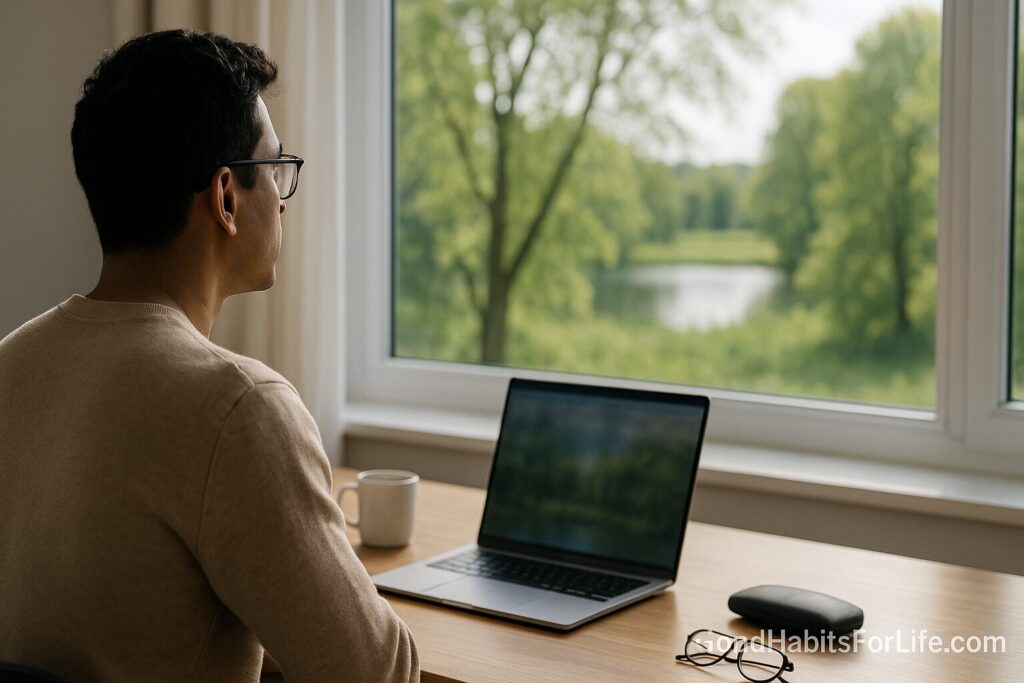
Visual Reset: 202020 + Nature Photo
Visual Reset: 20-20-20 Rule + Nature Photo
Table of Contents
🧭 What the 20-20-20 Rule Is (and Why Nature Helps)
Definition. The 20-20-20 rule is a micro-break for screen use: every 20 minutes, look at something ~6 metres (20 feet) away for 20 seconds. It gives your focusing system (accommodation) and eye muscles a brief reset, encourages blinking (to re-wet the surface), and interrupts prolonged near work that contributes to digital eye strain (dryness, burning, blurred vision, headaches, neck/shoulder tension). Reputable eye-care bodies endorse it as a simple protective habit.
What’s happening physiologically?
-
Near work reduces spontaneous blink rate; many users drop from ~15–20 blinks/min to single digits at a screen. Less blinking = more dryness/irritation.
-
Short distance focusing for long periods can create accommodative spasm—the feeling your vision locks up at near. A distant gaze relaxes the system.
Why add a nature image? Brief exposure to natural scenes is linked with faster stress recovery and attention restoration versus urban/indoor scenes. Greenery, water, and fractal patterns in nature are especially restorative. Combining the rule with a nature photo boosts the mental refresh: calmer mood, steadier attention, smoother return to work.
Bottom line: 20 seconds won’t transform your eyesight, but practiced consistently, this micro-habit reduces discomfort, supports focus, and pays back over hours at a screen.
Disclaimer: This article is educational and not a substitute for personal medical or eye-care advice.
✅ Quick Start: Do It Today in 60 Seconds
-
Pick your nature view: Open a full-screen photo of trees/water/sky (Pixabay/Pexels work great).
-
Set a repeating reminder: Phone timer or a desktop app set to every 20 minutes.
-
When it pings:
-
Stand or sit tall, relax shoulders.
-
Look ~6 m (20 ft) away (out a window if possible; otherwise your nature photo).
-
Blink slowly 5–10 times.
-
Breathe 4–6 cycles (in 4s, out 6s).
-
-
Optional add-ons (nice to have):
-
Sip water 💧
-
Roll shoulders and neck gently
-
Adjust brightness/contrast if glare is obvious
-
That’s it—~20–30 seconds. Back to work.
🛠️ 7-Day Starter Plan (then 30-60-90)
Week 1: 7-Day Starter
-
Day 1–2: 20-20-20 during your first 2 hours of desk time.
-
Day 3–4: Extend to morning block (e.g., 9–12).
-
Day 5–7: Use it all day for focused computer sessions.
Daily checkpoint: “How many pings did I actually respond to?” Aim ≥70%.
Weeks 2–4: Lock-In (30-Day)
-
Automate (menu bar/app, smartwatch haptics).
-
Pair with a Pomodoro (25/5): take a 20-sec visual reset at minute 20 and a 5-min stand/walk at minute 25.
-
Tweak setup: monitor height (top at eye level), 50–70 cm viewing distance, text size ≥100%.
60–90 Days: Make It Invisible
-
No-timer days: Test if you self-initiate around the :20, :40 past the hour.
-
Add a 2-minute green micro-walk after lunch for extra restoration.
🧠 Techniques & Frameworks That Make It Stick
-
Habit cue stacking: “When my calendar alert fires / when I hit Send / when I finish a slide → I do a 20-20-20 + nature look.”
-
Distance anchoring: Identify two fixed 6–10 m targets (e.g., a distant tree, building edge) for quick switching.
-
Soft gaze drill: Let the eyes unfocus slightly at distance; imagine “wide angle” vision instead of tunnel.
-
Blink sets: 3 rounds of 10 slow blinks per hour; close the eyes gently for 2–3 seconds at the end.
-
Hydration & air quality: Dry rooms worsen symptoms—use a humidifier or seat away from direct AC.
-
Lens hygiene: Contacts? Follow lens replacement and re-wetting drops guidance from your optometrist.
-
Light hygiene: Reduce glare, use task lighting, and match screen brightness to your environment.
👥 Variations for Students, Professionals, Seniors & Teens
-
Students: Pair with study blocks; put a printed leaf photo inside your notebook.
-
Professionals: Calendar the habit at the top of the hour; show “BRB 00:20” in status so colleagues normalize short pauses.
-
Seniors: Prioritize larger text/scaling, extra blinking, and gentle neck mobility during the 20 seconds.
-
Teens/Gamers: Use controller/keyboard macros to pause and gaze away every 1–2 matches or between levels; keep a calming wallpaper on a second screen.
⚠️ Mistakes & Myths to Avoid
-
Myth: “If I close my eyes for 20s, that’s the same.”
-
Better: Look far to relax focusing; closed eyes help moisture but skip the distance reset.
-
-
Mistake: Forgetting to blink during the gaze—add 5–10 deliberate blinks.
-
Mistake: Staring at a nearby plant photo on your phone.
-
Keep it farther away or full-screen on a monitor you sit back from.
-
-
Myth: “Blue-light glasses replace breaks.”
-
Breaks still matter; evidence for blue-light filters on strain is mixed.
-
-
Mistake: Over-tight time policing.
-
If you’re in the flow, let it slide a few minutes, then do a longer 40-second reset.
-
💬 Real-Life Examples & Copy-Paste Scripts
-
Slack/Teams status: “Taking a 20-20-20 visual reset 🌿 — back in 00:20.”
-
Manager nudge: “Team—add a 20-min repeating reminder. At the chime: 20-second distant gaze + 8 slow blinks. Your eyes (and code) will thank you.”
-
Classroom cue: “Screens down, eyes on the far tree or sky for 20 seconds—slow blinking, soft shoulders.”
-
Personal shortcut: Bind a hotkey to open a full-screen nature photo (e.g.,
Ctrl+Alt+N) for your micro-reset.
🧰 Tools, Apps & Resources (incl. free image sources)
Break timers & eye-care reminders
-
Stretchly (Win/Mac/Linux, open-source) — unobtrusive micro-break popups; configurable intervals.
-
BreakTimer (open-source) — simple repeating reminders; menu-bar timer.
-
Time Out (Mac) — gentle/full-screen breaks with fade-in.
-
Eye Care 20 20 20 (Chrome) — browser-based 20-min prompts.
-
Workrave (Win/Linux) — granular micro-/rest breaks with stats.
Nature images (free, no attribution required)
-
Pixabay.com — search “forest,” “water,” “sky,” “green.”
-
Pexels.com — curated nature photos and short looping videos.
-
Unsplash.com — high-res landscapes; build a small personal set.
Pros & cons (quick)
-
Desktop apps: work across apps; can dim screen → Pro: consistent; Con: may interrupt if presenting.
-
Browser extensions: easiest for web workers → Pro: lightweight; Con: won’t fire in other apps.
-
Printed photo/window view: zero tech → Pro: always available; Con: less precise timing.
📚 Key Takeaways
-
The 20-20-20 rule is a low-effort, high-return micro-break for digital eye strain.
-
Pairing it with a nature photo adds stress-recovery and attention benefits.
-
Make it automatic: reminders, fixed distant targets, deliberate blinks.
-
Optimize your workspace (distance, lighting, humidity) for fewer symptoms.
-
Consistency beats perfection—do many tiny resets over the day.
❓ FAQs
1) Does the 20-20-20 rule really help?
Yes. Eye-care associations recommend it to reduce symptoms of digital eye strain by relaxing focus and restoring blink rate.
2) What if I can’t see anything 6 m (20 ft) away?
Use the farthest point available (long corridor/office wall) or open a full-screen nature image and lean back to increase viewing distance.
3) Can I just close my eyes?
Closing helps moisture, but distance gaze best relaxes the focusing system. Do both when you can.
4) How strict is “every 20 minutes”?
It’s a guideline. If you miss a ping, take a longer 30–40s reset at the next natural break.
5) Are blue-light filters enough?
They don’t replace breaks. Evidence for filters on eye strain is mixed; keeping breaks, blinking, lighting, and distance in check matters more.
6) Contact lenses make it worse—what should I do?
Use re-wetting drops your clinician recommends, keep humidity up, and be extra consistent with blink sets during resets.
7) Is a nature photo as good as looking outside?
A real distant outdoor view is ideal. When that isn’t available, nature images still provide measurable stress-recovery and attention benefits.
8) How does this work with Pomodoro?
At minute 20 do the 20-sec visual reset; at minute 25, do the 5-minute stand/move break.
9) Kids and teens—same rule?
Yes, with supervision. Encourage distance gaze between classes/gaming sessions and set gentle timers.
10) Will this fix my headaches?
It may reduce strain-related symptoms. Persistent headaches or vision issues warrant a professional eye exam.
References
-
American Academy of Ophthalmology. Computer Use and Your Eyes: The 20-20-20 Rule. https://www.aao.org/eye-health/tips-prevention/computer-usage
-
American Optometric Association. Computer Vision Syndrome (Digital Eye Strain). https://www.aoa.org/healthy-eyes/eye-and-vision-conditions/computer-vision-syndrome
-
Sheppard, A. L., & Wolffsohn, J. S. (2018). Digital eye strain: prevalence, measurement and mechanisms. Ophthalmic Physiol Opt. https://pubmed.ncbi.nlm.nih.gov/29442359/
-
Tsubota, K., & Nakamori, K. (1993). Dry eyes and video display terminals. N Engl J Med. https://pubmed.ncbi.nlm.nih.gov/8477716/
-
Berman, M. G., Jonides, J., & Kaplan, S. (2008). The Cognitive Benefits of Interacting with Nature. Psychol Sci. https://journals.sagepub.com/doi/10.1111/j.1467-9280.2008.02225.x
-
Bratman, G. N., Hamilton, J. P., & Daily, G. C. (2015). The impacts of nature experience on human cognitive function and mental health. PNAS. https://www.pnas.org/content/112/28/8567
-
Kaplan, S. (1995). The restorative benefits of nature: Toward an integrative framework. Environment and Behavior. https://doi.org/10.1177/0013916595271002
-
Ulrich, R. S. et al. (1991). Stress recovery during exposure to natural and urban environments. Journal of Environmental Psychology. https://doi.org/10.1016/S0272-4944(05)80184-7
-
OSHA. Computer Workstations eTool: Work Process and Rest Breaks. https://www.osha.gov/etools/computer-workstations/work-process
-
Harvard Health Publishing. Ease eye strain with the 20-20-20 rule. https://www.health.harvard.edu/blog/ease-eye-strain-with-20-20-20-rule-2019041616361