
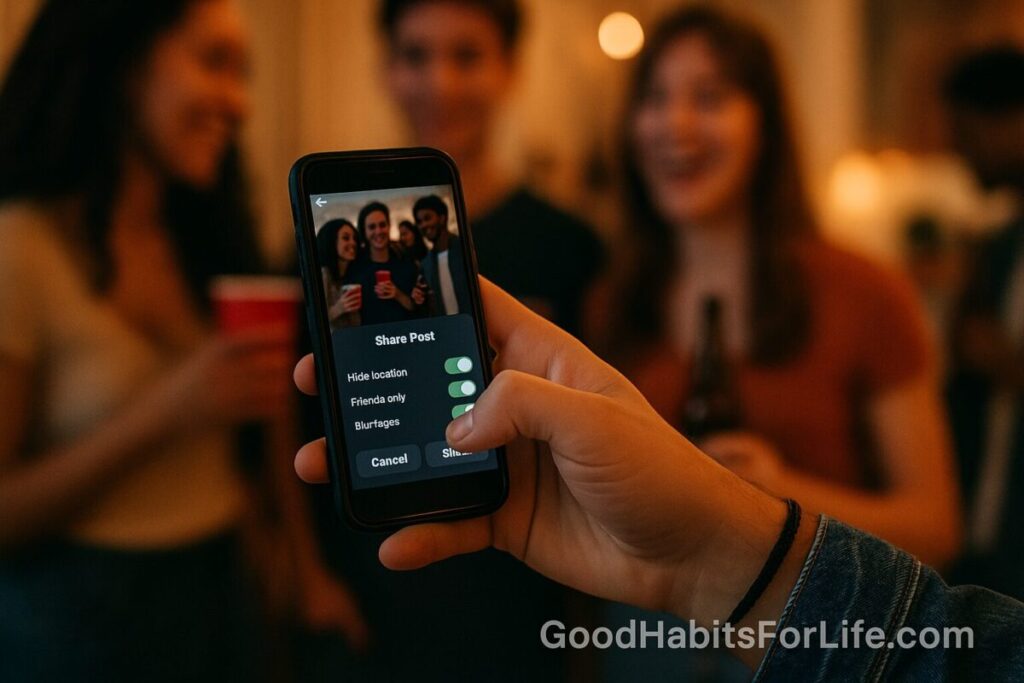
Social Media & Drinking: Protect Reputation & Safety
Social Media & Drinking: Protect Reputation & Safety
Table of Contents
🧭 What this guide covers & why it matters
What it is: Practical steps to keep alcohol-related content from harming teens’ safety, well-being, and future opportunities. We focus on habits—repeatable actions that keep accounts clean and decisions safer.
Why it matters (evidence):
-
Underage drinking increases risks for injury, violence, and long-term harms. Public health agencies advise prevention and early conversations with youth.¹²³⁴
-
Exposure to alcohol content/marketing online is consistently linked with increased youth drinking intentions and behaviors.⁵
-
Digital footprints matter for school admissions, scholarships, teams, and jobs. Many organizations review applicants’ online presence; posts travel fast via screenshots and shares—even after deletion.⁶
-
Safety risks rise when location tags, party photos, or travel plans are public; bad actors can infer routines or target impaired users. Cyber-safety bodies recommend limiting personal information and geotags.⁷⁸
Bottom line: Pair smart privacy defaults with posting rules and family/mentor check-ins. Prevention beats cleanup.
✅ Quick Start: Safety moves you can do today
-
Switch to “Friends/Followers Only” on major apps (TikTok, Instagram, Snapchat). Review who can tag you, duet/stitch, or message you.
-
Disable geotagging by default. Turn off camera location services and remove location from recent posts.
-
Three-Gate Rule before you post:
-
Gate 1: Is there alcohol? (bottles, cups, bar setting, jokes)
-
Gate 2: Could an adult misread this? (coach, teacher, admissions)
-
Gate 3: Would Future-You be fine seeing this on a projector at school?
If any gate says “No,” don’t post.
-
-
Archive/Unlist past risky posts (drinks, party pics, drunk jokes, challenges).
-
Un-tag yourself from others’ posts. Ask friends kindly to crop/remove.
-
Turn on login alerts + 2FA for every app.
-
Create a “Close Friends” list for private, non-alcohol content only. Zero alcohol posts on public feeds.
-
Set a “sober editor” buddy: someone you text “Y/N?” before posting edgy content.
🛠️ 7-Day Digital Reputation Reset (habit plan)
Goal: A safer, cleaner online presence and a simple routine you’ll stick to.
Day 1 — Map your footprint
-
List your accounts (active + old).
-
Search your name + username(s) + school/club in quotes. Screenshot anything questionable for action.
Day 2 — Lock privacy
-
Make accounts private (case-by-case).
-
Limit who can tag, stitch/duet, mention, or message you.
-
Turn on 2FA and login alerts.
Day 3 — Nuke geodata & risky content
-
Disable camera geotagging; remove location from old posts.
-
Archive/delete posts with alcohol, party settings, or “challenge” clips that could be misread.
Day 4 — Curate your image
-
Pin 3–6 positive posts (school projects, sports, volunteering, art).
-
Update bios to reflect strengths and interests.
Day 5 — Friends & tags clean-up
-
Review followers; remove unknowns.
-
Set “Review tags before display.”
-
Send friendly DMs to remove/crop risky photos.
Day 6 — Family Media Plan (15 minutes)
-
With a parent/mentor, write 5 rules: privacy, location, posting checkpoints, party plans, and takedown steps. (Use the AAP Family Media Plan tool as a template.⁹)
Day 7 — Dry-run the “Oops Plan”
-
Practice: a) how to request a takedown; b) what to do if something goes viral; c) who to call for help.
Maintenance:
-
Monthly: 20-minute archive scan.
-
Quarterly: Search your name + school/club; update privacy; rotate pinned posts.
🧠 Techniques & Frameworks (research-aligned)
1) “Public Even When Private” mindset
Assume screenshots exist. This reframes posting decisions without killing creativity. If a post only works when you’re impaired or hiding it—skip.
2) “Delay & Review” habit
Turn off “auto-post now.” Use drafts. Re-read after 10 minutes (or the next morning). A short delay reduces impulsive posting.
3) “Sober Editor” rule
Pick one trusted friend who always says the quiet part out loud. Text them the post first. If they hesitate, archive.
4) No-Location Default
Keep geotags off. Add location later (or not at all), and only if it’s a broad area (e.g., “city” vs exact venue). Safety organizations warn against real-time, precise sharing.⁷⁸
5) “Green/Yellow/Red” content filter
-
Green: school achievements, sports, art, study tips, volunteering, pet pics.
-
Yellow: sarcasm, inside jokes, party settings; post only with context and zero alcohol cues.
-
Red: alcohol in frame, impaired behavior, illegal acts, risky challenges—never post.
6) Parent–Teen Weekly 10
A 10-minute, no-judgment check-in: What are your favorite trends right now? What’s cringe? Anyone posting sketchy stuff? Do you want me to help with a takedown? Keep it collaborative, not surveillance.
7) Party Safety Cue Cards
Before going out, agree on: exit phrase, safe ride home, check-ins, and no photos when someone looks impaired. This lowers peer pressure and accidental harmful posts.
8) Replace the “Drinks Pic” ritual
Peers often expect a “cheers” shot. Swap it with:
-
Mocktail moments (bright sodas, juices—no alcohol).
-
Thumbs-up selfie wall (venue logo backdrop, no cups).
-
Scoreboard selfies (games, karaoke results, photo booth props).
👥 Audience Variations
Teens
-
Use a private “Close Friends” list and keep your main feed alcohol-free.
-
Consider a separate public showcase account for school/portfolio content.
-
Use Mute/Restrict instead of blocking when social dynamics are sensitive.
Parents & Guardians
-
Co-create a Family Media Plan (devices out of bedrooms overnight; location sharing rules; posting checkpoints; who to call for help).⁹
-
Focus on coaching, not catching. Youth open up when they won’t lose the phone for being honest.
-
Practice refusal lines teens can text when pressured to post or pose.
Coaches, Teachers, Counselors
-
Share a short “post smart” slide in orientations.
-
Offer a one-time amnesty: students can ask for help removing past risky posts without punishment.
-
Include social media conduct in team/club codes of conduct.
⚠️ Mistakes & Myths to Avoid
-
“It’s private, so it’s safe.” Privacy settings change; friends screenshot; platforms get breached.
-
“Delete means gone.” Not necessarily—others can re-upload, and archives/caches may persist.
-
“Everyone does it.” Many teens actively curate. Colleges and employers care about patterns, not single posts.
-
“Posting about alcohol is harmless.” Research links exposure to alcohol content/marketing with increased youth drinking.⁵
-
“Only photos matter.” Captions, emojis, and backgrounds (bottles, bar signs) also send signals.
💬 Real-Life Scripts (copy-paste friendly)
Ask a friend to remove a post:
“Hey! Could you please take down/crop that pic? I’m keeping my feed alcohol-free for teams/college. I’ll send you another one to post instead 🙏”
Un-tag request (polite):
“Mind untagging me on the party post? I’m cleaning my public feed for applications. Thanks!”
When someone records at a party:
“No vids right now—let’s do photos by the mural instead.”
If a risky post is already live:
-
Archive/Delete immediately.
-
DM the poster: “I posted without thinking. Can you remove it? Thanks for understanding.”
-
Document (screenshots, timestamps) in case of harassment or impersonation.
-
Report to the platform if needed (impersonation, non-consensual images).
-
Tell a trusted adult if there’s safety or legal risk.
Refusal line when pressured to post “cheers”:
“I’m off alcohol-content on my feed this year. Let’s do a goofy boomerang without cups.”
🧰 Tools, Apps & Resources (pros/cons)
-
Platform privacy centers (Instagram, TikTok, Snapchat)
-
Pros: Built-in controls; up-to-date.
-
Cons: Settings move; review quarterly.
-
-
Two-Factor Authentication apps (Authy, Microsoft Authenticator, Google Authenticator)
-
Pros: Protects accounts from hijacking; quick to set up.
-
Cons: Requires backup codes; add guardianship plan.
-
-
Content archive checkers (built-in “Your Activity” on Instagram; TikTok “Download your data”)
-
Pros: See everything tied to your account.
-
Cons: Takes time; results can be large.
-
-
Name/handle monitoring (Google Alerts for your name + school/club)
-
Pros: Free; email alerts.
-
Cons: Won’t catch private posts.
-
-
Family Media Plan (AAP)
-
Pros: Simple, printable; shared rules reduce conflict.⁹
-
Cons: Needs regular updates.
-
-
Cyber-safety guides (National Cybersecurity Alliance; eSafety Commissioner)
-
Pros: Clear checklists for teens and families.⁷⁸
-
Cons: General advice—still apply it per platform.
-
📌 Key Takeaways
-
Treat every post as public and permanent.
-
Keep alcohol off public feeds; curb peer pressure with scripts and alternatives.
-
Lock privacy, remove geotags, and review tags before display.
-
Run a 7-Day Reset now, then monthly/quarterly scans.
-
Parents: coach, don’t catch—use a written plan and a weekly 10-minute check-in.
❓ FAQs
1) Is it okay to post a party pic if I’m holding a soda?
Better to avoid any image that looks like alcohol. Background cues (bar signs, bottles) create the wrong impression. Choose a neutral setting or clear non-alcohol context.
2) If I delete a risky post, is the problem solved?
Deletion helps, but screenshots may exist. Pair deletion with takedown requests, untagging, and curating positive posts.
3) Can colleges or teams really see my private posts?
They shouldn’t have access to private content, but public posts, re-shares, and screenshots circulate. Many organizations also see applicants’ public personas. Keep main feeds clean.
4) What about stories that disappear in 24 hours?
Assume nothing disappears. Viewers can screen-record. Use stories for safe, non-controversial content only.
5) Are “close friends” lists safe?
Safer—not safe. People can still screenshot. Keep alcohol content off social media entirely.
6) I’m already tagged in old party pics. What now?
Request removal or cropping, untag yourself, and set “review tags before display.” Add positive content to rebalance first impressions.
7) Should parents follow their teens?
It can help, but negotiate boundaries. Many families agree to follow the showcase account while maintaining trust and a weekly check-in.
8) How do I stop location from showing automatically?
Turn off camera location services, disable app location access except when needed, and remove location from posts before sharing.
9) Is it ever okay to joke about drinking?
Humor can be misread by adults who make decisions about your future. Keep jokes and memes alcohol-free on public feeds.
10) What if someone threatens to share a compromising photo?
Save evidence, tell a trusted adult immediately, report on-platform, and contact local authorities if there’s coercion or threats.
📚 References
-
Centers for Disease Control and Prevention (CDC). Underage Drinking. https://www.cdc.gov/alcohol/fact-sheets/underage-drinking.htm
-
National Institute on Alcohol Abuse and Alcoholism (NIAAA). Underage Drinking. https://www.niaaa.nih.gov/publications/brochures-and-fact-sheets/underage-drinking
-
World Health Organization (WHO). Alcohol. https://www.who.int/news-room/fact-sheets/detail/alcohol
-
Substance Abuse and Mental Health Services Administration (SAMHSA). Talk. They Hear You. https://www.samhsa.gov/talk-they-hear-you
-
JAMA Pediatrics. Studies linking exposure to digital alcohol marketing with youth drinking behaviors (systematic reviews/meta-analyses). https://jamanetwork.com/journals/jamapediatrics
-
Pew Research Center. Social Media and the Workplace / Online Identity. https://www.pewresearch.org/internet/
-
National Cybersecurity Alliance. Social Media Safety Tips. https://staysafeonline.org/online-safety-privacy-basics/social-media/
-
eSafety Commissioner (Australia). Posting and sharing. https://www.esafety.gov.au/young-people/posting-and-sharing
-
American Academy of Pediatrics (AAP). Family Media Plan. https://www.healthychildren.org/English/media/Pages/Family-Media-Plan.aspx
-
American Psychological Association (APA). Teens, Social Media and Mental Health (overview). https://www.apa.org/topics/social-media-internet/mental-health
Disclaimer: This guide is for education only and is not medical, legal, or safety advice; consult qualified professionals for your situation.