
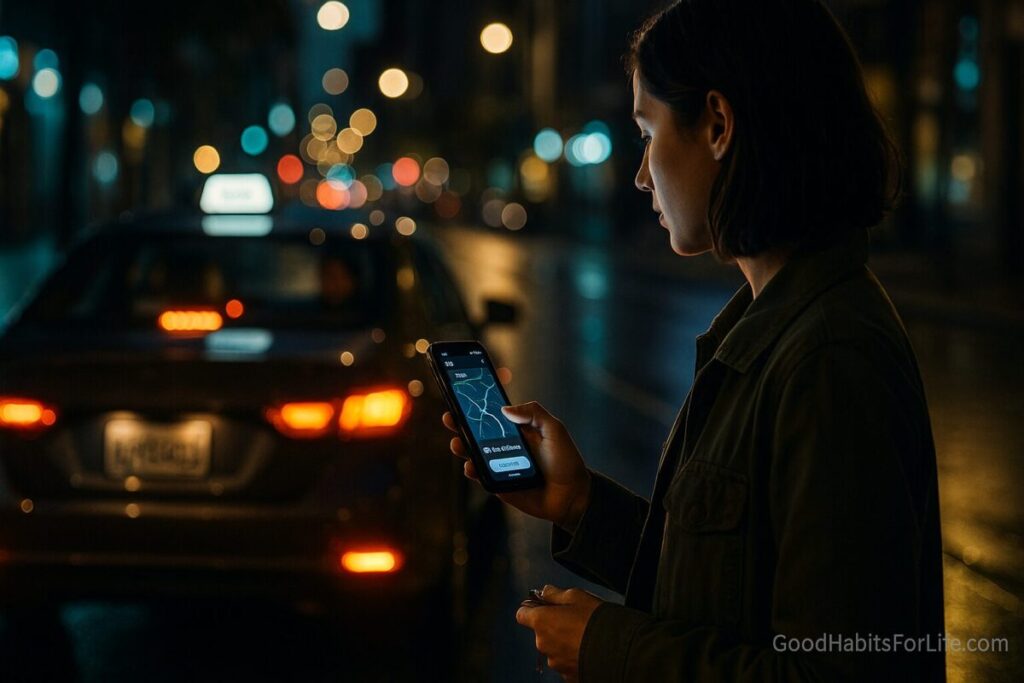
RideShare & Night Travel: Routes, Ratings, CheckIns
Rideshare Night Travel Safety: Routes, Ratings & Check-Ins
Table of Contents
🧭 What & Why: Safer Night Rideshare, Fewer Risks
Night travel has more impaired drivers on the road, reduced visibility, and fatigue-related risk. Rideshare night travel safety means using route planning, driver/rider verification, ratings, and timed check-ins to reduce harm from impaired driving, wrong vehicles, harassment, and getting stranded.
Why it matters
-
Impaired and drowsy driving increase crash risk at night; planning alternative transport and sober rides reduces injuries and fatalities. Public health and road-safety agencies consistently recommend planning your ride and avoiding impaired driving, especially at night.
-
Simple preventive behaviors—verifying plates, sharing your route, and using SOS features—dramatically reduce opportunity for harm.
-
Habitizing the process (default pickup spots, buddy check-ins) makes safety automatic, even when you’re tired or impaired.
✅ Quick Start: Do This Tonight (5 Minutes)
-
Choose your pickup & drop-off
-
Pick a lit, camera-covered, populated spot (venue front, hotel canopy, mall entrance).
-
Set a main-road drop-off near your home (not your exact door if that feels safer).
-
-
Pre-book or queue the ride in your app; confirm price + ETA. Keep a local taxi number as backup.
-
Set a Check-In Buddy
-
Text: “Leaving [venue], ride ETA 21:45, code word pineapple. I’ll ‘home ✅’ by 22:10.”
-
Share live location and in-app trip share link.
-
-
Verify the ride before you enter
-
Say the driver’s name first (“Who are you here for?”).
-
Match plate, make/model, color, driver photo.
-
Use PIN verification if your app supports it.
-
-
Control the route
-
Load your route in Google/Apple Maps.
-
If there’s an unexpected detour, politely ask: “Maps shows a faster route via [Street]; can we take that?”
-
-
Use safety tools
-
Keep the in-app safety button visible; enable audio recording or dashcam where legal.
-
Keep a charged phone + power bank.
-
🛠️ 7-Day Starter Habit Plan
Goal: Create a repeatable Night-Out Safety Routine that runs on autopilot.
-
Day 1 — Default Setup
-
Save three pickup spots you trust (e.g., favorite venues) and two drop-offs (home main road + friend’s place).
-
Turn on ride-share safety PIN, Share Trip, trusted contacts, and ride verification features.
-
-
Day 2 — Check-In System
-
Pick two buddies. Create a group “Home Safe” with a template text and code word.
-
Set up iOS/Android emergency SOS and Medical ID.
-
-
Day 3 — Route Control
-
Save preferred routes in your maps app; learn to preview a route and share ETA.
-
-
Day 4 — Backup Transport
-
Add local taxi and night bus/metro numbers/routes. Photograph the posted schedules.
-
Save a budget for emergency rides.
-
-
Day 5 — Safe Pickups & Drop-Offs
-
Walk around your neighborhood to mark lit corners, CCTV areas, and 24/7 shops as safe points.
-
-
Day 6 — Practice Scripts
-
Rehearse plate/name verification, decline rides (“Not my ride—thanks”), and route correction scripts.
-
-
Day 7 — Dry Run
-
Do a mock ride at dusk: location share on, Buddy ping, verify, route monitor, “home ✅”.
-
🧠 Techniques & Frameworks (Make It Automatic)
-
The 3-V Verification (Vehicle • Verification • Voice):
-
Vehicle: plate, make/model, color.
-
Verification: in-app name/photo match; PIN if available.
-
Voice: driver confirms your name first.
-
-
R.O.A.D. Route Control: Review ETA, Open maps, Ask about detours, Document (screenshot if something feels off).
-
“Buddy + Buffer” Windows: Set a 10–15-minute arrival window; if no “home ✅” by end of window, buddy calls then escalates (venue security/hotline).
-
Default Safe Points: Pre-choose well-lit, staffed places near home to stop if uncomfortable; switch rides if needed.
-
Rating & Reporting Hygiene:
-
Always rate honestly; report unsafe behaviors (speeding, detours, harassment). Ratings help the network self-correct.
-
-
Substance-Use Guardrails (if applicable):
-
Decide before you go: no driving, rideshare home, and no solo walks on unlit routes.
-
Hydrate, keep cashless payments, and power bank.
-
👥 Audience Variations
-
Students/Teens:
-
Use campus escort or late-night shuttles where available.
-
Share trip with parents/roommates; keep dorm security numbers ready.
-
-
Parents/Caregivers:
-
For teens, set pre-agreed text scripts and curfew check-ins; use family location sharing.
-
For parents returning late, arrange childcare handover inside a staffed location.
-
-
Professionals on Work Trips:
-
Save hotel front desk as a trusted contact; ask for business card (address handy for drivers).
-
Prefer airport/hotel official pickup zones.
-
-
Seniors:
-
Enable large-text accessibility; use voice commands for calling help.
-
Sit in the rear seat on the curb side; keep medication list in Medical ID.
-
⚠️ Mistakes & Myths to Avoid
-
Myth: “If the app shows my car, it must be safe.”
Reality: Imposters happen—always verify plate/name. -
Mistake: Getting into the car and then checking details.
Fix: Verify before opening the door. -
Myth: “Short rides don’t need safety steps.”
Reality: Most incidents are unexpected; use the same checklist. -
Mistake: Oversharing personal info with drivers or other passengers.
Fix: Keep conversation neutral; avoid telling that you live alone or are intoxicated. -
Mistake: Exact home drop-off late at night when you feel watched.
Fix: Use a nearby main road or corner shop and walk the last 100–200 m if safe—or ask the driver to wait while you enter your building lobby.
🗣️ Real-Life Examples & Scripts (Copy-Paste Friendly)
-
Pickup Verification:
-
“Hi! Who are you picking up?”
-
“Can you confirm the last 3 digits of the plate?”
-
“I’m using PIN verification—please enter the code I give you.”
-
-
Route Correction:
-
“Maps shows [Street] is 5 minutes faster—can we take that, please?”
-
“I prefer main roads at night—let’s avoid side lanes.”
-
-
Boundary Setting (Shared Pool/Carshare):
-
“I’m not comfortable continuing this conversation—let’s ride quietly, thanks.”
-
“Please stop here at the petrol pump; I’ll switch cars.”
-
-
Buddy Check-In Template:
-
“Leaving [venue] at 21:35, Uber ETA 21:42, plate AB12CD3456, code pineapple. Ping by 22:00 if no ‘home ✅’.”
-
-
Declining a Not-Your-Ride:
-
“Thanks, that’s not my booking. My app shows a different plate.”
-
🧰 Tools, Apps & Resources (Pros/Cons)
-
Rideshare Apps (e.g., Uber, Lyft, Ola, Bolt)
-
Pros: Integrated safety toolkits (Share Trip, SOS, PIN, RideCheck/event detection), driver ratings, cashless.
-
Cons: Surge pricing; occasional mismatches; features vary by region.
-
-
Maps Apps (Google Maps, Apple Maps)
-
Pros: Live traffic, alternative routes, ETA share.
-
Cons: GPS drift in dense city cores; battery drain.
-
-
Location-Share & SOS (iOS/Android SOS, WhatsApp/Signal live location, Noonlight, bSafe)
-
Pros: One-tap distress signals; live tracking for buddies.
-
Cons: Requires setup and data; some features are premium or region-limited.
-
-
Dashcams/Audio Record (where legal)
-
Pros: Deterrence; evidence if incidents occur.
-
Cons: Privacy and local-law considerations—check rules on recording.
-
📚 Key Takeaways
-
Treat rideshare night travel safety as a habit, not a one-off decision.
-
Verify the vehicle/driver before you enter; control the route during the ride.
-
Use ratings & reporting to improve community safety.
-
Always share your trip + set check-ins with a buddy and use safety features built into your phone and apps.
-
Have backups: taxi numbers, night transit, and safe points.
❓ FAQs
-
Is it safer to sit in the front or back?
Back seat (curb side) offers more distance and exits. -
Should I hide my exact home address?
If you feel observed, drop at a nearby main road or staffed location; walk the last stretch if safe. -
What if the driver insists on a detour?
Ask for the reason; compare with your maps app. If uncomfortable, request to stop at a safe, public place and end the trip. -
Do ratings really matter?
Yes—driver and rider ratings help platforms detect patterns and act on unsafe behavior. -
Can I record in the car?
Laws vary. Some regions allow one-party consent for audio/video; others require all-party consent. Check local rules. -
What’s a good check-in window?
10–15 minutes past ETA. If no “home ✅,” your buddy calls, then escalates. -
Is walking cheaper and fine at night?
Weigh cost vs. risk. In poorly lit or isolated areas, a rideshare to a safe drop-off is often wiser. -
What if my phone battery is low?
Carry a small power bank. Ask venue staff to let you charge briefly before you leave. -
How do I report a concern after the ride?
Use the app’s Help/Safety section promptly; include time, route, and screenshots.
🔗 References
-
Centers for Disease Control and Prevention (CDC). Impaired Driving: Get the Facts. https://www.cdc.gov/transportationsafety/impaired_driving
-
National Highway Traffic Safety Administration (NHTSA). Buzzed Driving Is Drunk Driving—Plan Ahead for a Safe Ride. https://www.nhtsa.gov
-
World Health Organization (WHO). Road Traffic Injuries—Risk Factors & Prevention. https://www.who.int
-
National Safety Council (NSC). Road Safety at Night & Fatigue. https://www.nsc.org
-
AAA Foundation for Traffic Safety. Drowsy Driving Research. https://aaafoundation.org
-
Uber Safety Center. PIN Verification, RideCheck & Share My Trip. https://www.uber.com
-
Lyft Safety. In-App Safety Tools & Emergency Help. https://www.lyft.com
-
University Public Safety Offices (example: University of Michigan DPSS). Rideshare Safety Tips & Verification. https://www.dpss.umich.edu
Disclaimer: This guide provides general safety information and is not legal advice or an emergency response plan. If you feel unsafe, prioritize getting to a populated, well-lit location and contact local authorities.