
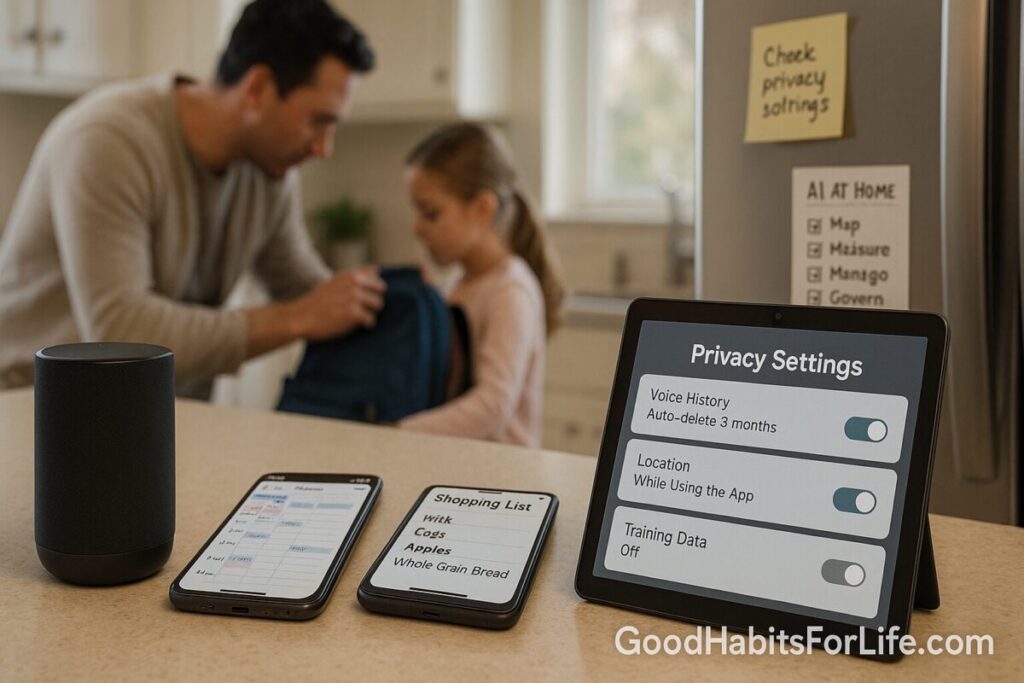
AI at Home: Calendars, Lists, and Privacy
AI at Home: Calendars, Lists & Privacy (2025 Guide)
Table of Contents
🧭 What This Covers & Why
Smart assistants and AI features now live in our kitchens and pockets. They can schedule school events, create shopping lists, and nudge good habits—but they also collect data that can reveal routines, locations, and relationships. The safest approach is useful automation with intentional boundaries grounded in recognized risk frameworks like NIST’s AI Risk Management Framework. NIST Publications
Voice assistants and smart speakers have had documented privacy issues (e.g., children’s recordings retained unlawfully in the past). Knowing how your provider handles retention and training—and setting your preferences—matters. Federal Trade Commission
In 2025, some cloud assistants removed options to keep recordings entirely off the cloud for new generative features, making it even more important to review retention and sharing settings. AP News
✅ Quick Start: Do This Today (10–15 minutes)
1) Lock down accounts
-
Enable 2-factor authentication or passkeys for Google, Apple, Microsoft, Amazon accounts tied to calendars/lists and speakers.
2) Set data-retention limits
-
Google: Set Auto-delete for Web & App Activity (e.g., 3 months). Google Help
-
Amazon Alexa: Set Auto-delete voice recordings or choose Don’t save recordings. Amazon
-
Apple Siri: Review Siri & Dictation privacy options; opt out of audio sharing and delete history as needed. Apple
3) Fix calendar sharing
-
Google Calendar: Use See only free/busy for external shares unless full details are necessary. Google Help
-
Apple Calendar: Share with specific people and toggle Allow Editing only when required. Apple Support
-
Outlook/Outlook.com: Share view-only by default; grant edit/delegate sparingly. Microsoft Support
4) Separate spaces
-
Create at least three calendars: Personal (private), Family Ops (shared), Work/Study (scoped).
-
Create separate shared lists for groceries, repairs, travel—avoid dumping everything into one list.
5) Decide on voice use
-
If you add events/lists by voice, set a clear rule: Only add to the Family Ops calendar & shared lists.
-
Prefer local or privacy-forward options for home control; keep sensitive notes in private apps. Home Assistant
🗂️ Setup Patterns for Calendars & Lists
Recommended calendar set:
-
Personal (you only): health, finances, private appointments.
-
Family Ops (shared): meals, chores, school events, travel windows.
-
Kids/Dependents (guarded): school, activities—shared with guardians only.
-
Home Maintenance (optional shared): servicing, bill due dates.
Sharing defaults:
-
Start private, then grant the smallest scope necessary:
-
View-only for most family members.
-
Editor rights for the person who actually manages logistics.
-
For outsiders (coaches, neighbors), share free/busy or a limited calendar link. Google Help
-
List hygiene:
-
Shared Groceries: anyone can add, only one person checks out.
-
Repairs/Projects: owner assigns, due dates visible to all.
-
Travel Pack List: template cloned per trip.
🔐 Privacy-by-Default Checklist (LEAST)
L — Limited retention
Set auto-delete to 3 months (or 18 if you need history). Turn off “save voice recordings,” or auto-delete them. Google Help+1
E — Explicit consent
Tell family what’s being captured (voice interactions, events, list items). Review Siri/Assistant privacy pages and opt out of training where possible. Apple
A — Account separation
Use separate logins for adults; do not share one master account with the whole household.
S — Scoped sharing
Use free/busy or view-only links first; add edit rights only when ongoing collaboration is proven necessary. Google Help+1
T — Turn off training (or keep it local)
Prefer local-processing assistants for home control when feasible; review providers that require activity logging for extensions and disable what you don’t need. Home Assistant+1
Network layer bonus: Place smart speakers/IoT on a separate Wi-Fi/VLAN to reduce lateral exposure of personal devices. Follow national cyber guidance on smart home basics. ncsc.gov.uk
🧠 Techniques & Frameworks (HOME-AI)
Use HOME-AI whenever you create or connect a new calendar/list/assistant:
-
H—Household roles: Who needs edit vs. view? Assign owners (e.g., “Parent A = Family Ops editor”).
-
O—On-device first: If possible, prefer local or end-to-end encrypted tools for sensitive items. Proton
-
M—Minimize data: Don’t store notes with addresses or medical details in shared descriptions.
-
E—Expiry rules: Auto-delete voice/history; calendar trash empties on a schedule. Google Help
-
A—App scopes: Check what the AI can read (calendars, contacts) and revoke unused scopes monthly.
-
I—Incident drills: Practice “delete & revoke” (remove a guest, revoke a link, clear voice history).
👨👩👧 Audience Variations
Couples:
-
Two personal calendars; one Family Ops shared.
-
Money/health stay private; travel and chores shared.
Parents & Kids/Teens:
-
Kids: separate accounts with parental controls; calendar shares are view-only unless older teens need edit rights. Google Help+1
-
Use a dedicated “School & Activities” calendar shared with guardians only.
-
Voice rules: kids may add to a Kids List but not view parent calendars.
Roommates:
-
One “Flat Ops” calendar (bills, cleaning rota) and a “Groceries” list.
-
No access to personal calendars; keep location/doctor info private.
Seniors/Caregivers:
-
Share medication reminders as view-only to adult children; one caregiver gets edit access for changes.
-
Keep medical notes in a private health app; calendar holds only the appointment title/time.
⚠️ Mistakes & Myths to Avoid
-
“Mute = private.” Mute stops the mic; it doesn’t clear prior history or change cloud processing defaults. Review retention settings. AP News
-
“Public calendar links are harmless.” Public links can leak sensitive patterns; prefer specific people with view-only or free/busy. Google Help
-
“Everyone can edit—it’s faster.” More editors = more risk of accidental exposure/invites. Grant editor rights only to owners. Microsoft Support
-
“Training improves accuracy, so I must opt in.” Helpful, but optional; you can keep history short and still get good performance. Apple
💬 Real-Life Examples & Scripts
Add to the right place (by voice):
-
“Hey ___, add ‘Maths open day — Sat 12 Oct 10:00’ to Family Ops calendar.”
-
“Hey ___, add ‘Fix leaky tap — assign Alex — due Friday’ to Repairs List.”
Permission conversations:
-
Partner: “I’ve set our ‘Family Ops’ calendar as shared (view-only). Want edit access too?”
-
Teen: “You can add tasks to ‘School List’ but only parents can edit ‘Medical Appointments’.”
-
Roommate: “Let’s use ‘Flat Ops’ view-only links; only the bill-payer has edit rights.”
When a guest leaves:
-
“Remove Priya from Family Ops calendar, revoke public links, delete voice history last 3 months.”
🧰 Tools, Apps & Resources (Pros/Cons)
| Tool | Best For | Privacy Notes |
|---|---|---|
| Google Calendar | Cross-platform, mixed ecosystems | Share free/busy or details; set event visibility per entry; combine with auto-delete activity. Google Help+1 |
| Apple Calendar (iCloud) | Apple-centric families | Share to specific people; toggle editing per person; manage Siri recording preferences separately. Apple Support+1 |
| Outlook/Outlook.com | Microsoft households/work | View-only vs. edit/delegate; integrates with Microsoft privacy controls. Microsoft Support+1 |
| Proton Calendar | Maximum privacy schedules | End-to-end encryption for titles, descriptions, attendees; link-sharing options. Proton+1 |
| Todoist / Microsoft To Do | Shared lists & chores | Granular project sharing; check provider security pages; avoid placing sensitive data in shared items. Todoist+1 |
| Home Assistant + Assist | Local home control & voice | Can run a local speech pipeline; reduces cloud exposure for home commands. Home Assistant |
🗺️ 30-60-90 Day Habit Plan
Days 0–30 (Foundations)
-
Map calendars/lists; create Personal, Family Ops, Home Maintenance.
-
Set auto-delete (3–18 months), disable voice history saving, and review Siri/Assistant training toggles. Google Help+2Amazon+2
-
Share Family Ops view-only; give one co-owner edit rights. Microsoft Support
Days 31–60 (Guardrails & Routines)
-
Move IoT/assistants to a guest/IoT network; review router and account security basics. ncsc.gov.uk
-
Monthly audit: remove old guests, revoke unused links, clear voice history.
-
Standardize titles:
[Owner] Task — Date — Locationfor quick scanning.
Days 61–90 (Optimize & Educate)
-
Templates: “School Term,” “Festival Season,” “Vacation Pack List.”
-
Quarterly privacy check: confirm retention, sharing scopes, and voice settings still match your values.
-
Consider privacy-first upgrades (e.g., Proton Calendar for sensitive events; local voice for home controls). Proton+1
📚 Key Takeaways
-
Keep who sees what intentional: private by default, least privilege, edit rights only to owners.
-
Limit retention and training; regularly purge voice history/activity. Google Help
-
Separate calendars/lists by purpose; standardize names; automate repeat seasons.
-
Prefer local/E2EE tools for sensitive items; review cloud changes that affect privacy. AP News+1
❓ FAQs
1) Does my assistant “read” my calendar?
If you grant permission, assistants can access calendar data to add/list events. Check each app’s permissions and choose view scopes carefully; use private visibility for sensitive events. Google Help
2) Are voice commands stored forever?
No—most providers let you auto-delete or avoid saving recordings; set these controls immediately. Amazon+1
3) Can I use AI features without logging activity?
Some capabilities (e.g., extensions) require activity logging; you can often disable extensions or reduce retention if you prefer. The Verge
4) What’s a safer way to do home commands?
Run a local/home-server assistant (e.g., Home Assistant’s Assist) for lights and switches; keep calendars and lists in your regular apps. Home Assistant
5) What’s the single best calendar privacy move?
Use free/busy or view-only sharing by default; grant edit/delegate only to a small set of trusted people. Google Help+1
6) Which calendar is most private?
Proton Calendar uses end-to-end encryption for event details; great for sensitive schedules if it fits your workflow. Proton
7) Do national cyber agencies have smart-home advice?
Yes—follow your country’s guidance for securing smart devices and home networks. ncsc.gov.uk
References
-
NIST. AI Risk Management Framework (AI RMF 1.0). [nvlpubs.nist.gov PDF] NIST Publications
-
FTC. Amazon.com (Alexa), U.S. v. (case page & order). [ftc.gov] Federal Trade Commission
-
AP News. Amazon ends ‘Do Not Send Voice Recordings’ option for Echo (2025). [apnews.com] AP News
-
Google Help. Delete your activity automatically. [support.google.com] Google Help
-
Google Calendar Help. Change event visibility; free/busy sharing. [support.google.com] Google Help
-
Apple Support. Share iCloud calendars (iPhone). [support.apple.com] Apple Support
-
Microsoft Support. Share an Outlook calendar as view-only. [support.microsoft.com] Microsoft Support
-
Apple Legal. Siri, Dictation & Privacy. [apple.com] Apple
-
Home Assistant Docs. Local Assist pipeline (voice control). [home-assistant.io] Home Assistant
-
UK NCSC. Smart devices: using them safely in your home. [ncsc.gov.uk] ncsc.gov.uk
-
Proton. Proton Calendar Security (E2EE). [proton.me] Proton
-
The Verge. Gemini extensions require activity logging (how-to). [theverge.com] The Verge
Disclaimer: This guide is for general information only and is not legal advice on privacy or data-protection compliance.